

I’ve tested all of the most popular sunrise alarm clocks, and while some of them are pretty good, smart lights can offer far more versatility, and often for less money!
In this guide, I’ll cover all the options currently available, from LIFX to Philips Hue, as well as third-party apps and specific hardware setups and recommendations.
Let’s get into it!
Smart Lights vs. Alarm Clocks
Smart lights can be an amazing alternative to more traditional sunrise alarm clocks. Here are some potential advantages:
- Since these are app-based, alarm scheduling is much more flexible, and changing settings overall is much easier than many of the button controls on alarm clocks.
- Smart lights can be much cheaper than a premium clock.
- You have the freedom to mount certain smart lights to be more effective than clocks, which are bound to a nightstand.
- They can get much brighter than clocks.
Some cons do exist, however:
- Many of the apps I’ve tried are unreliable or have subpar settings or sunrise gradients (we’ll go over this).
- Some setups can be prohibitively expensive (though they don’t have to be).
- Simply using your existing ceiling lights may not work well, as they are usually too far from your eyes to reach an effective dose.
Free · 95 pages
You're reading about one piece of this. The book is the whole day.
The Circadian Blueprint covers setting your body clock with light — the timing, the doses, and which products actually deliver them. Every number came off my own spectrometer.
Testing Sunrise Automations
Let’s jump right into my experience testing various first-party sunrise options. Below are the ones I was able to get to work:
Philips Hue
Philips has nailed the sunrise automation; this is my recommendation for most people. The first rule of thumb with a Hue sunrise is that you’ll want a color bulb, as you need the RGB diodes for proper color shifting.
The sunrise is gradual at first and then ramps up, which usually results in a guaranteed wake up, but not too soon.
Output by time. Philips Hue sunrise (app) ramp length 30 min.
See the numbers
Philips Hue sunrise (app)
- Ramp length
- 30 min
The color shift is also pretty unique and something I appreciate about the Hue sunrise.
It starts as a very dim light-blue color (100,000K), shifts into a very warm orange (1800K), and then finally slowly gets cooler again (2700K). This emulates the color shifts of a real sunrise.
Here’s what that looks like across a few of the Hue devices I tested (set the CCT max to 10,000K for visibility).
Color temperature by time. Essential BR30, Essential A19, Go, New A19.
As you can see, some of these lights shift a bit sooner or later than others, but the overall effect is very similar.
And to illustrate just how much brighter many of the Hue smart lights are than dedicated sunrise alarm clocks, see below:
The App Experience
Now, while you don’t technically need the Hue Bridge, the sunrise automation is very limited without one:
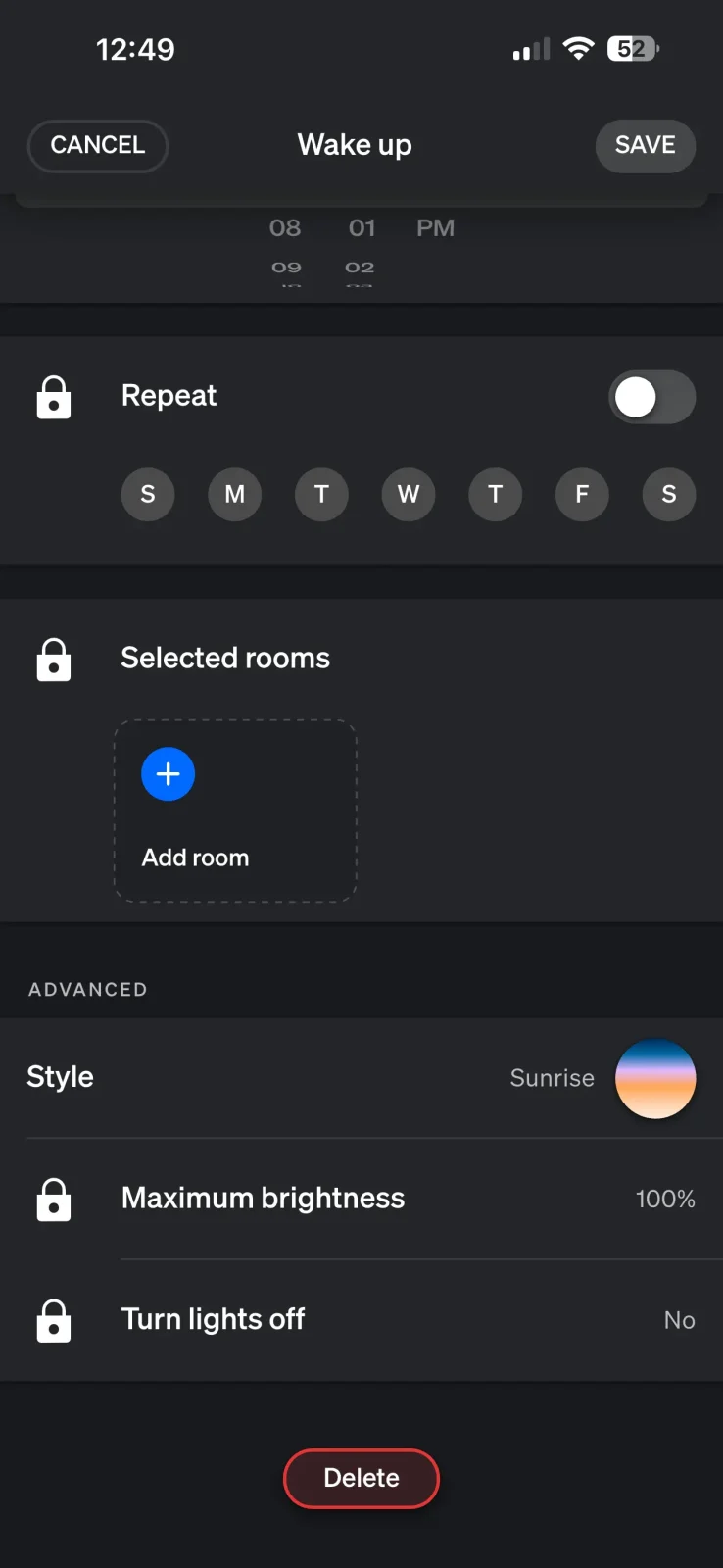

Here is a full walkthrough video of the Bluetooth setup options:
So yeah, get the Bridge, it’s either around $50 new, or you can find them for about $20 used on eBay.
With the bridge, Hue offers easily the most reliable well made sunrise automation of anyone.
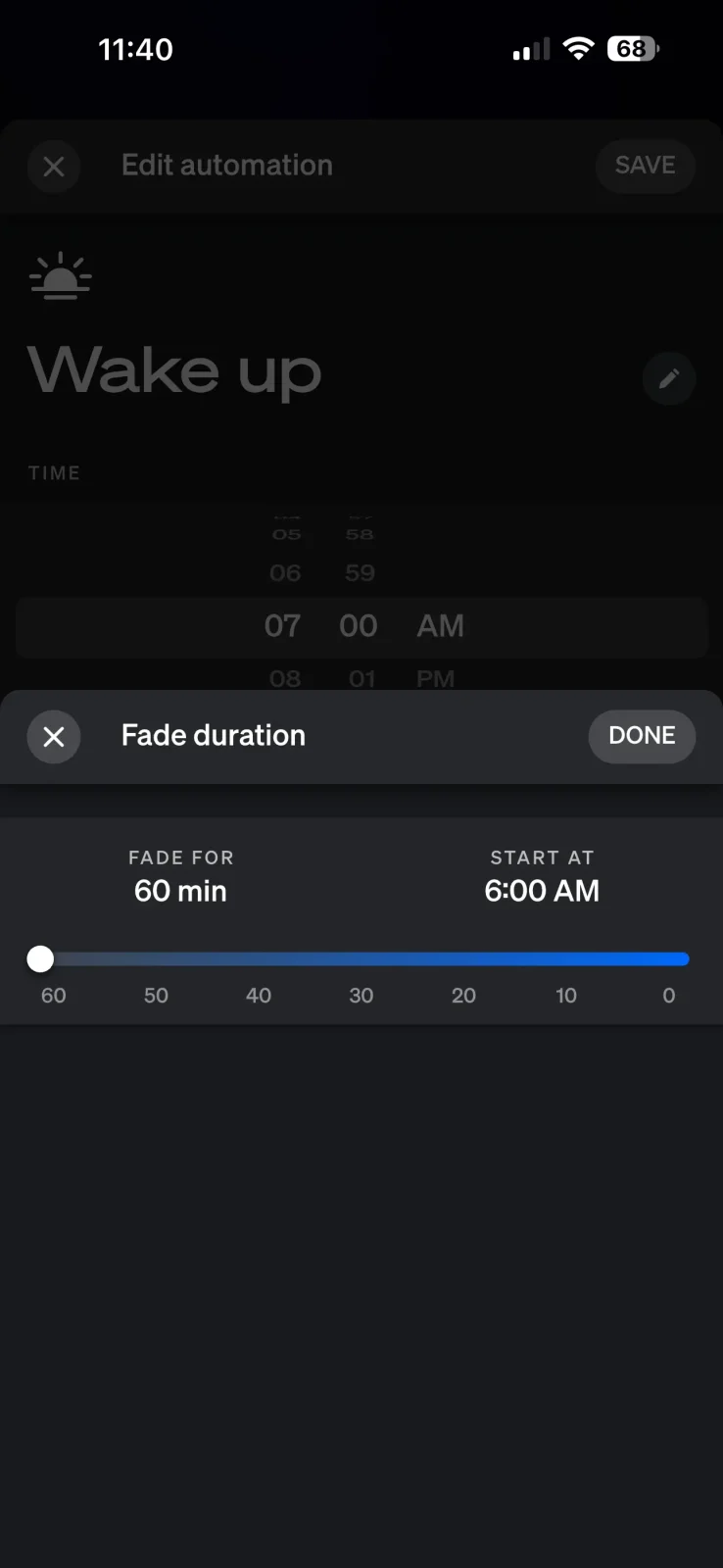
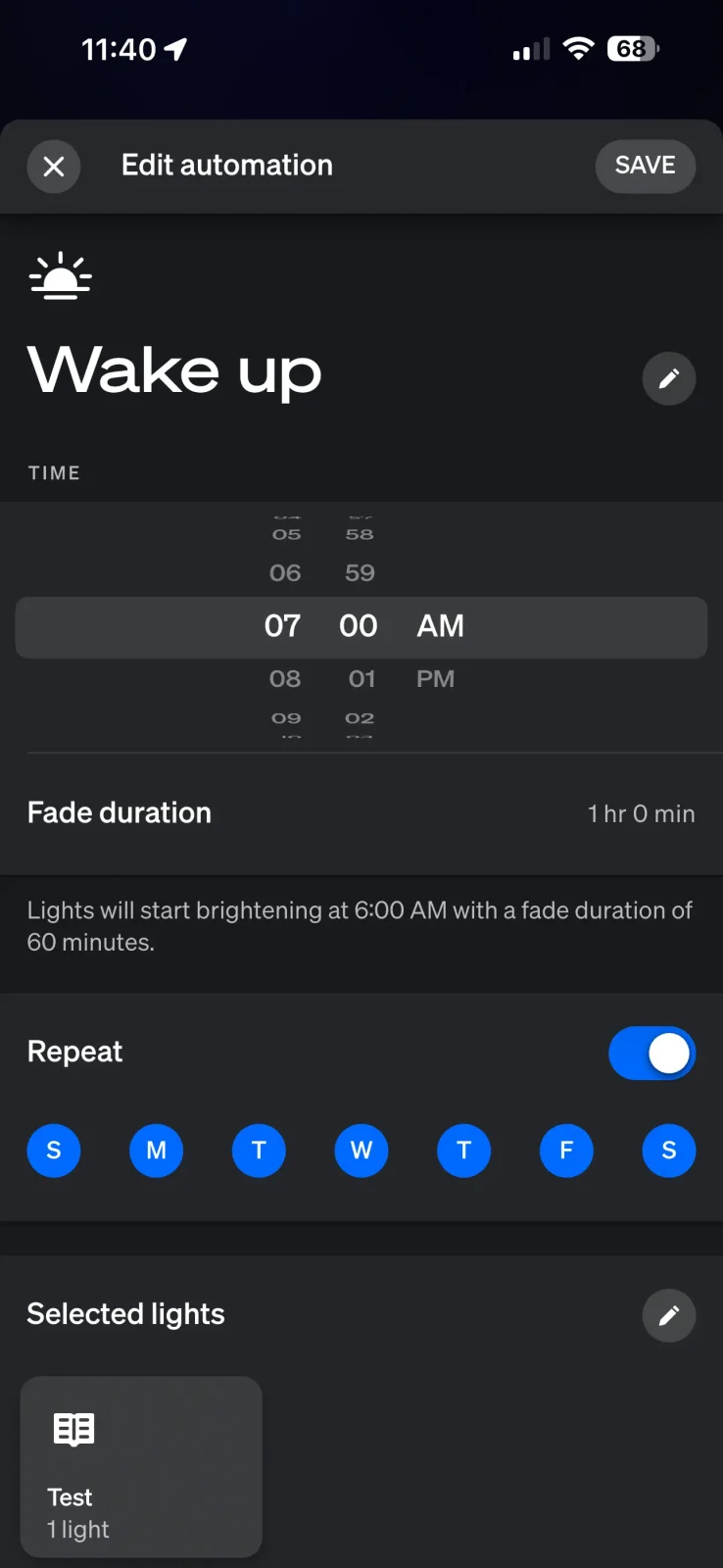
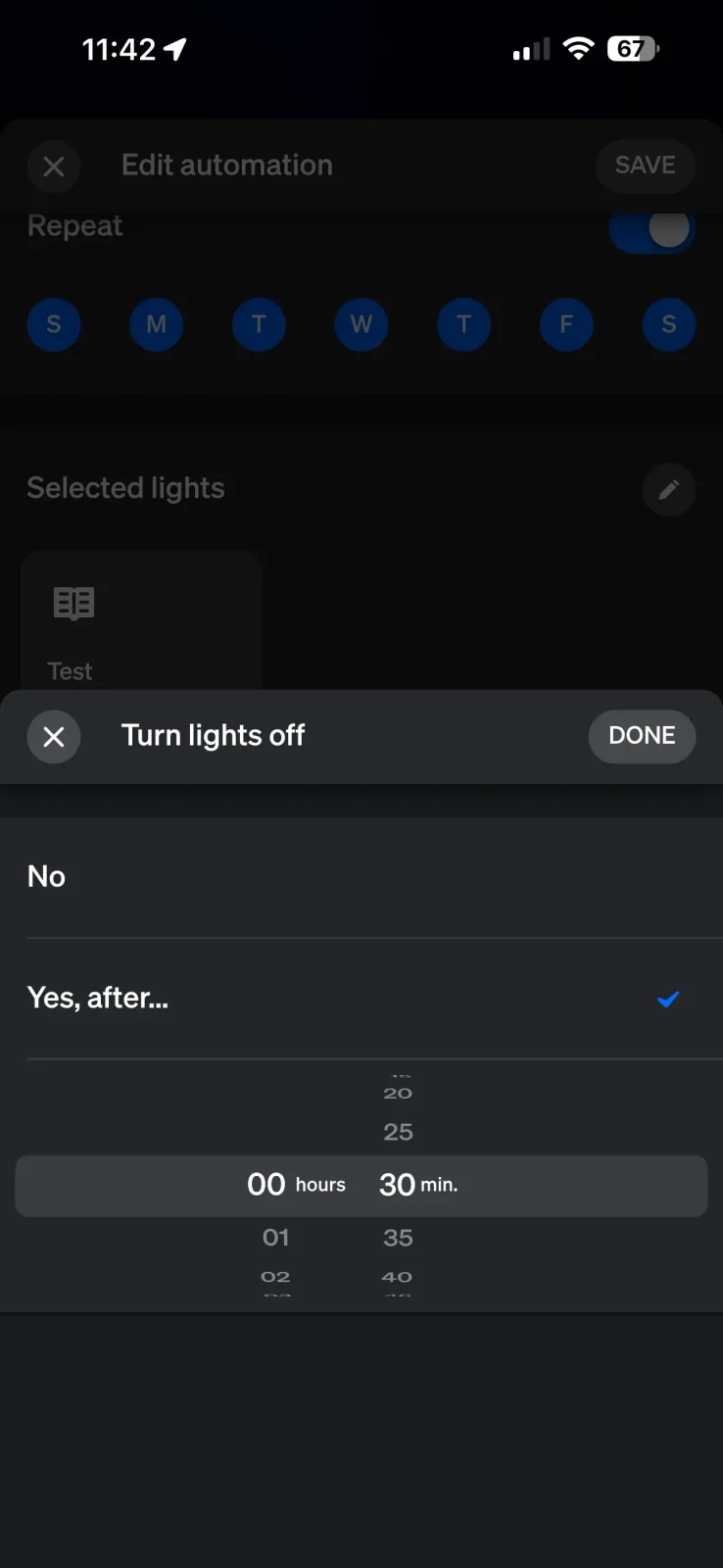
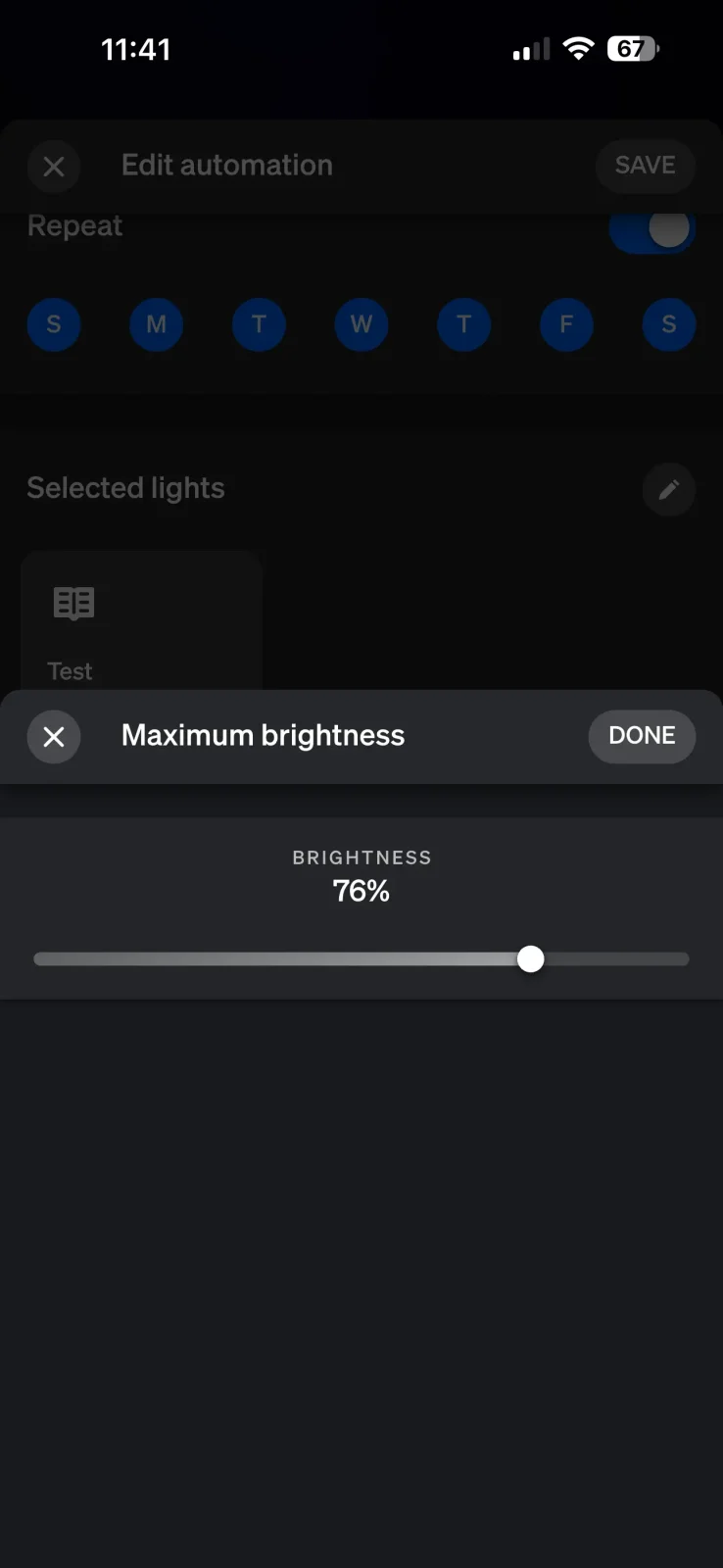
Here’s a video walkthrough of the Hue Hub sunrise settings:
Overall, Hue is the best smart lighting ecosystem for sunrise automations.
LIFX
The LIFX app does have a sunrise automation, and it’s not too bad.
The sunrise brightness curve itself is pretty decent:
Output by time. LIFX sunrise (app) ramp length 59 min.
See the numbers
LIFX sunrise (app)
- Ramp length
- 59 min
While the color temperature shift is somewhat limited by default, but not the worst:
Color temperature by time. LIFX sunrise (app).
Also, for some reason, during my testing, the LIFX sunrise consistently started 3 minutes later than it should have, no idea why.
The App Experience
LIFX bulbs don’t need a hub, which is nice, but the sunrise automation is somewhat DIY:
By default, the Sunrise Routine sets up two colors that turn on at sunrise and 30 minutes after sunrise.
If you want to enable your sunrise at a specific time, you’ll need to go in and change these settings for both sequences; there’s no simple “start at this time” option.
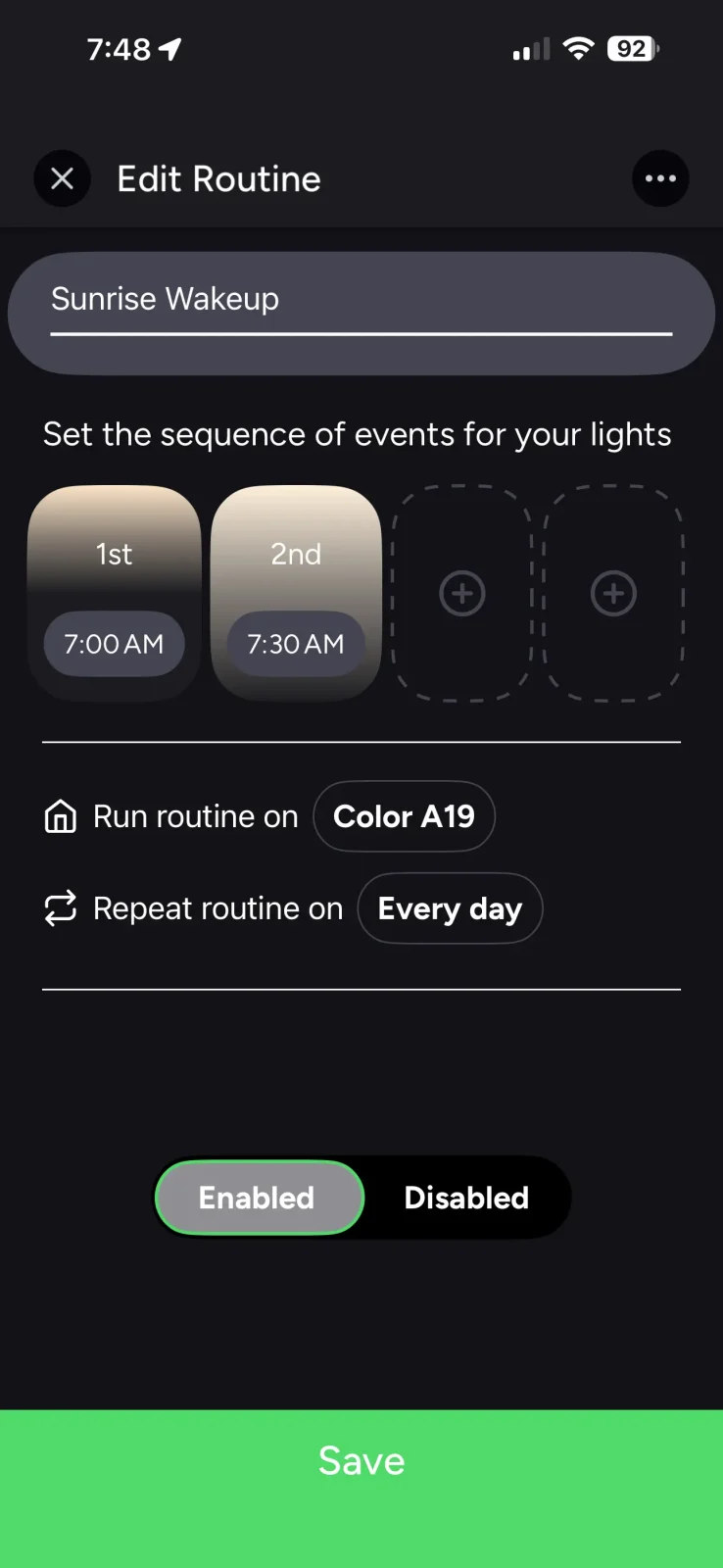
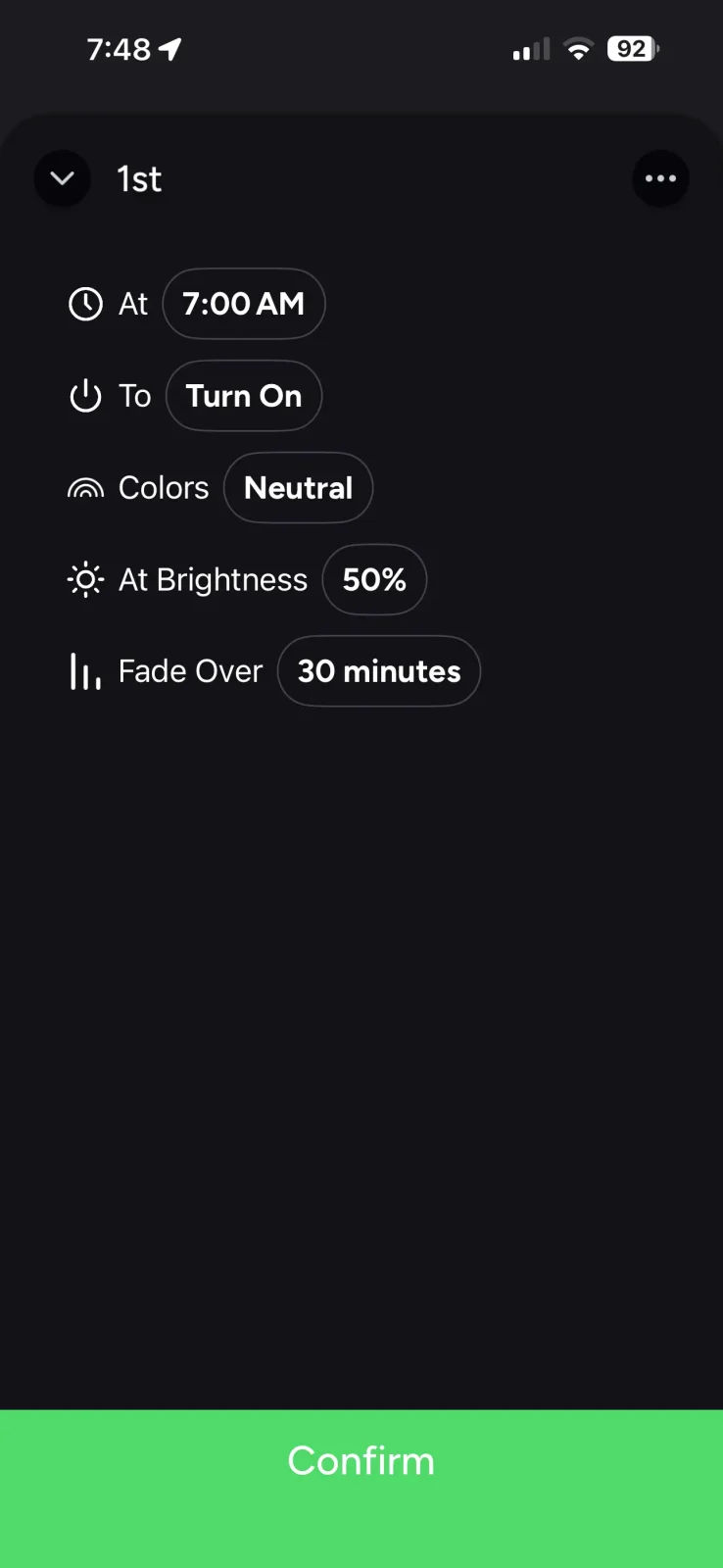
You do have the option to change the fade durations, brightness, and color temperatures of each step, but you’re limited to 4 steps. And since each one has to be changed manually, creating something better than what LIFX gives you by default is quite annoying and time-consuming.
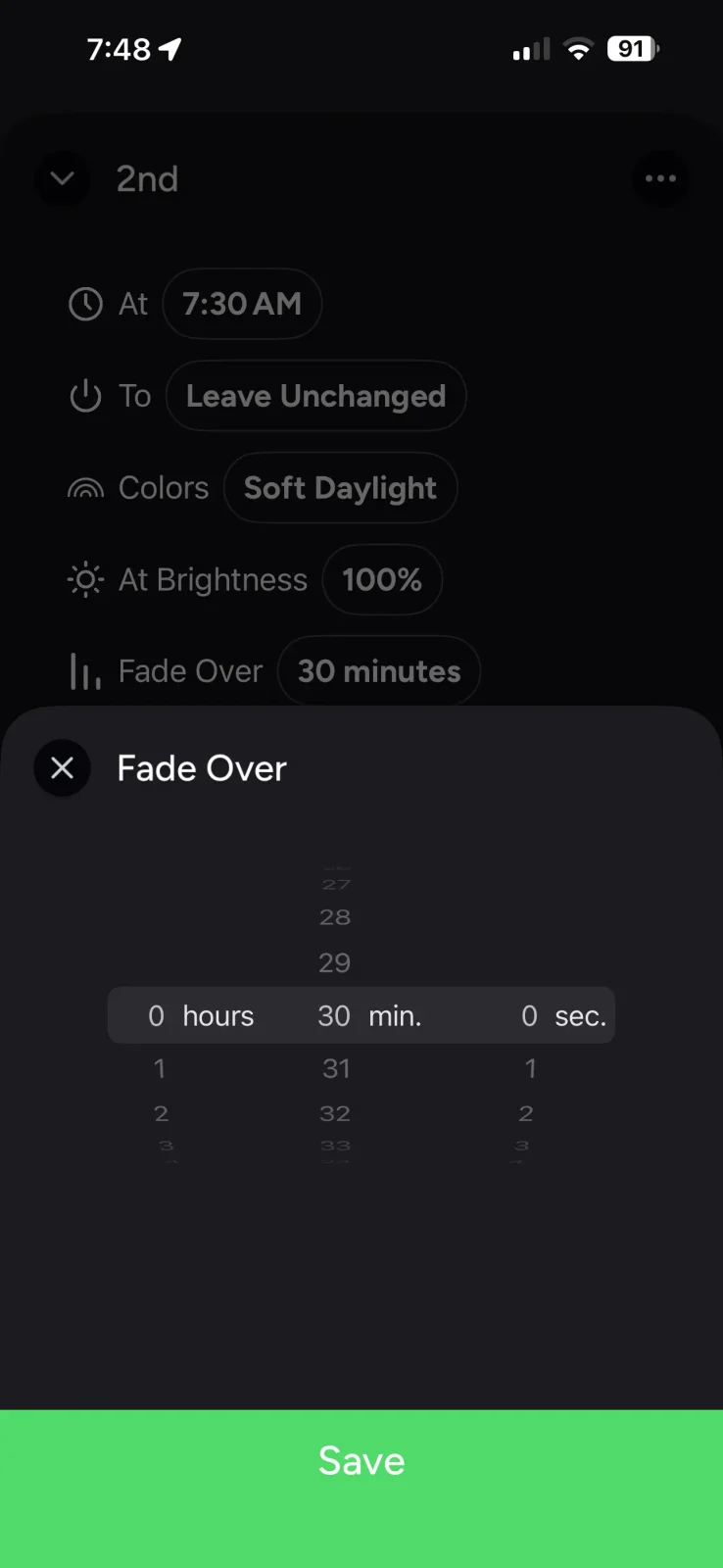
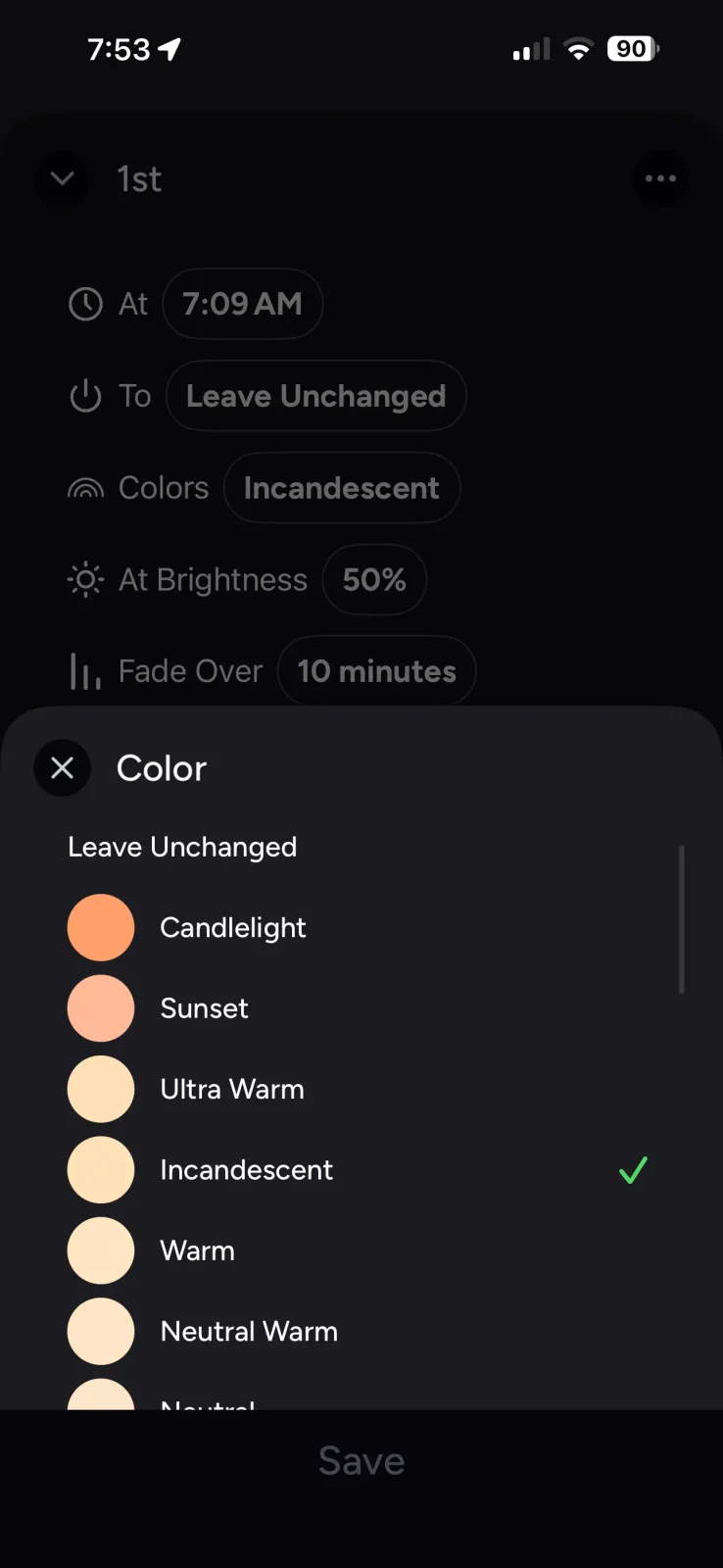
Here’s a video walkthrough of the setup process:
Overall, LIFX is alright, but the amount of finicking required to change times and schedules will be off-putting to many people.
IKEA
IKEA offers a sunrise automation within their app, but this requires the DIRIGERA Hub, which costs quite a bit more than the Hue Bridge does.
For this testing, I bought a color IKEA bulb as the “tunable white” bulbs for IKEA have a very narrow white range.
Visit our Smart Light Bulb Database for more information on IKEA CCT ranges
IKEAs app offers a scene called Rise and Shine. This is their sunrise automation.
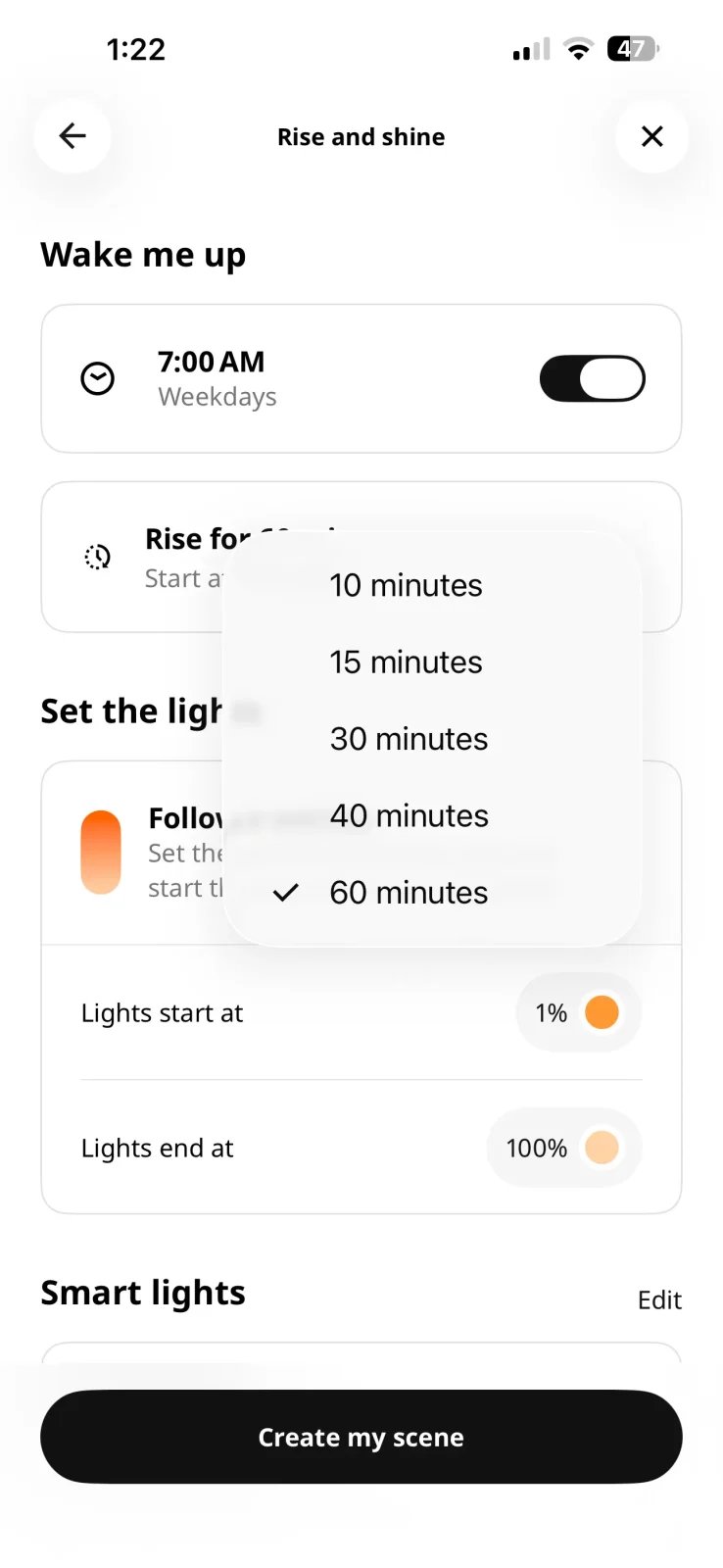
From here, you can adjust the schedule, as well as several other settings:
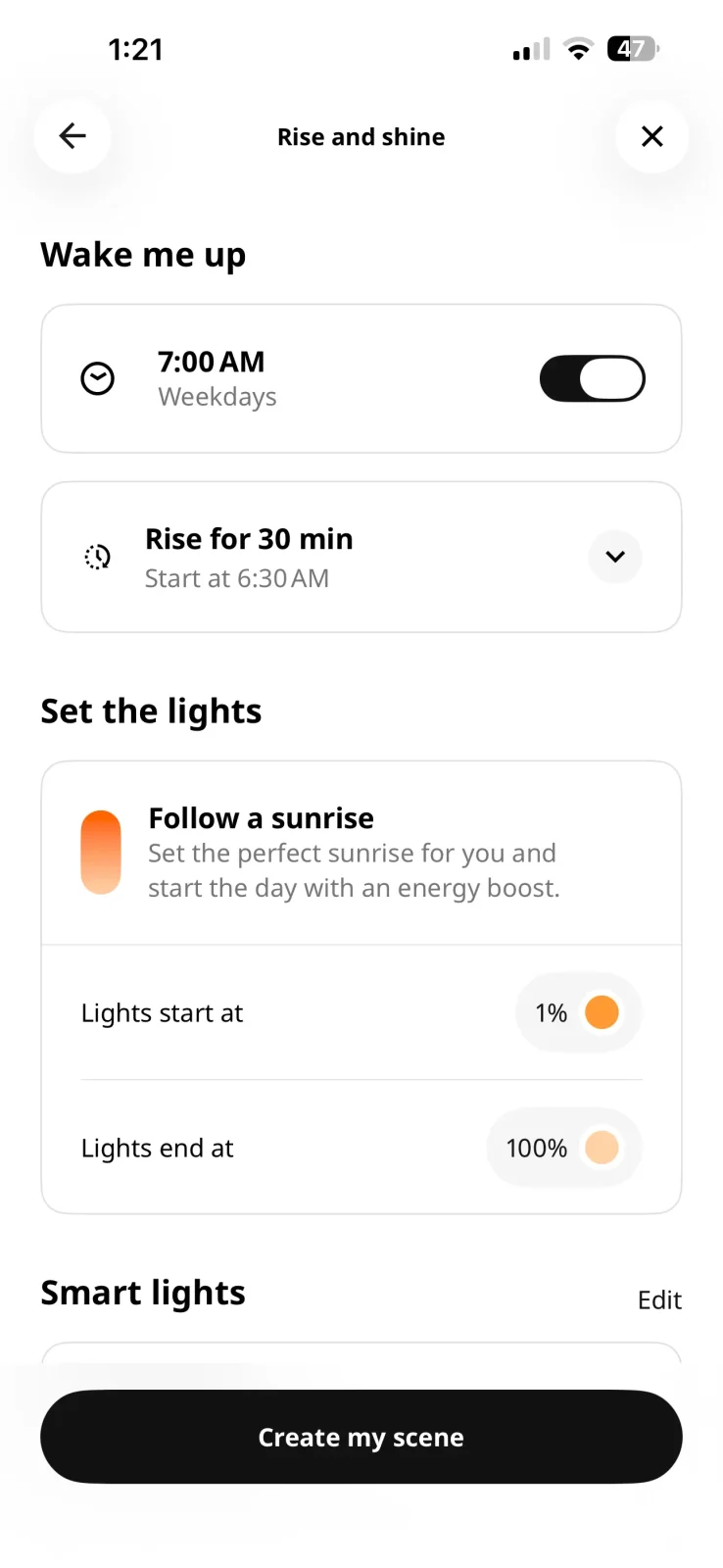
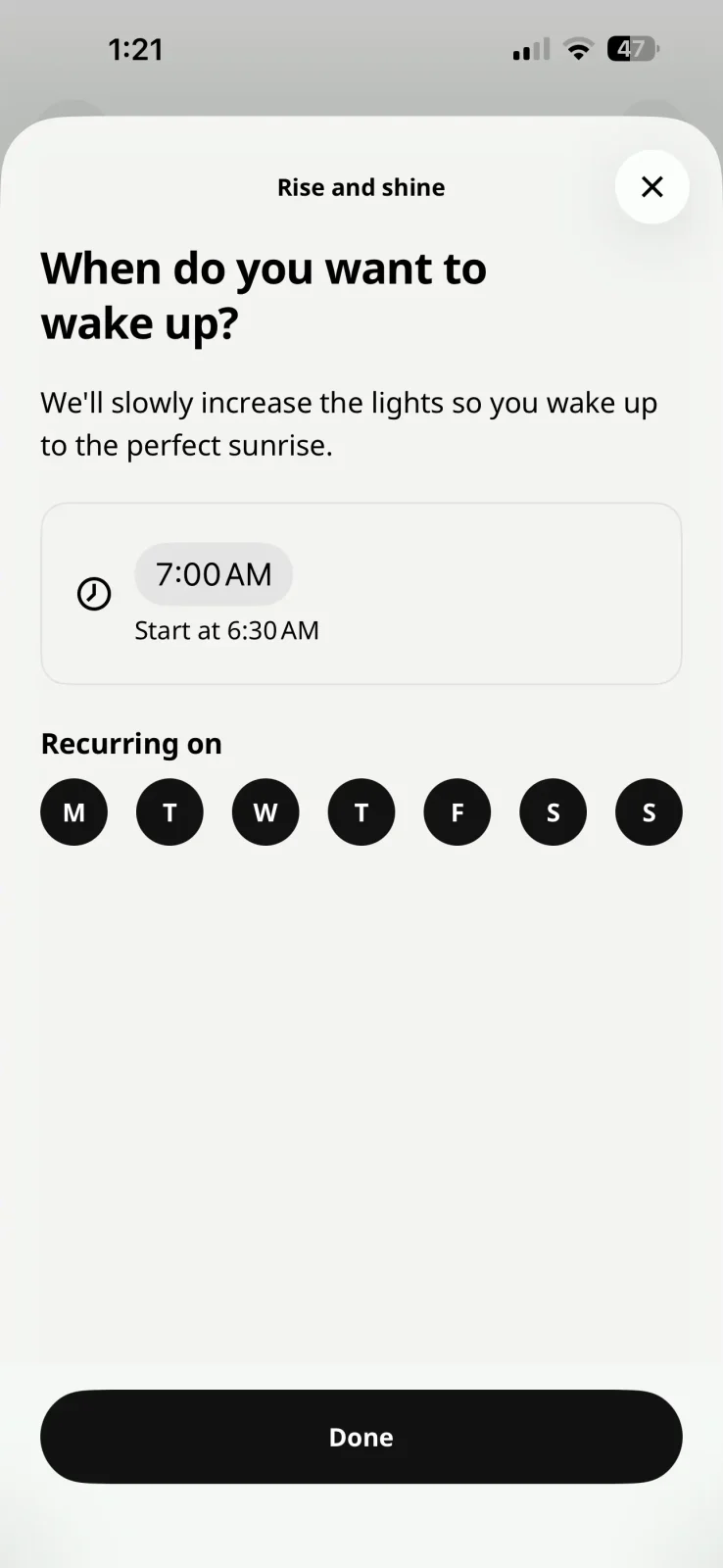
Such as the sunrise duration itself (10, 15, 30, 40, or 60 minutes) as well as the beginning and ending color temperature and brightness levels.
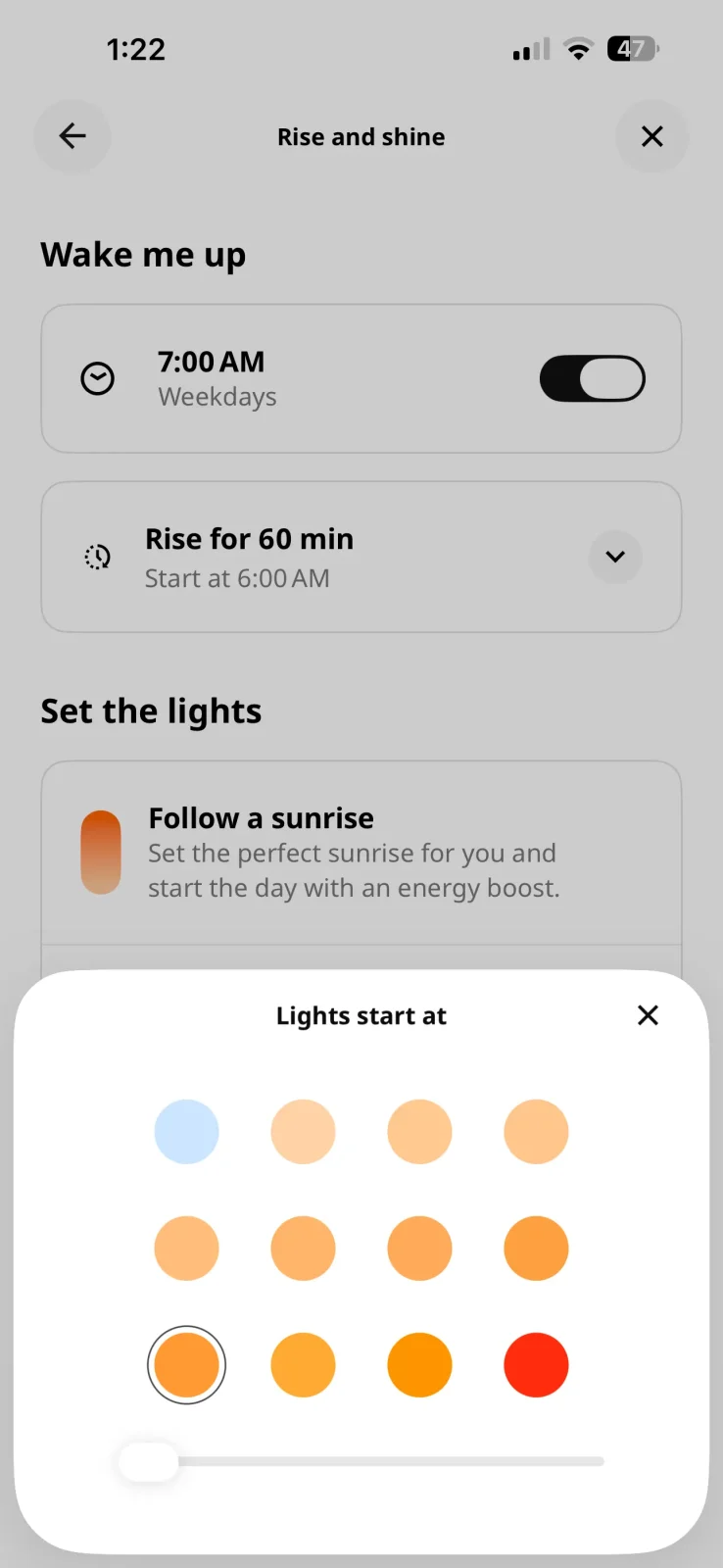
Here’s a video of the app setup if you’re curious:
I had a lot of issues getting the IKEA sunrise to work properly, and even when it did, I wasn’t a huge fan of the outcome.
I measured a brightness spike right at the beginning of the sunrise automation… I thought this was a fluke, so I ran it again, same thing. So I changed the beginning brightness level from 1% to 5%, and this fixed it.
Output by time. Attempt #1, Attempt #2, Attempt #3.
But there is one more issue you can clearly see, the “brightness” curve isn’t very smooth. Instead, IKEA relies on a sudden logarithmic brightness increase every 90 seconds or so. This isn’t ideal, obviously, especially later in the automation when the increases get larger.
These sudden brightness spikes have the capability of waking you up sooner than a smoother increase would.
Overall, the app setup is great! I was just disappointed with the sunrise performance itself.
Testing Third-Party Apps
Unfortunately, I couldn’t find a single third-party Android app from sunrise alarms using smart lights. Below are the two decent options I found for iOS.
Wake Up Light App
This app is pretty useful; it can utilize any Apple Home light you already have, so if you’re not part of the Hue ecosystem, this might be the next best option. But there are some downsides. For one, you have to pay for the premium version for it to be worth using, which will run you $1.50 per month.
The biggest reason you’ll need premium is for more granular wake-up gradients; the brightness curve looks like the one from IKEA above otherwise.
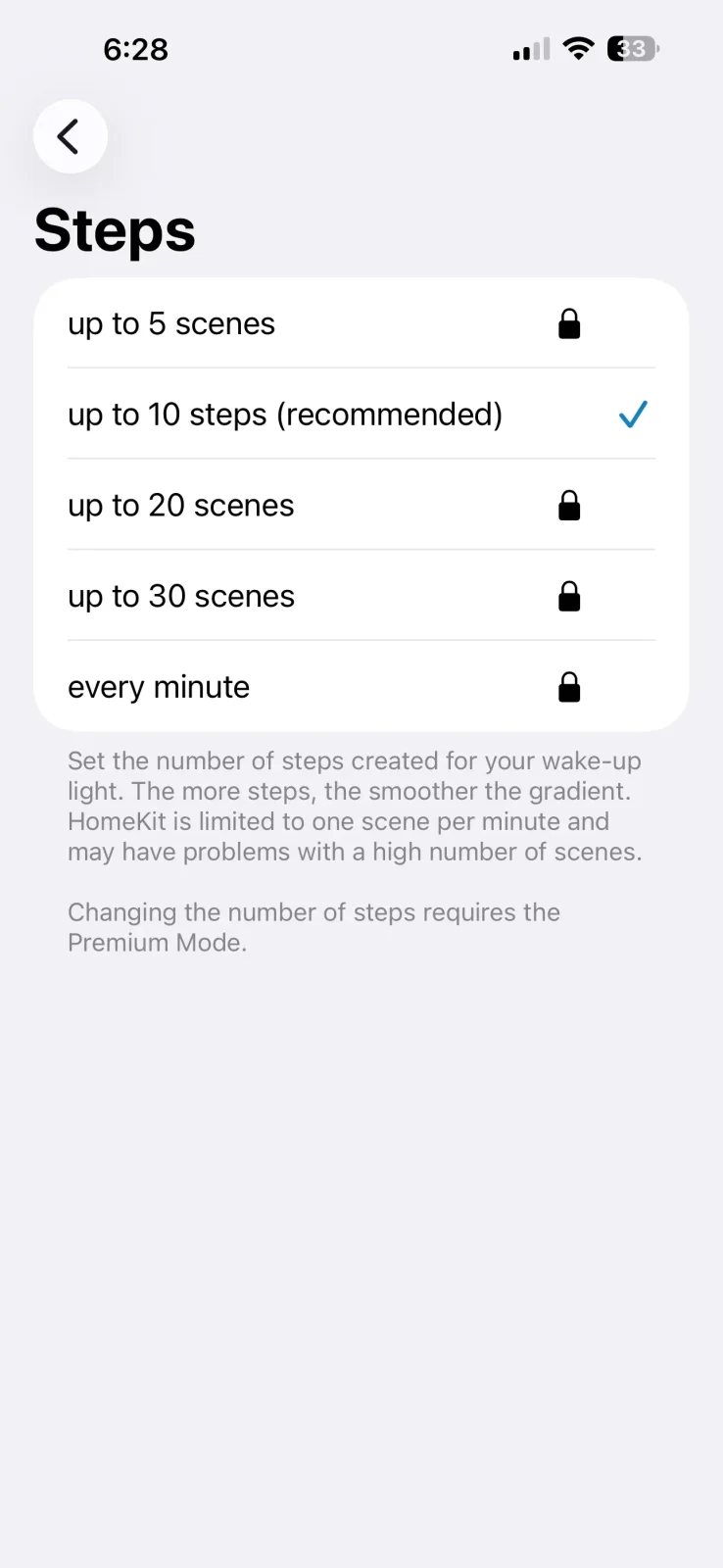
Here is the difference between 10 steps and 30 steps (every minute) for a 30-minute sunrise:
Output by time. 10 Steps ramp length 30 min; 30 Steps ramp length 30 min.
See the numbers
10 Steps
- Ramp length
- 30 min
30 Steps
- Ramp length
- 30 min
What’s perhaps most unique about this app is that you can create a sunrise lasting up to 120 minutes or two hours. Since the optimal sunrise curve and durations can be unique to each person, this might be something you’d like to try out, as no other system allows for this.
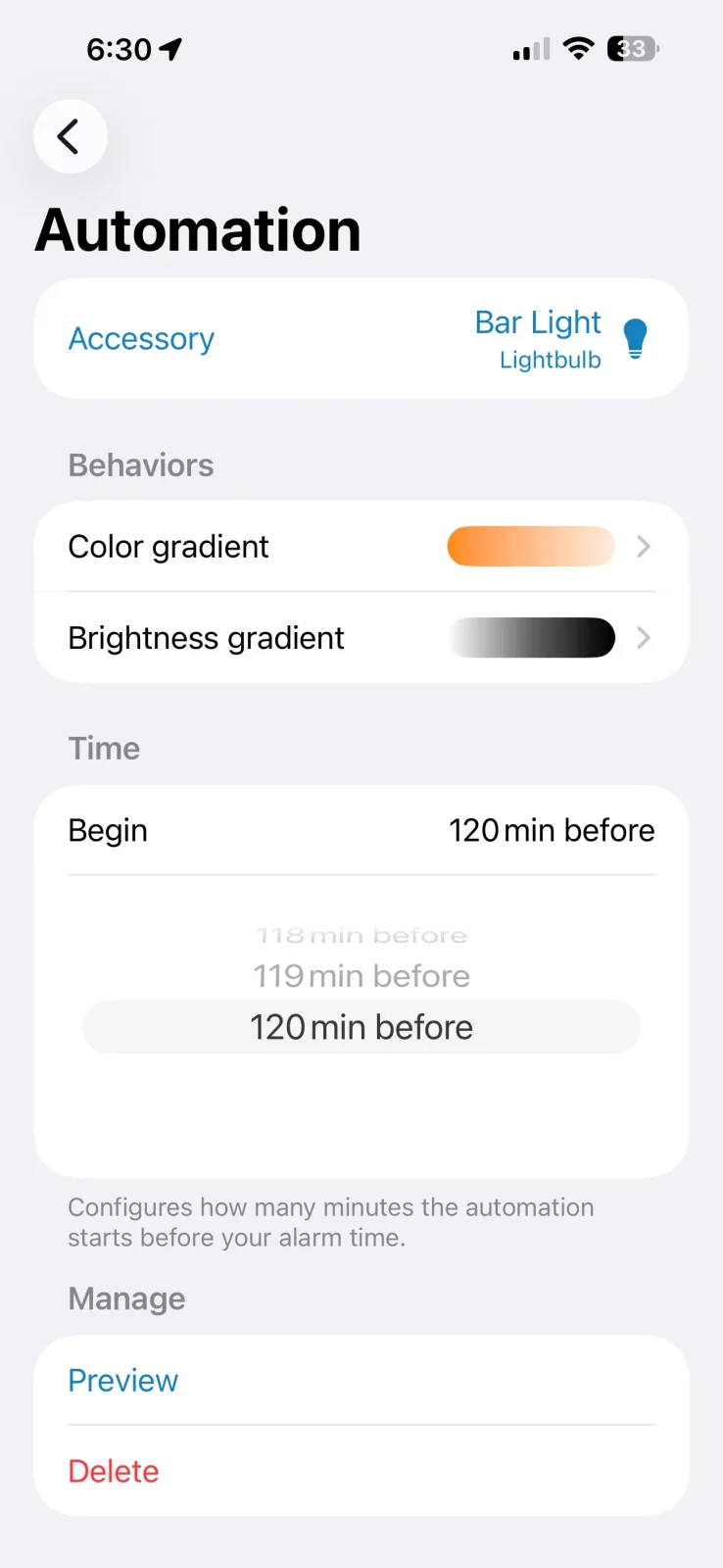
Longer sunrise duration allows for more steps, making the curve a bit more “smooth” like this:
Output by time. Wake Up Light, wake up light app 30 minute sunrise ramp length 60 min.
See the numbers
Wake Up Light, wake up light app 30 minute sunrise
- Ramp length
- 60 min
You can also choose from multiple different color gradients, and you can change the actual curve, which is very unique to this app as well.
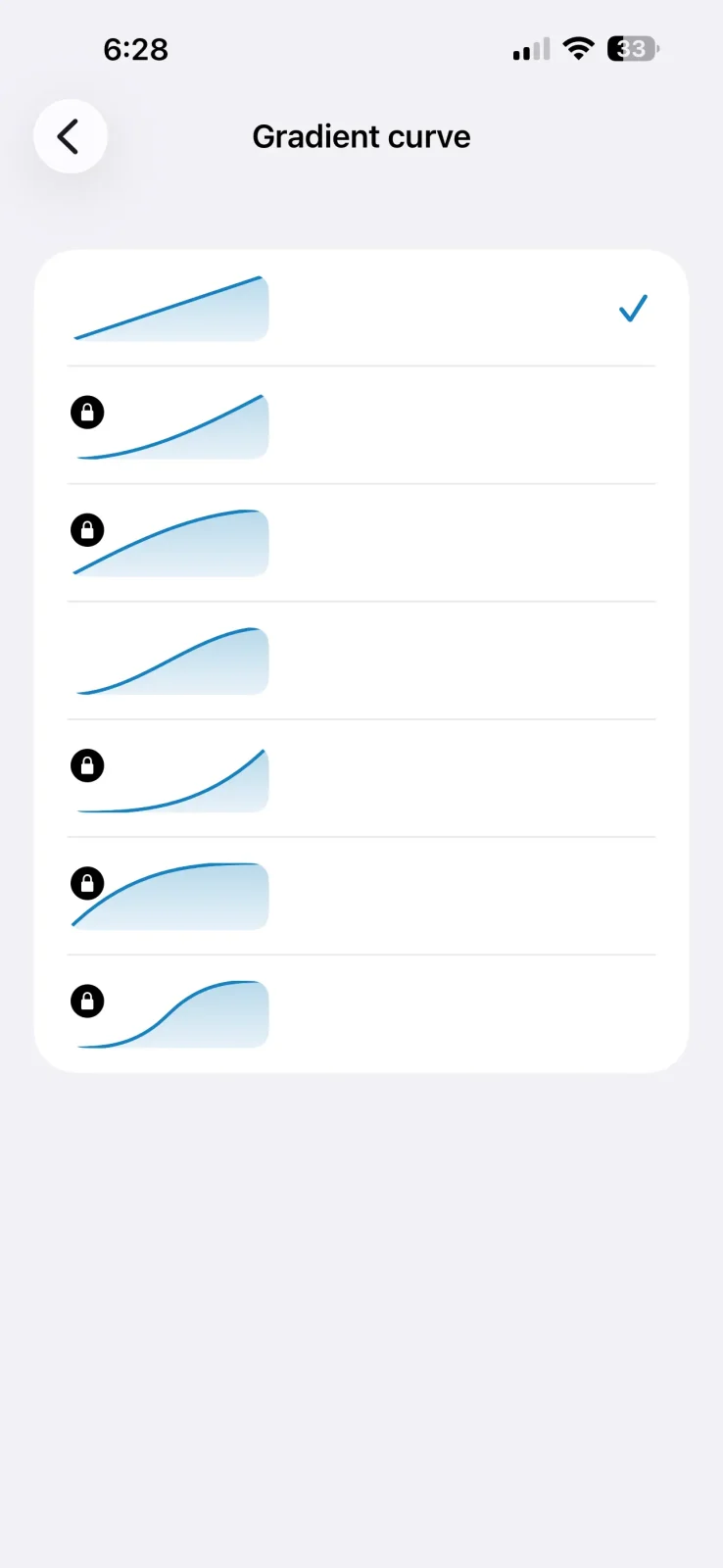
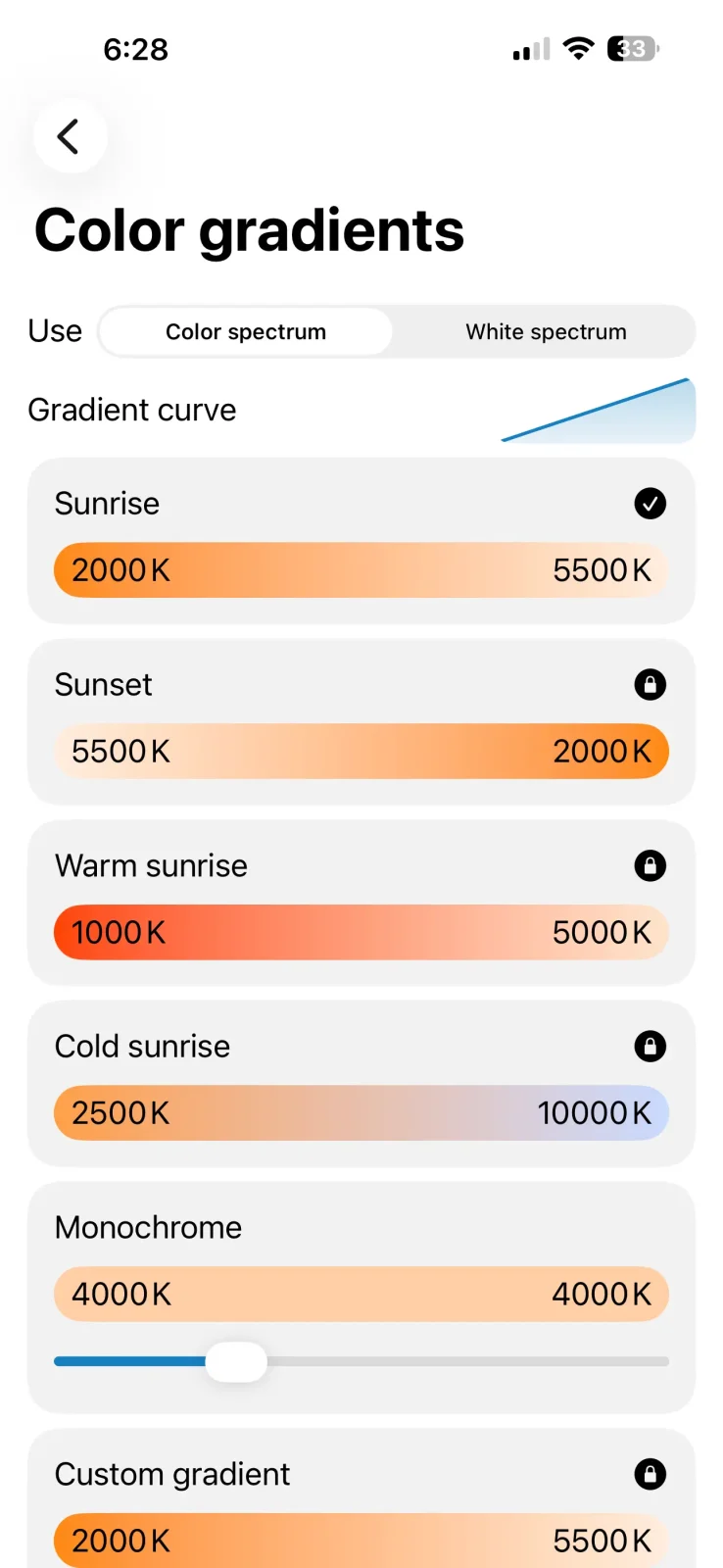
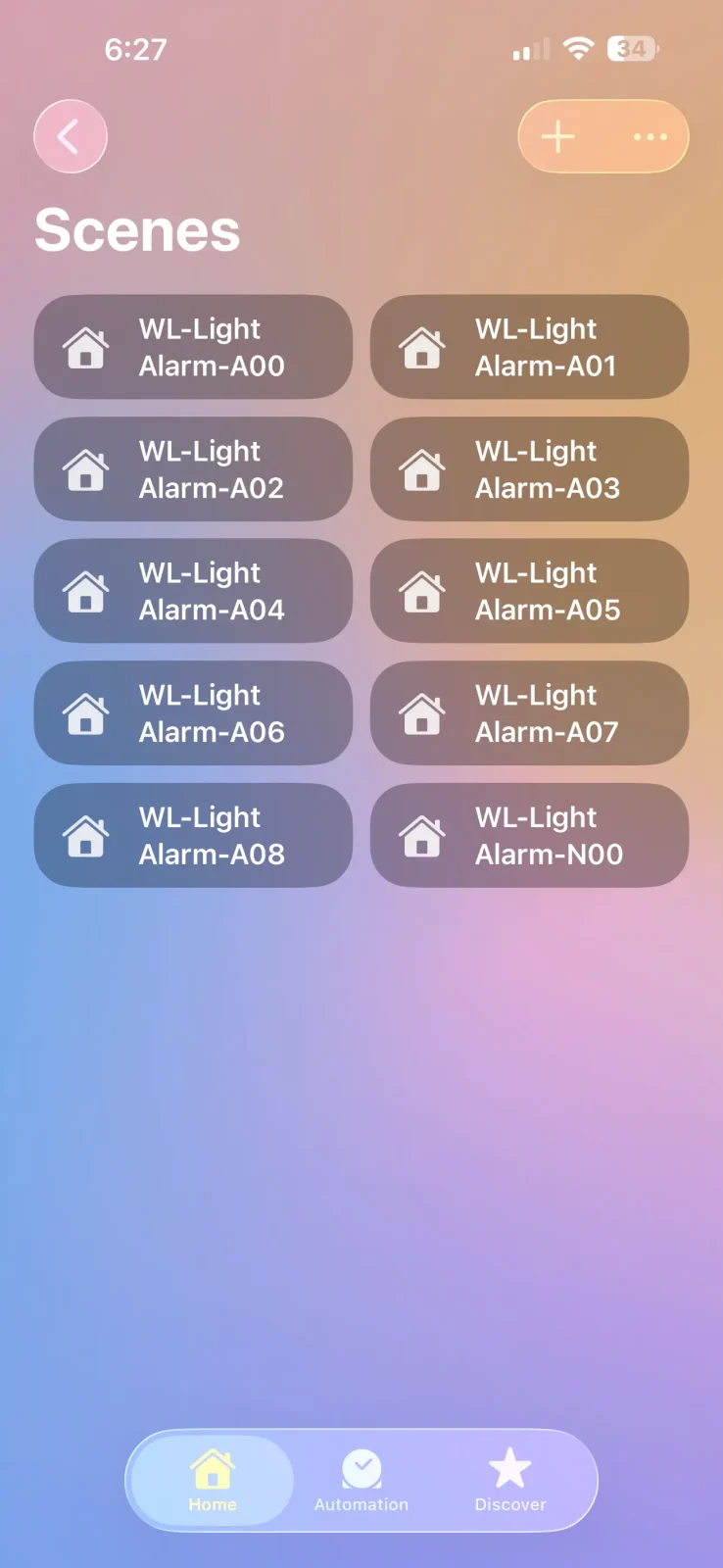
The worst part about this app is that it’s essentially hijacking Apple Home scenes and automations. This means two things:
- If you choose to create a longer sunrise, say 60-120 minutes, that updates every minute, this will generate 60-120 scenes and automations in Apple Home. If you use other scenes and automations already, this adds a lot of clutter. You can “de-favorite” these to declutter, but if you have 120… 😬
- Generating 60-120 minute sunrises requires the app to stay awake and I found it took 2-3 minutes to complete. If your screen times out, it messes up the process, and you have to start all over. I found this quite frustrating…
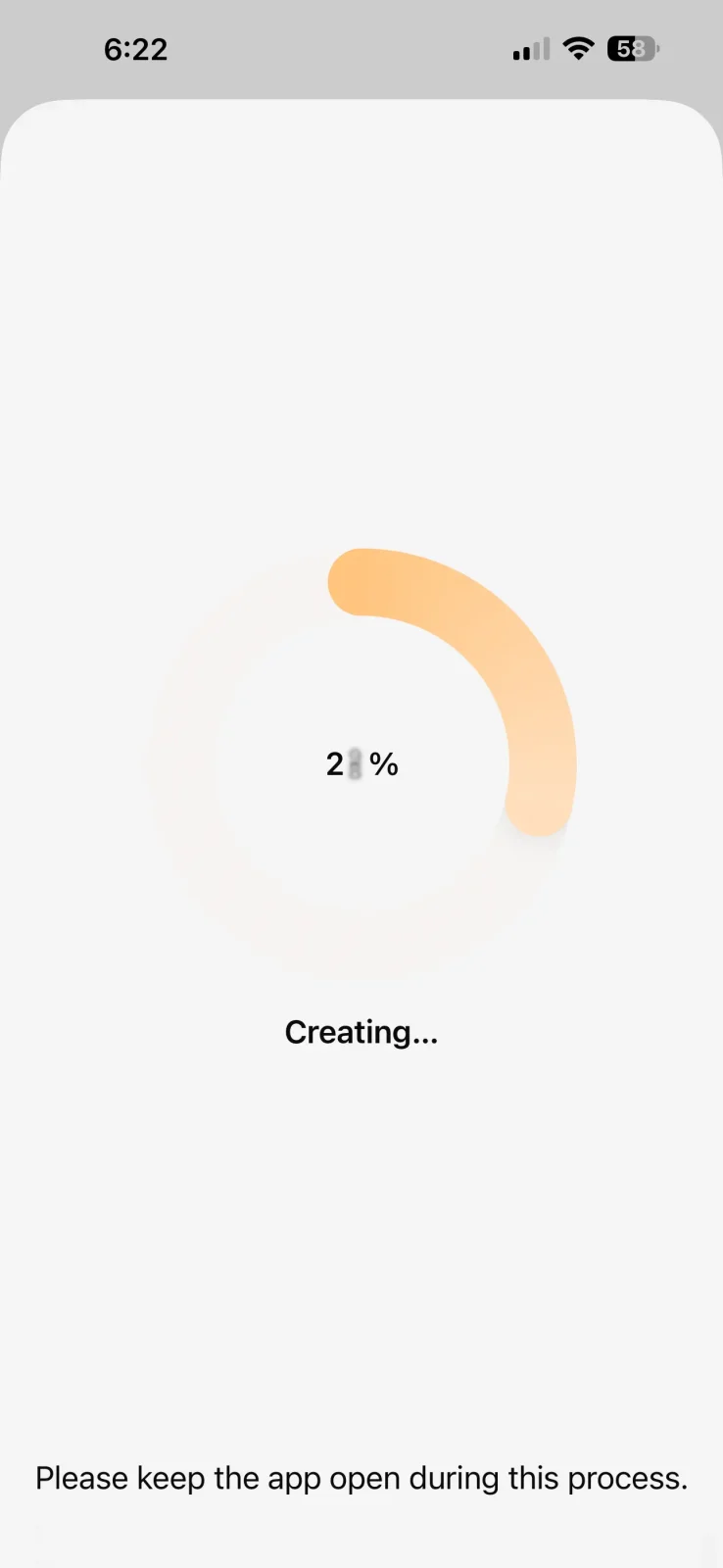
Overall, this is a beautifully designed app, with the most customization of any current smart sunrise system. There are some downsides, but premium is pretty affordable, and the app works well.
Recommended Hardware and Setups
Okay, so my favorite smart light sunrise setups! You can of course do all kinds of things with smart lights, something as simple as a bedside lamp with an E26 fixture will work great, but here are some more unique ideas I’m a big fan of.
1. The Overhead Lamp
Overall Cost: $60-$180
This is my attempt at the best basic smart light sunrise setup. This only requires a few things:
- A smart light. An A19 Philips Hue Essential does the trick just fine for $15 but you can always pony up $65 for a much brighter A21 version if you plan on using this further away or just want a brighter light. Or any other light that works with Apple Home, if you’re going to try that route.
- A Hub. If you go the Hue route, I highly recommend getting the Bridge for about $50 to unlock all the sunrise settings. Or again, you can find them for $20-$30 on eBay if you’re looking to save some money.
- A plug in overhead lamp. Globe Electric sells some nice ones in the $40-$60 range. But you can almost always go cheaper, the basic idea is to just get a light bulb hovering over your head.
This system works amazingly well, frees up nightstand space, and solves the turned head problem that traditional sunrise alarm clocks suffer from.
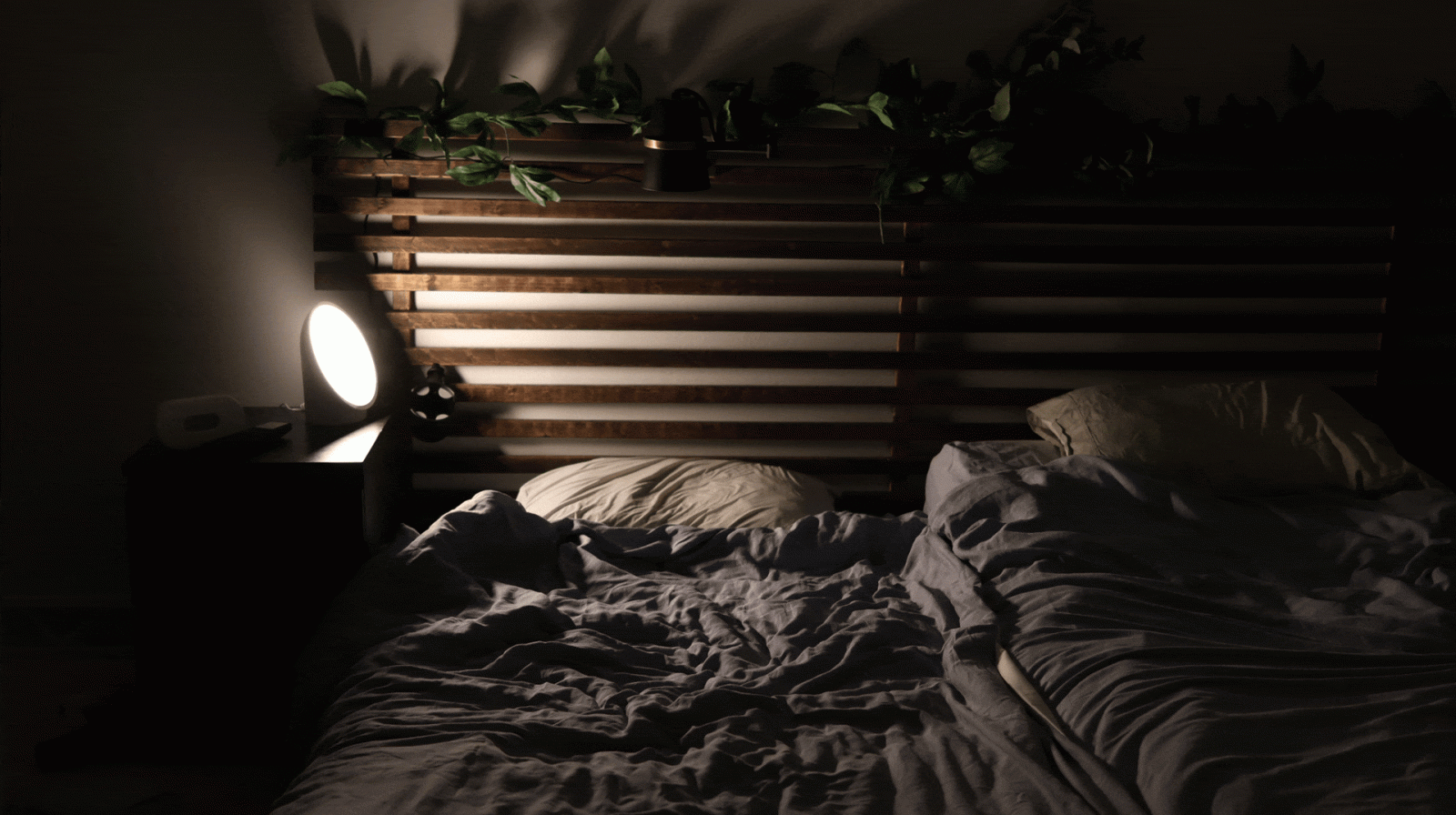
As you can see, a standard 800 lumen bulb aimed down is also quite a bit brighter. As I talk about in my article on dawn simulation science, 250 lux is usually a good starting point. For an 800 lumen bulb, I was able to get about 27″ away before hitting that, so if you’re closer, you may want to start out at less than 100% brightness.
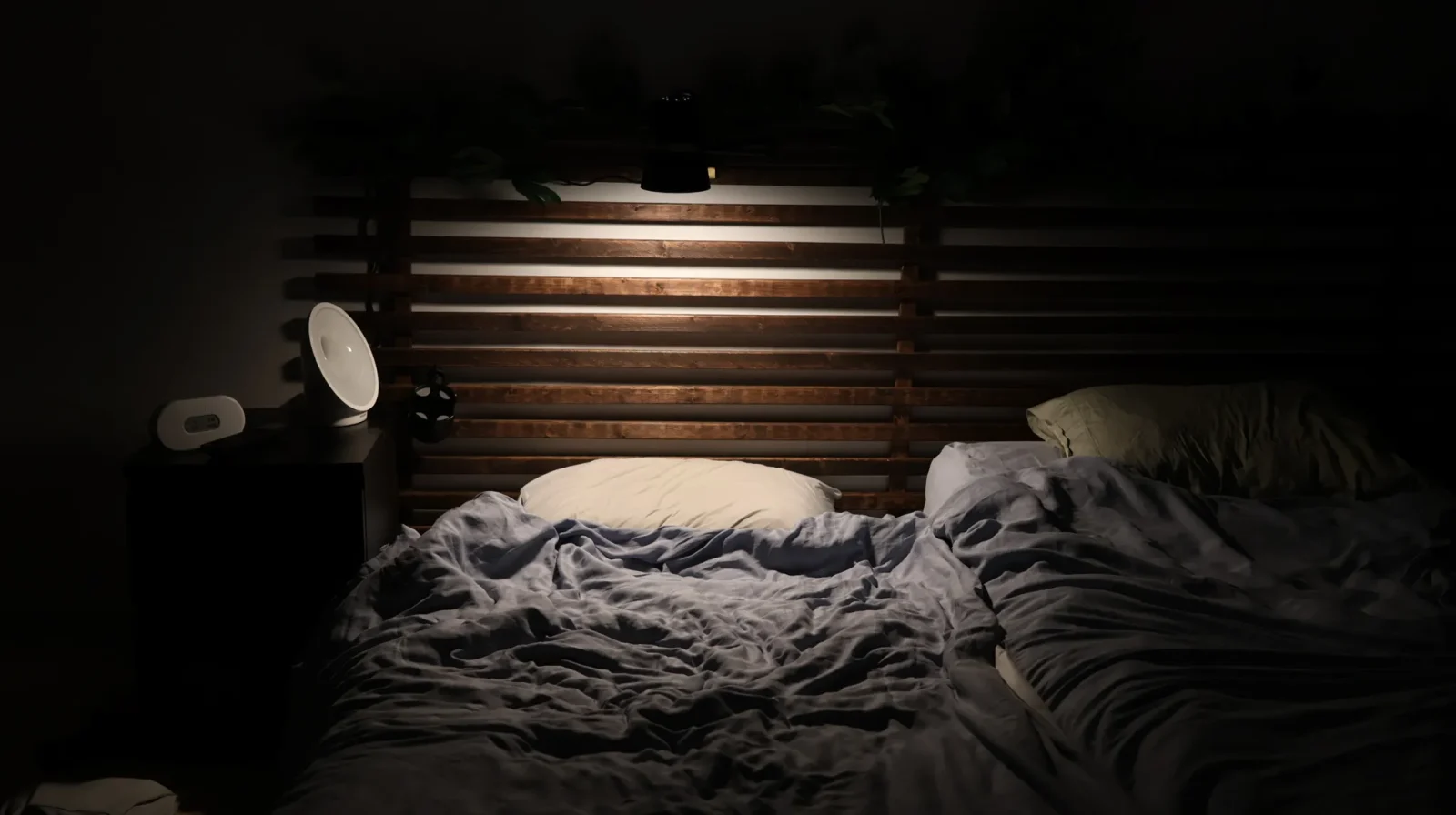
Overall I love this setup and I think it’ll work great for a lot of people. The only possible con is it intrudes a bit into the sleeping space. But our next setup solves this!
2. Philips Hue Gradient Tube: The GOAT.
Overall Cost: $170-$240
Just like the overhead setup, this one solves the directional light problem, just a bit better (since the light extends out), and more elegantly, it’s just more expensive. But seeing as how one of the best sunrise clocks, the Lumie Shine 300, costs $170, this isn’t so bad in comparison!
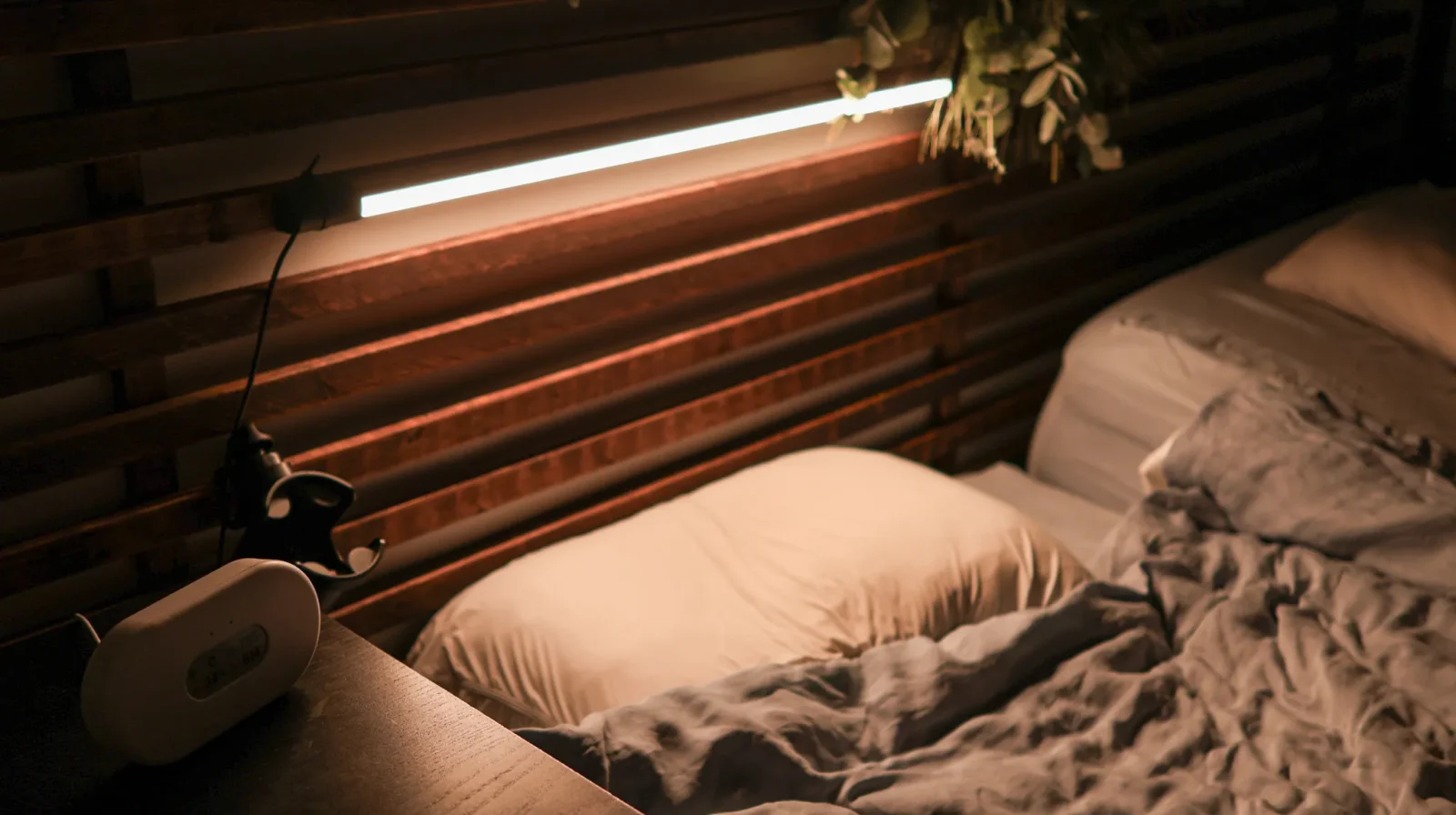
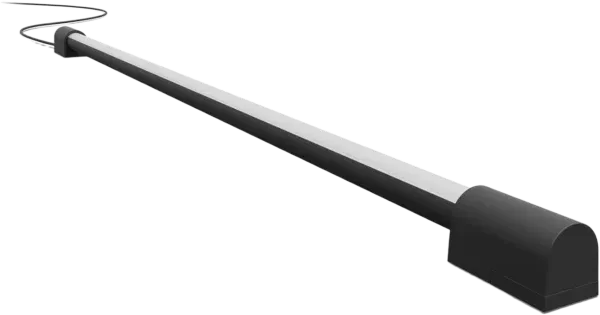
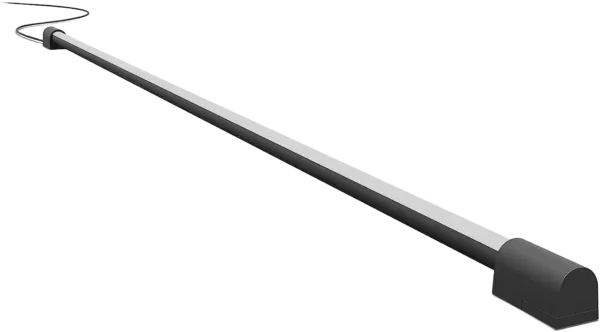
The Hue play bar is technically made for TVs, but it can be wall-mounted, works great in the bedroom, and most importantly, it can run the sunrise automation!
Philips sells two versions which differ in size and peak brightness. At 1 foot, the shorter tube maxes out at 1200 lux, while the longer tube hits 1400.
If it’s just you in a bed, the shorter tube is probably the best buy. If there are two of you in a queen, a longer tube would work great, I think, but a larger bed like a king or split king might work best with two short tubes.
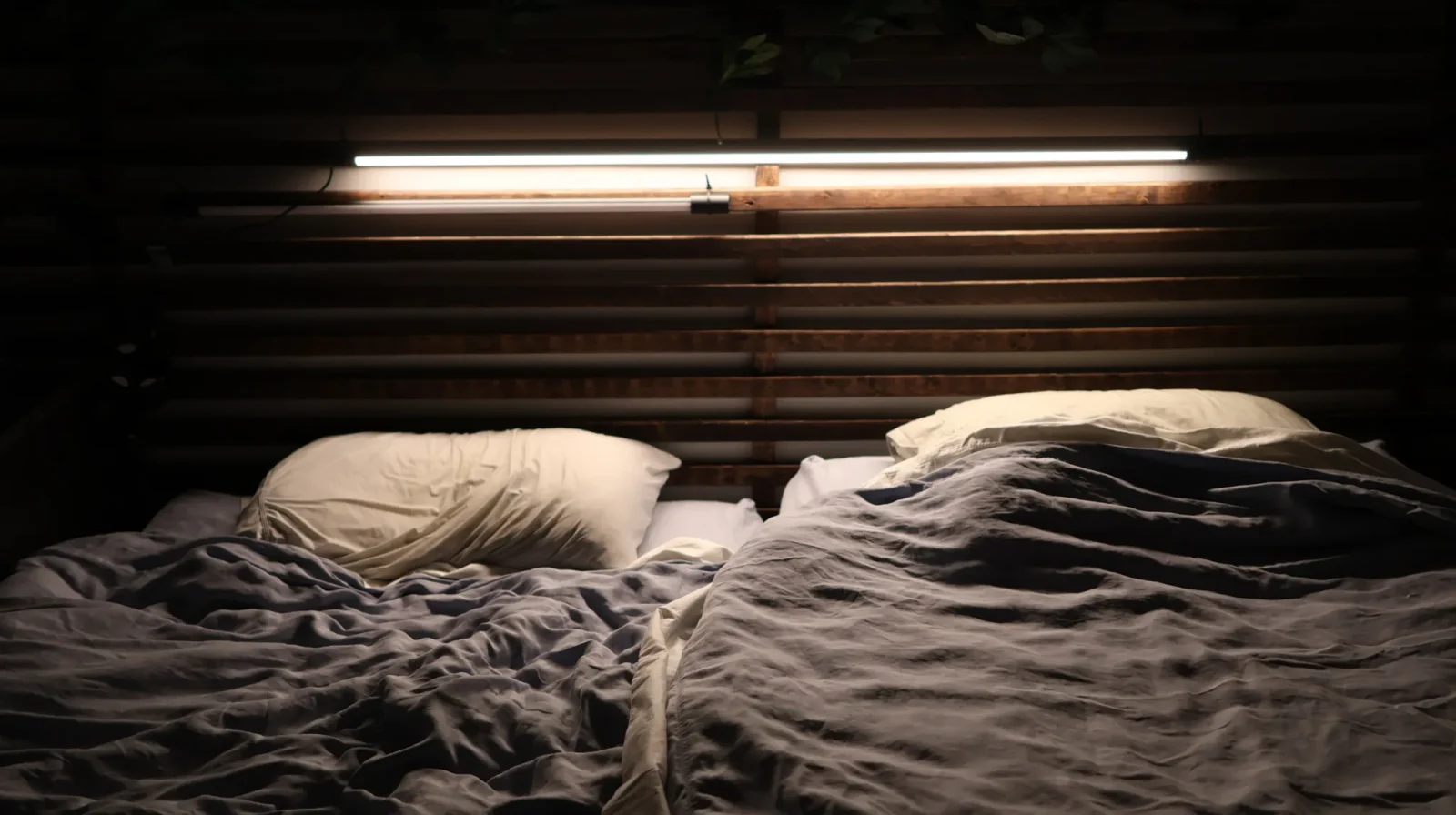
The short tube will run you around $220, while the longer one is $240, though sales drop these down to around $180/$200.
3. The Marriage Saver
Overall Cost: $100-150
This is a modified overhead lamp designed to illuminate only one person at a time! While your room will still reflect light, this is the best-case scenario for not interrupting a partner who doesn’t want to wake up yet.
As we’ve seen, traditional clocks throw light on both people since they project light from the side of the bed.
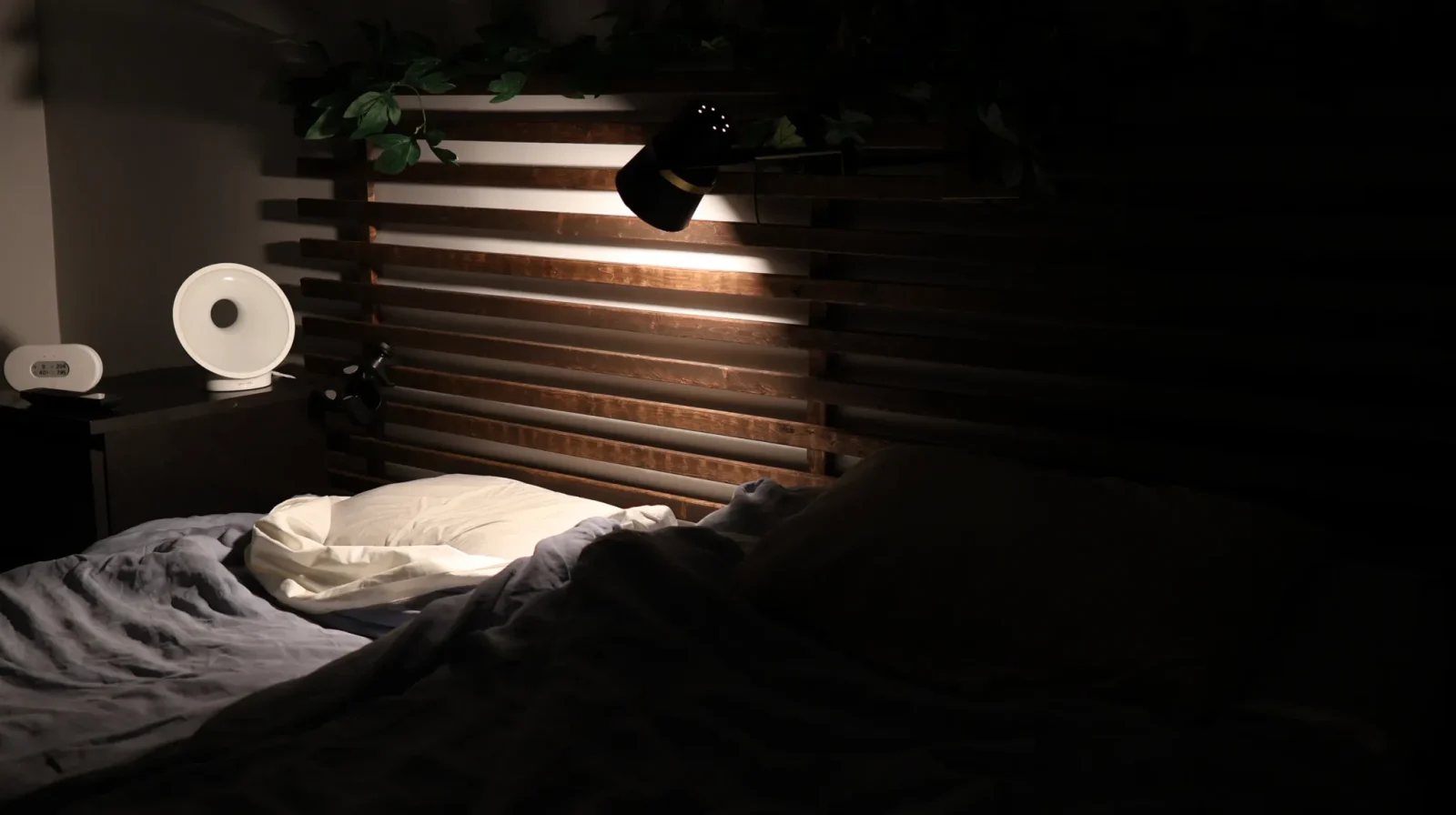
This lamp worked best for me since it has two degrees of freedom, that allowed me to get the angle I was looking for.
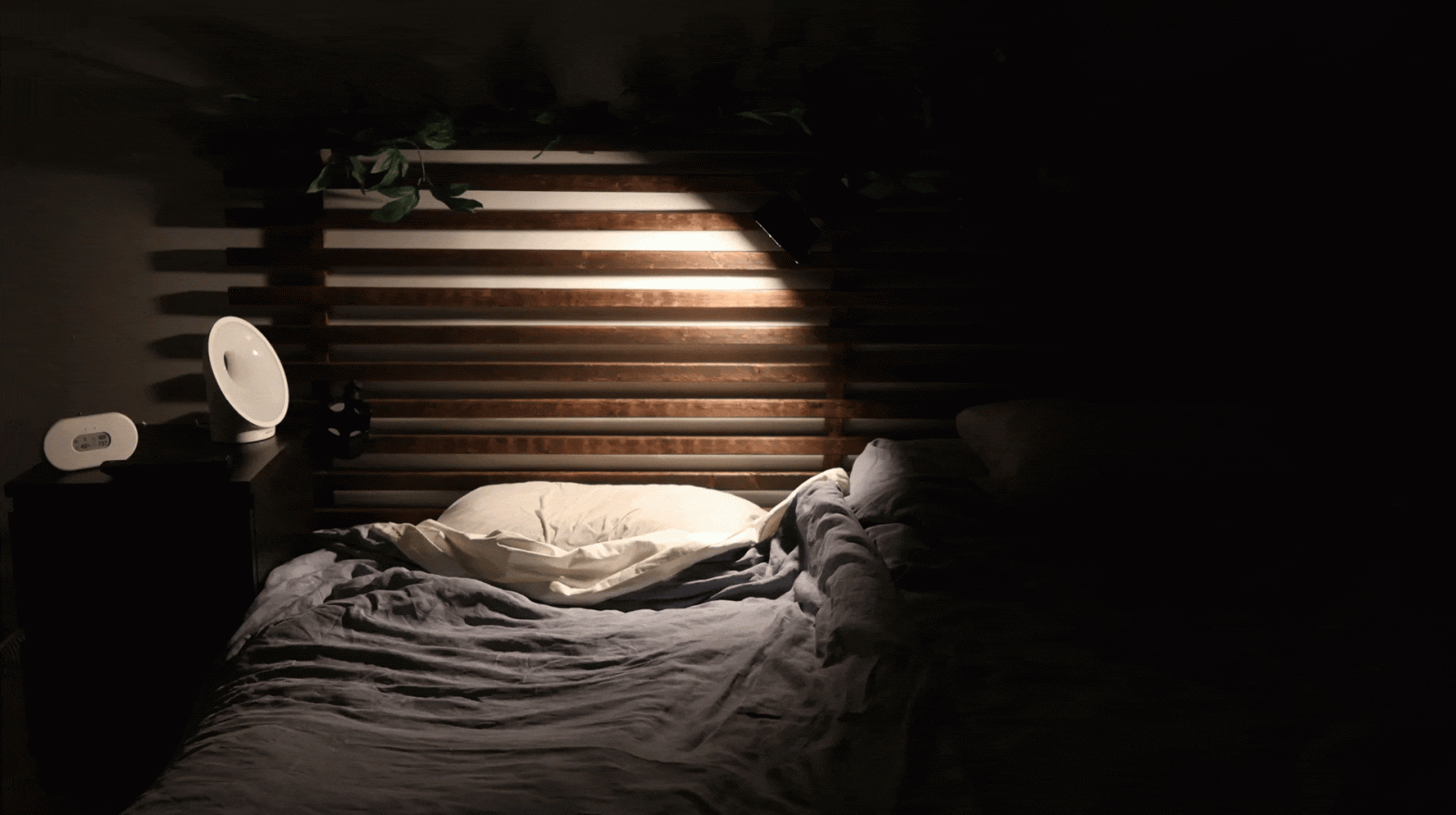
Using my spectrometer at head level on my wife’s side of the bed, I measured about 40 lux with the traditional lamp on. With my overhead lamp, I detected 0, as in it was too low to even register! So I’d say that’s a huge improvement.
Of course this will still light up the room, but the big improvement here is the complete removal of the light source (glare) from the other persons FOV. So when mounting your light, just ensure that when laying on the other side, they cannot see the actual light source itself.
And since the inside of this lamp is a glossy white, I was curious how much of a difference adding some matte black gaffers tape would make.
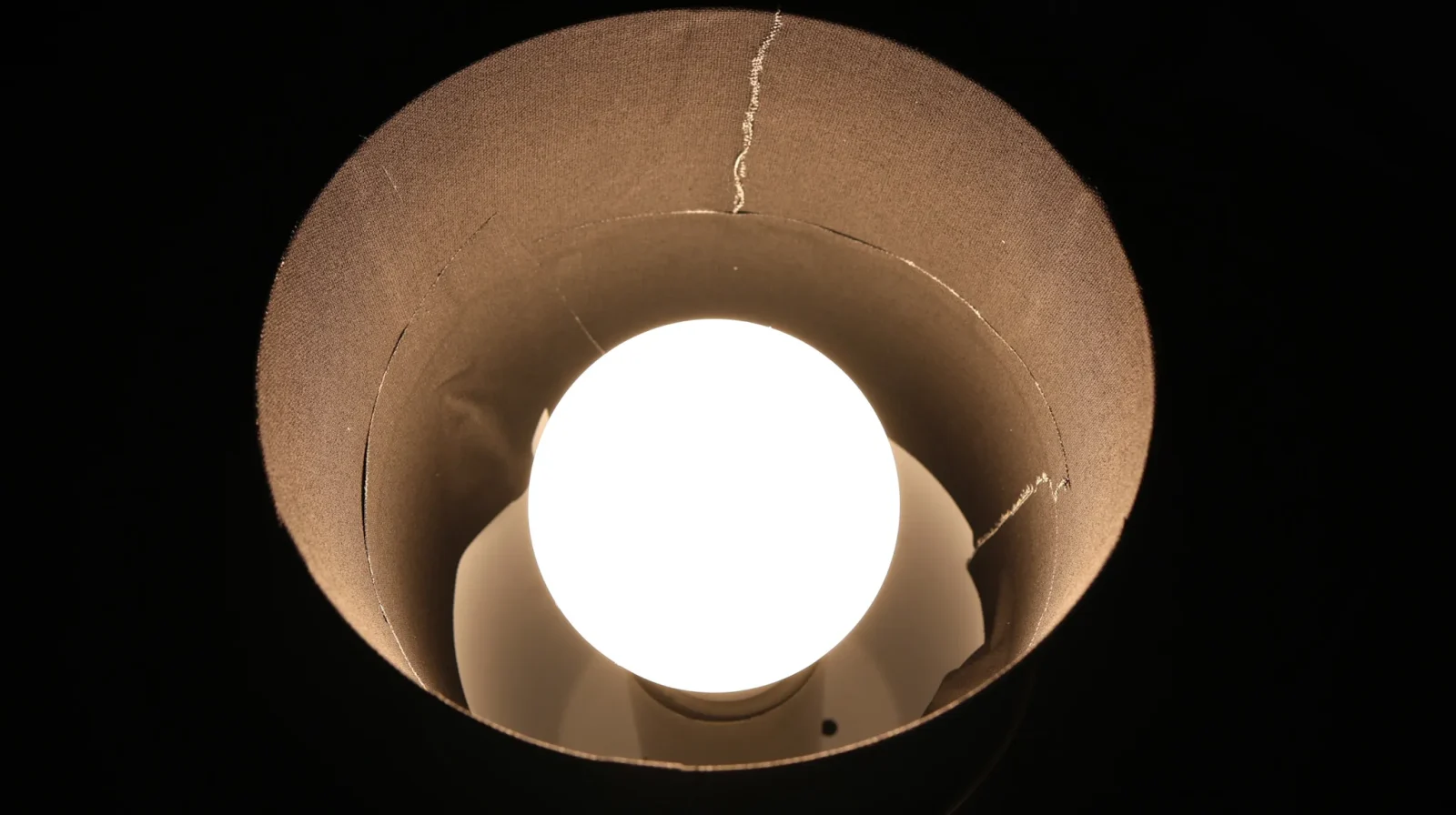
And for $6 the effect is noticeable! I’ll take it. Anything to not annoy the wife.
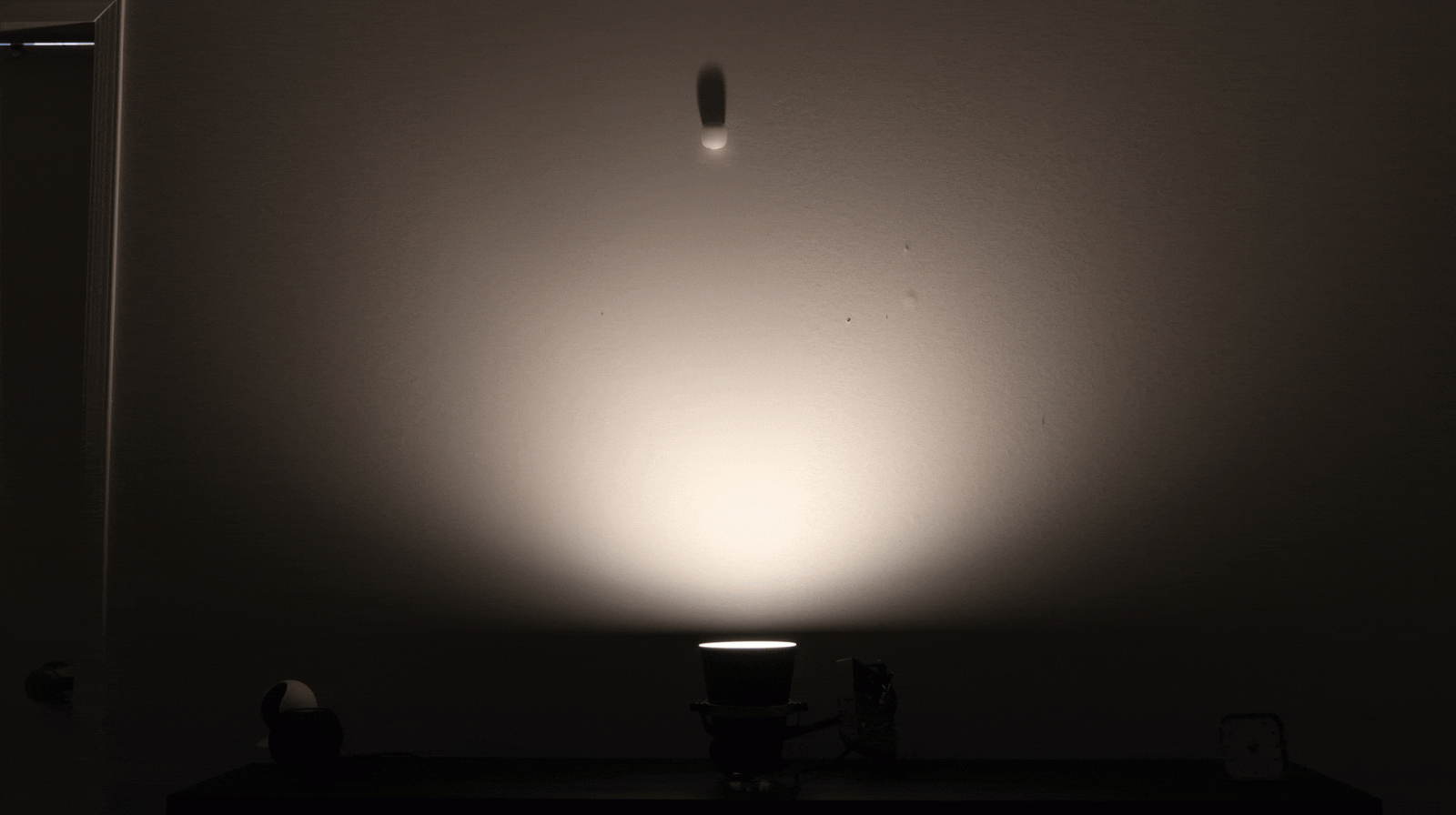
So yeah, is this perfect? Nah. But it is a big improvement over the traditional alarm clock setup.
4. The Best Travel Setup
Overall Cost: $25-$75
If you travel a lot there’s actually a reasonable option for this using a Philips Hue bulb paired via Bluetooth and an E26 outlet adapter.
Most hotels have outlets on the nightstand so this should work just fine. You’ll be limited to the 30 minute sunrise and won’t be able to change the max brightness and all that, but still, this is much better than nothing and is relatively compact for travel.
5. Add Ambient Lighting
Overall Cost: $15-$100
One final suggestion: try syncing your overhead lights with your sunrise clock. I think it really helps.
While suing a sunrise animation with your overhead lights isn’t enough to wake you up, getting out of bed into a pitch-black room can kill the vibe. Having the whole room light up helps you avoid that stepping into a cave feeling and keeps your momentum going!
Keep reading
 Circadian Rhythm
Do Sunrise Alarm Clocks Work? What the Science (and My Testing) Says
 Circadian Rhythm
20 Strategies to Reset Your Circadian Rhythm: Ultimate Guide
 Sleep Environment
Do Baby Monitors Prevent SIDS? An Honest, Evidence-Based Answer
 Full-Spectrum Lighting