

I strapped a $1,500 hospital monitor to one of my son’s feet and the Owlet Dream Sock to the other, three nights running. This Owlet Dream Sock review is what the data actually showed — and why it’s the one infant pulse oximeter I’d tell another parent to buy.
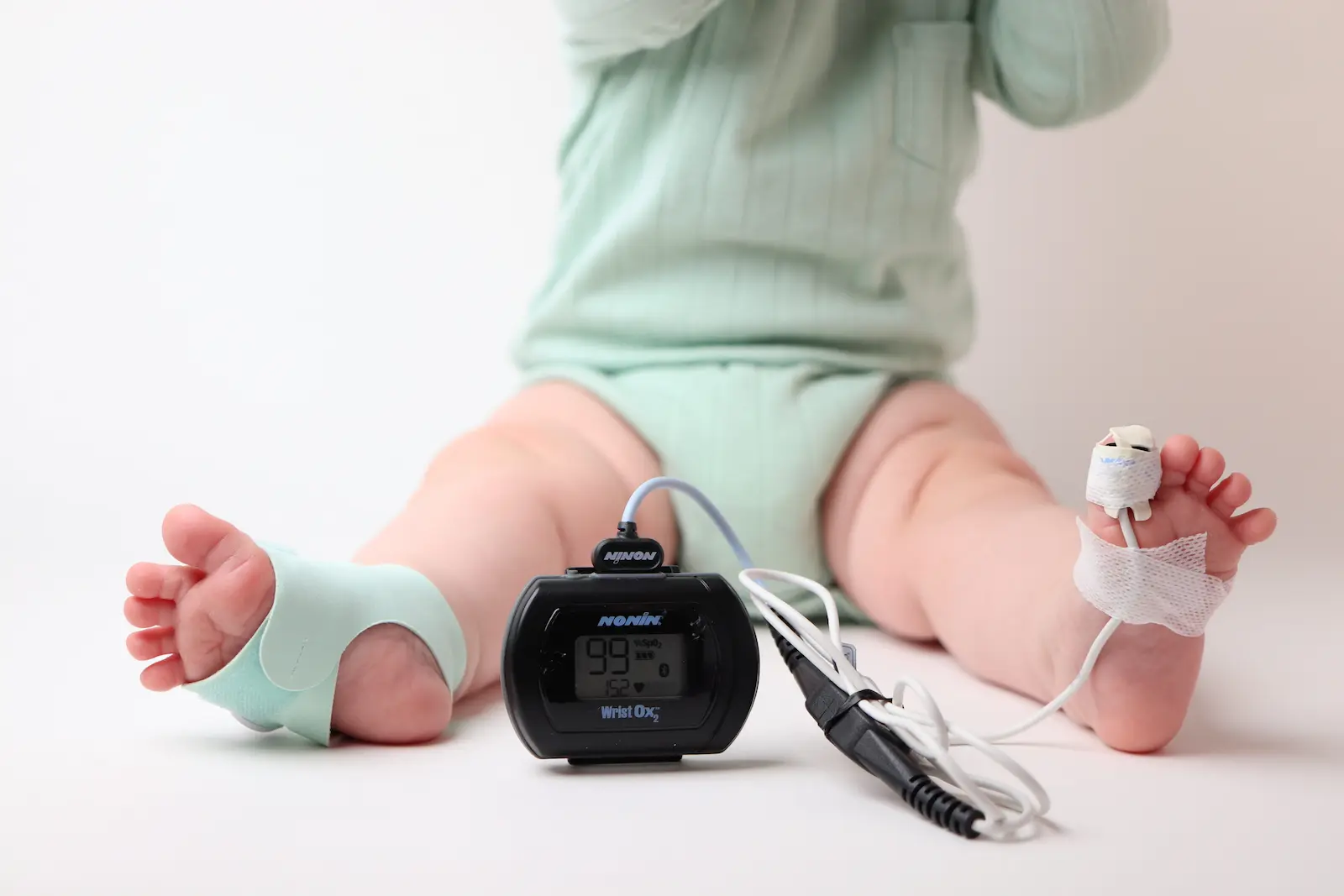
I’ve tested a lot of oximeters. This is the first infant one that behaved like the hospital gear I trust.
Review Summary
The Owlet Dream Sock is the only infant sock I tested that held a rock-solid signal all night, tracked a hospital reference within about 2%, and carries a real oxygen alarm. It’s expensive and the best trend data sits behind a subscription. I’d still buy it.
Pros
Cons
What the Owlet Dream Sock Is
Picture the thing parents actually reach for at 2 a.m. That’s the Owlet. It’s the default, and for once the default earned it.
The Owlet Dream Sock is a fabric sock that wraps a pulse-oximetry sensor around a baby’s foot and streams SpO₂ and pulse rate to a Wi-Fi base station and your phone. It reads oxygen and heart rate, the same two things a hospital pulse ox reads.
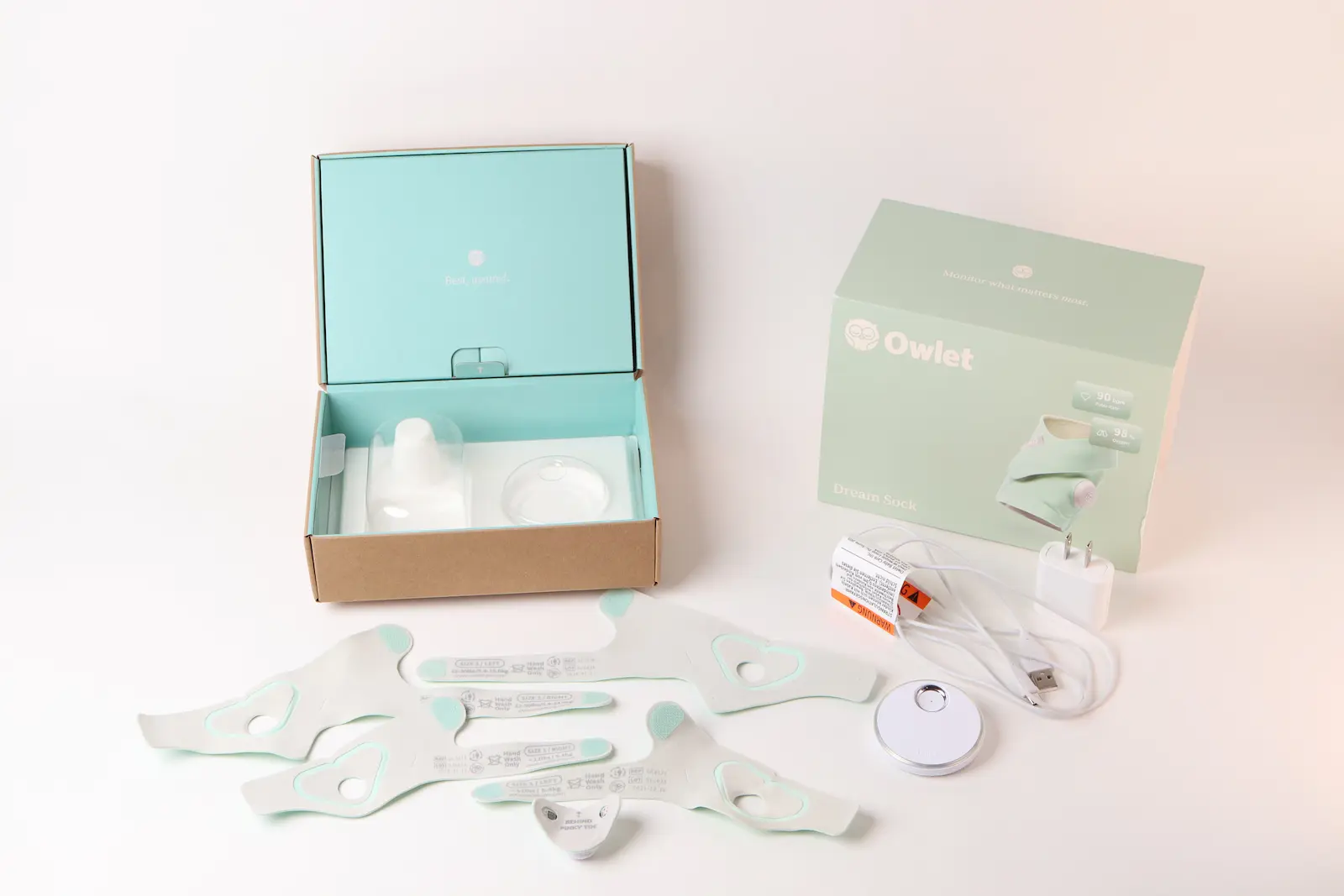
Out of the box you get Size 1 and Size 2 wraps (left and right), the sensor that pops between them, and a low-profile magnetic charging base. There are no printed directions, just a QR code to Owlet’s 103-page IFU.
Size 1 is for less than twelve pounds, and the Size 2 is from twelve pounds to thirty.
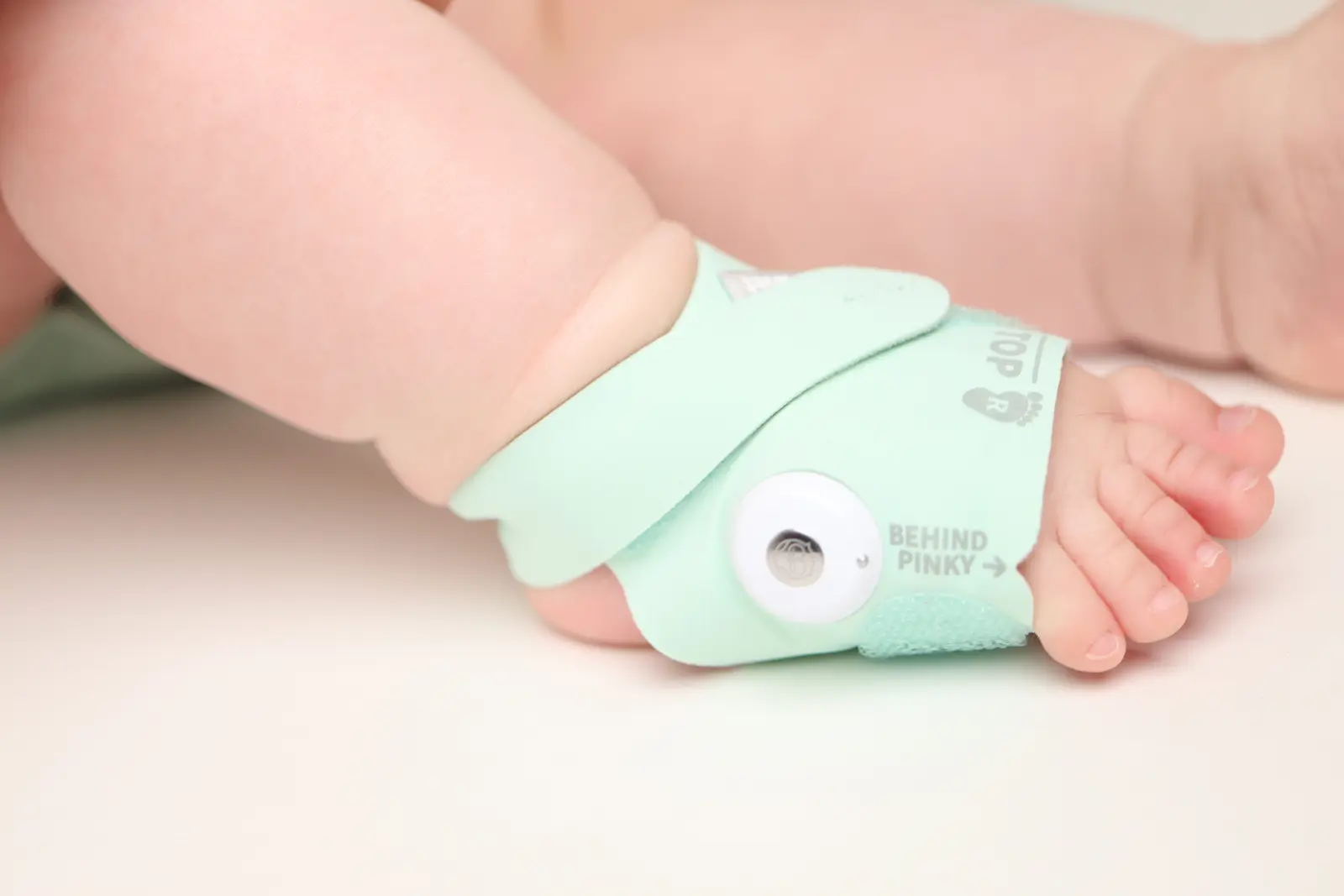
The build is the most premium of the three socks I tested. The fabric is soft, stretchy but firm, and the sensor Velcro into the boot’s firmly so that fitment locks in a signal well.
Under the fabric, the sensor is a Transmissive type: the LEDs sit on one side of the foot and the photodetector across from them, so light passes through the tissue. That’s the same optical approach as a hospital finger clip or a neonatal wrap, not the watch-style reflectance you see on wrist wearables.
How I Tested It
Most oximeter reviews tell you a device is “accurate” and move on. I wanted a number, so I put a hospital monitor on the other foot.
A Nonin 3150 hospital monitor with a neonatal sensor ran on one of my son’s feet, logging once per second, while the Owlet ran on the other.
The Owlet doesn’t export raw data, so I sampled the Owlet’s live on-screen readings and matched each one to the Nonin at the same second, scrubbing invalid values before comparing.
Nights 1 and 2 were processed from 78 aligned samples.
Night 3 was a long corroboration run. No averaging across nights — each number is the real paired readings.
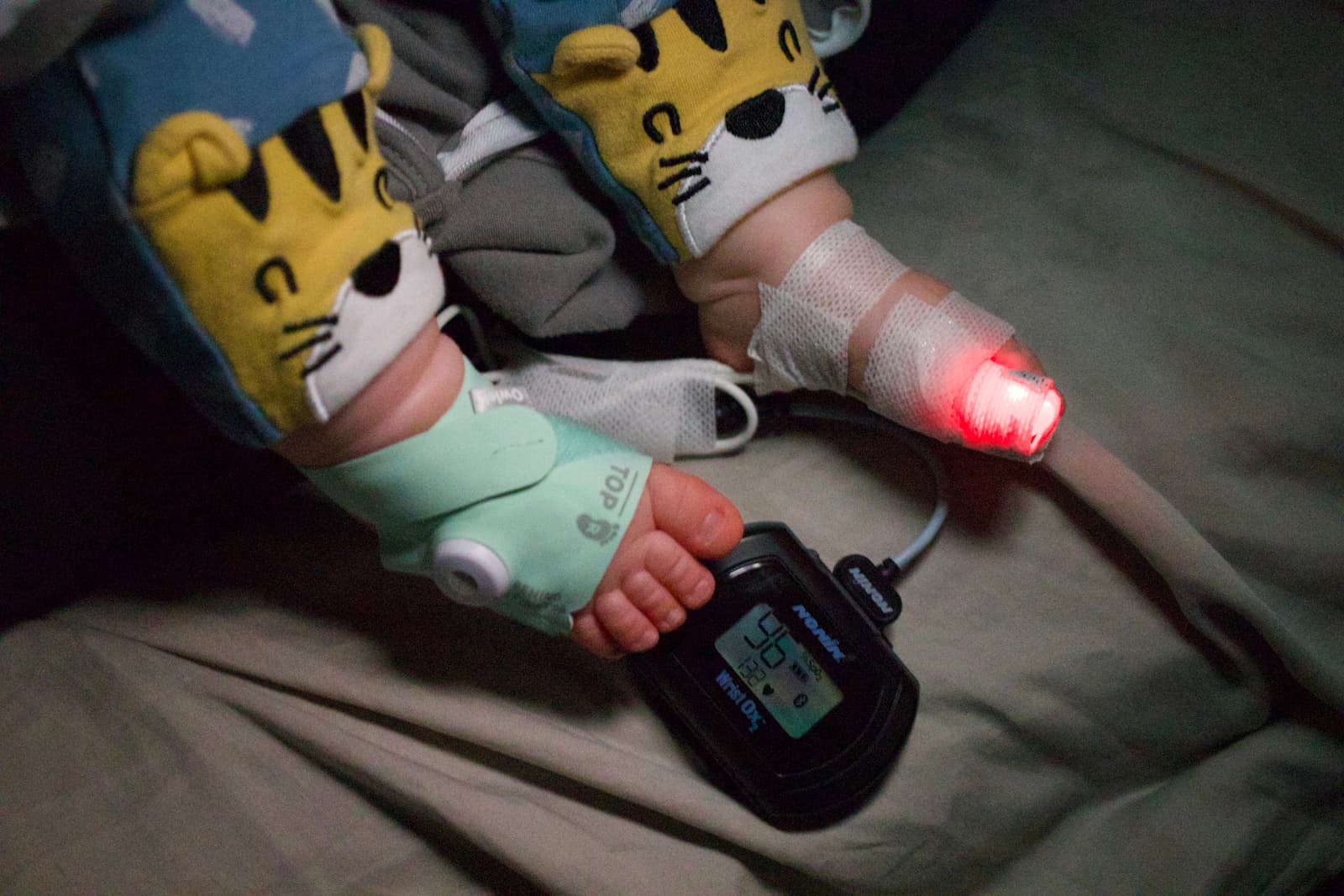
I snapped this photo while my boy was getting his final milk snack before sleep time 😴
How Accurate Is the Owlet Dream Sock?
Here’s the number that matters.
|
Night |
What I Captured |
Oxygen result vs the nonin |
|---|---|---|
|
Night 1 |
11 spot-check readings, each aligned to the second |
100% within ±2% (+1.5% bias) |
|
Night 2 |
67 continuous readings, every 20 seconds all night |
99% within ±2%, 100% within ±3% (+0.5% bias) — the chart above |
|
Night 3 |
~11 hours, held signal all night |
Corroborated: live readings 96–98% vs the Nonin’s 98% average |
Across the continuous night, the Owlet’s oxygen landed within ±2% of the Nonin about 99% of the time (66 of 67 samples), and within ±3% every single time.
The bias was +0.5% — essentially zero. On night one’s spot checks it was 100% within ±2% at a slightly higher +1.5% bias, mostly rounding a 98 up to 100. Clinically, that’s noise.
A flat, healthy baseline is easy to match, though. The better test is whether it follows a real change. During an awake window on night two, my son’s oxygen dipped to about 93–94%, and the Owlet tracked the drop and the recovery right alongside the Nonin.
So this isn’t a device that just parrots 98% all night. It moved when the real oxygen moved.
Pulse rate is a looser story, and I’ll be honest about it. The Owlet tracked heart rate closely on average (+1.2 bpm bias, correlation of 0.89), but the spread was a little wider than oxygen.
That’s expected. Heart rate is dynamic (during one active window it swung from 127 to 174 bpm), and 20-second sampling plus each device’s own averaging won’t line up beat for beat. Read the pulse rate as “tracks closely,” not as a to-the-beat match.
Along with testing on my son, I tried the bench-tester route also: a Contec SpO₂ patient simulator, a roughly $1,000 device that feeds an oximeter a known, simulated oxygen level and heart rate. It has preset configurations to simulate hypoxia events.
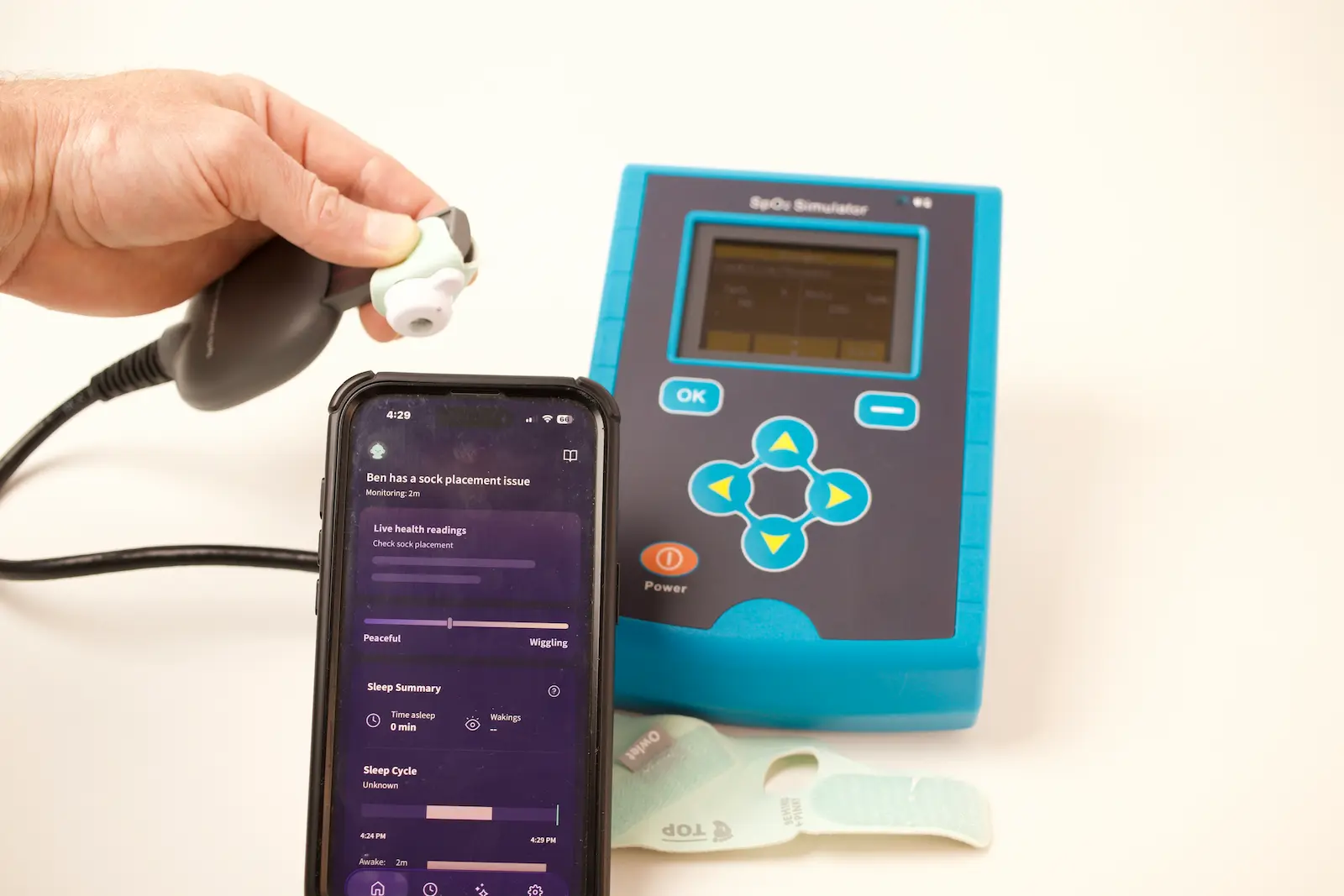
The Contec is a finger-clip simulator, while these are foot-wrap sensors the technology is similar. But the Owlet blue LED was throwing off the equipment, so this did not pan out.
I did the more meaningful test anyway: a real, perfused foot next to a hospital reference. But I did try to get some nice deep hypoxia data, which would have been nice.
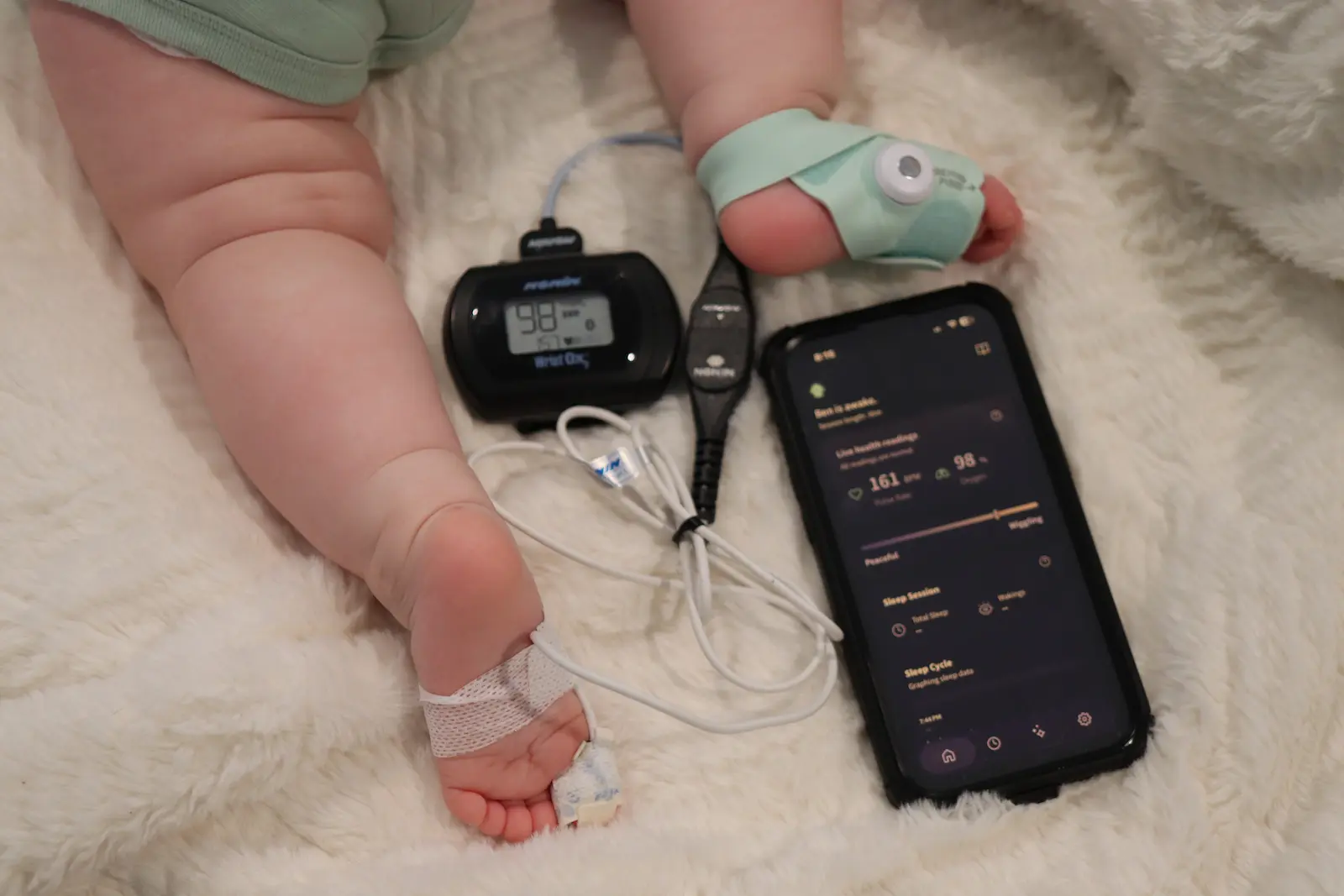
If the accuracy is what you came for, this is the section that sold me.
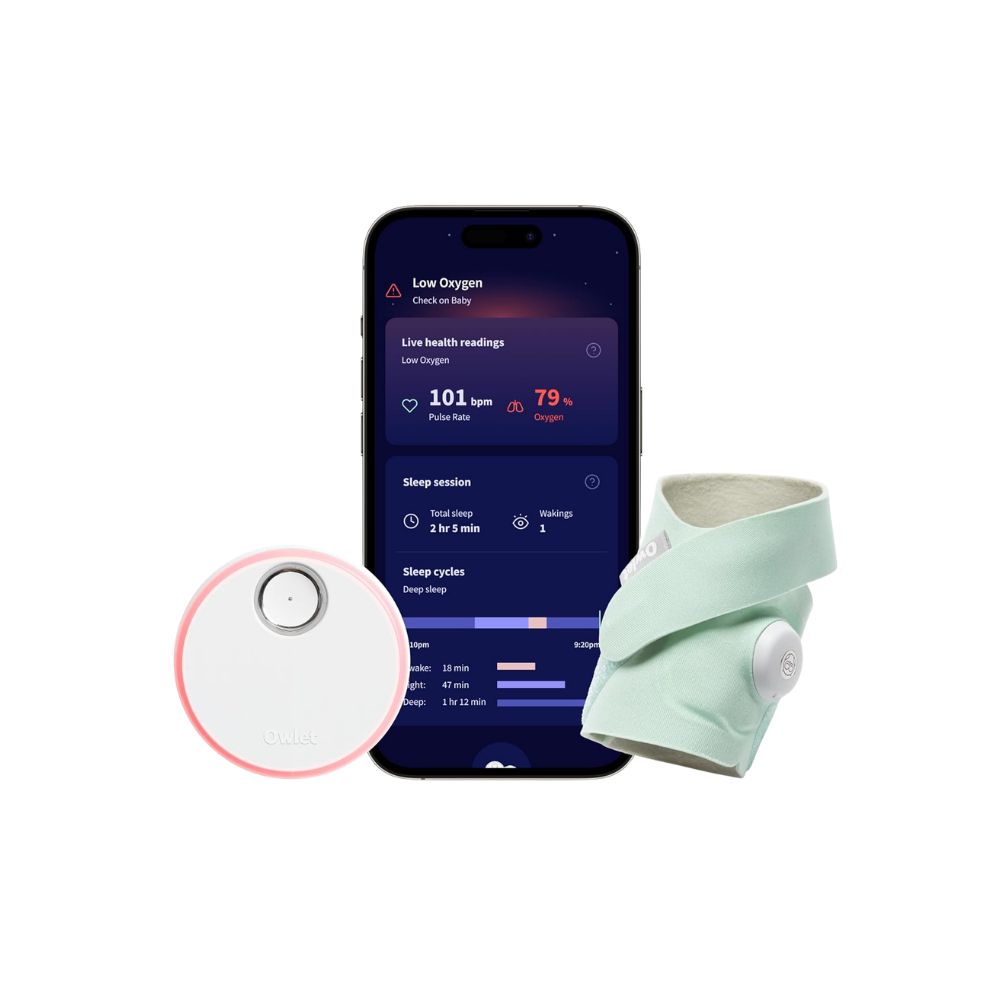
Best Overall
Owlet Dream Sock
The one I’d buy. It read within 2% of a hospital monitor, has the widest sensor so the signal actually holds, and it’s the only sock here with a real oxygen alarm. Pricey — but it’s the one I trusted on my own son.
Why the Fit Wins
The most important reason the Owlet beats the cheaper socks is almost boring: it fits better, so it reads better.
I put calipers on all three sensors. The Owlet has the widest LED-to-detector gap at 31 mm, versus 25.5 mm on the BabyTone and 23.4 mm on the Sense-U.
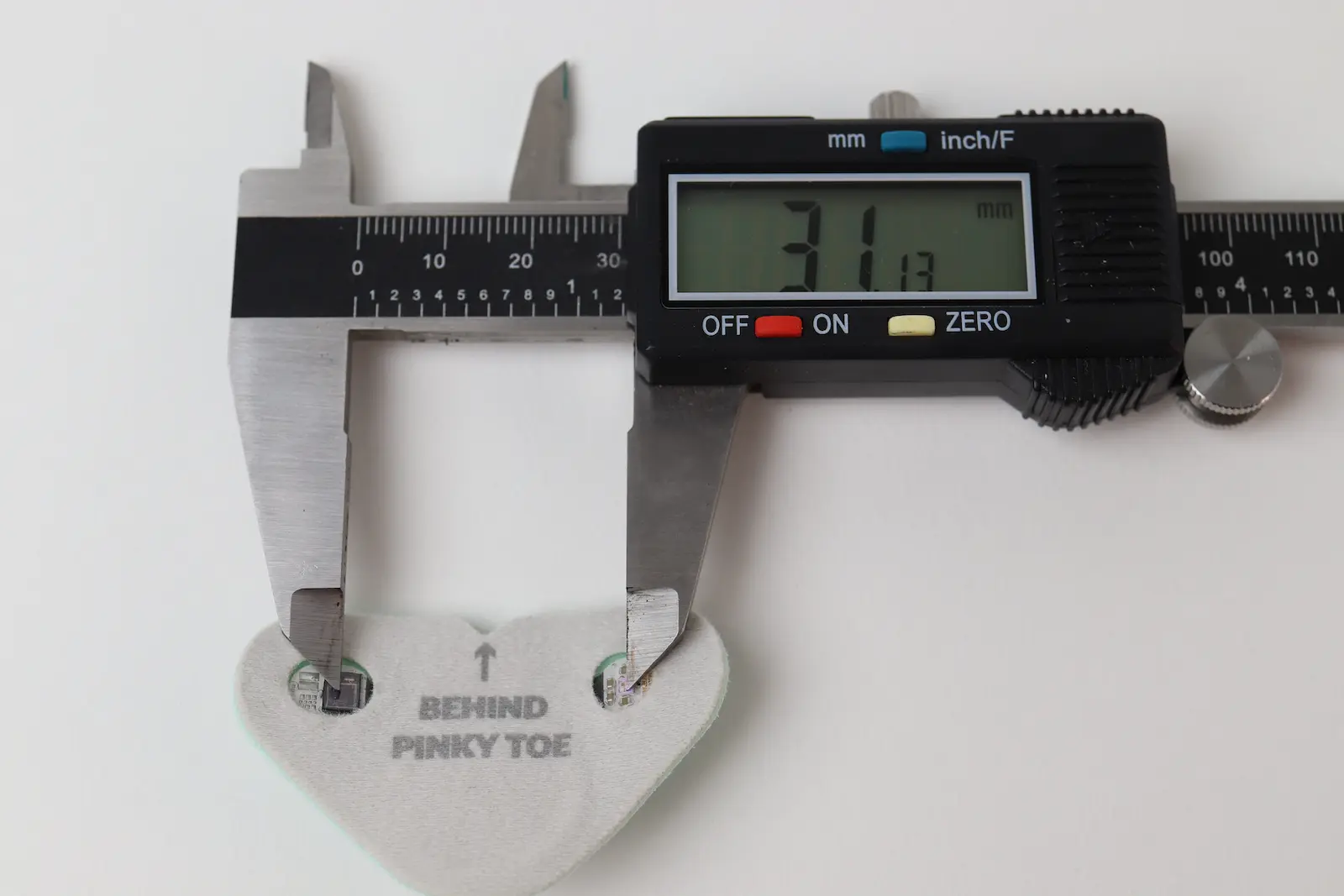
A few millimeters of reach is the difference between a signal and a dropout.
That extra reach lets the sock wrap further around the foot, which lines the LED up directly across from the photodetector, so the light shoots straight through the tissue and into the sensor. It’s the same geometry as the Nonin, where the emitter sits on top of the toe and the detector directly underneath for a clean straight shot.
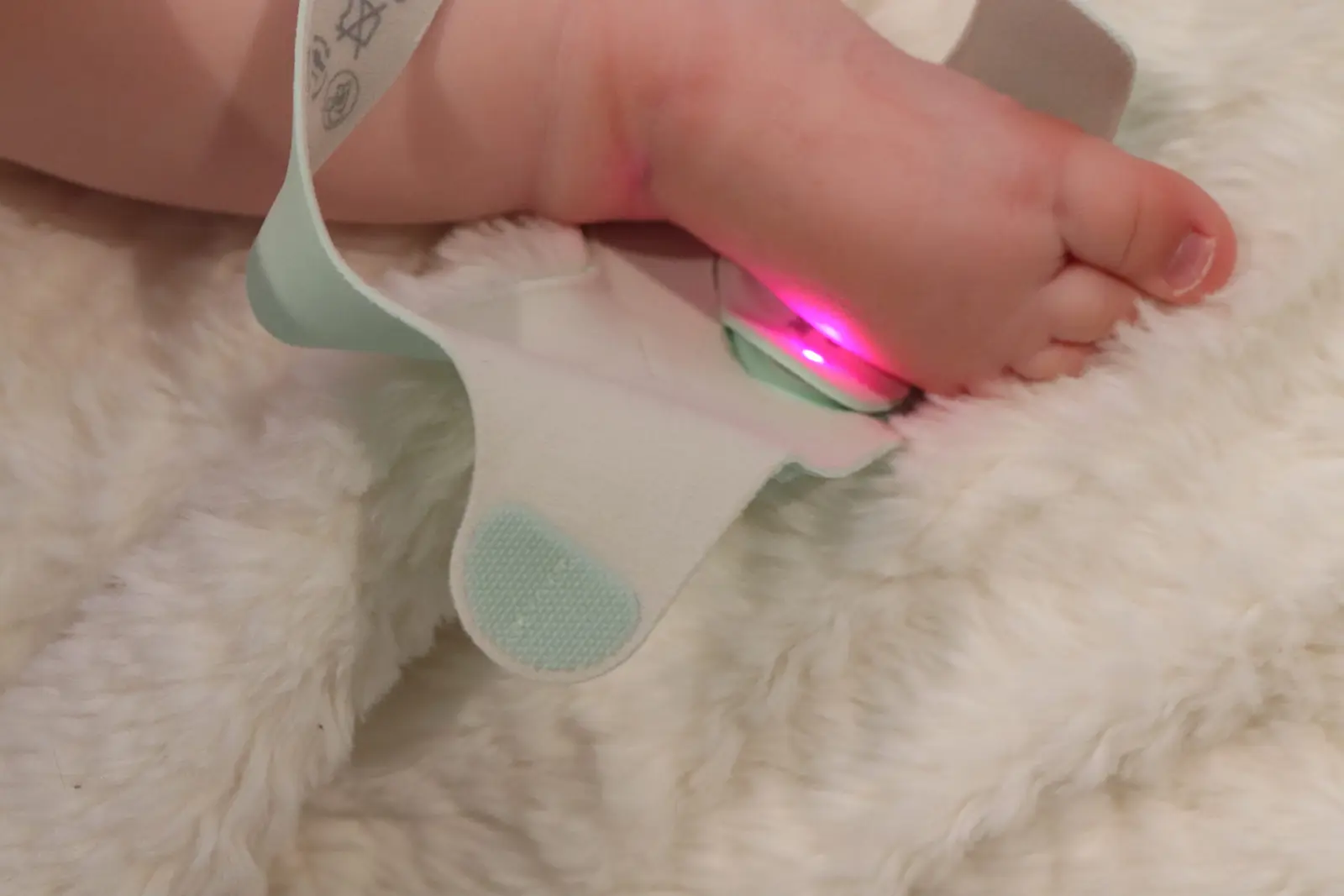
The narrower socks can’t wrap as far, so their LED sits slightly off-axis and the sensor leans more on scattered light than on a direct beam, and can lose signal. On the same foot where the Sense-U got no read at all and the BabyTone kept dropping, the Owlet picked up a clean signal and held it.
It also acquired that signal faster than the BabyTone and kept the live feed connected all night. For a monitor whose whole job is to not lose the reading at 3 a.m., that’s the ballgame.
That signal-hold is the foundation the rest of the review is built on. If the reading drops, nothing else matters.
The Blue LED Nobody Else Has
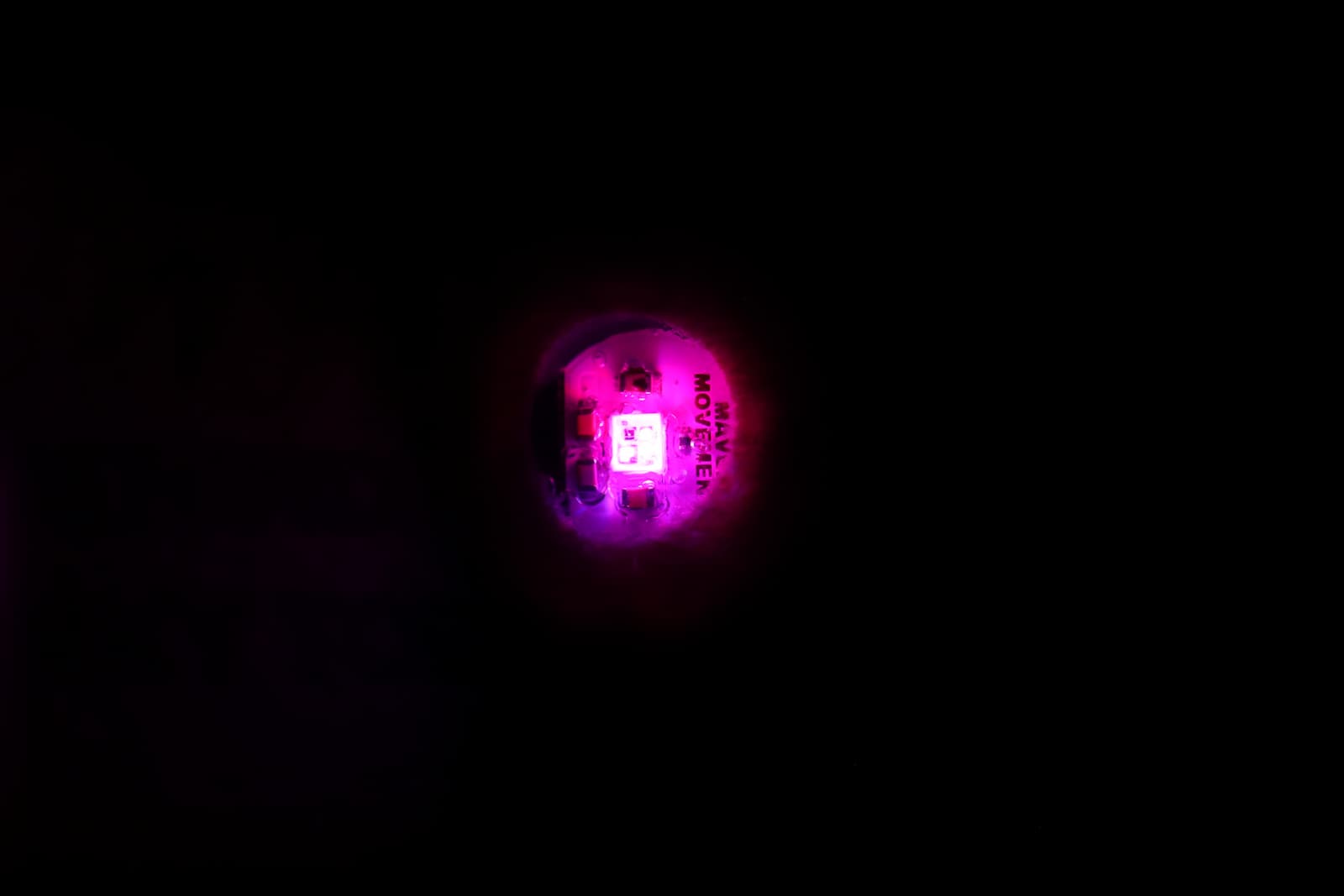
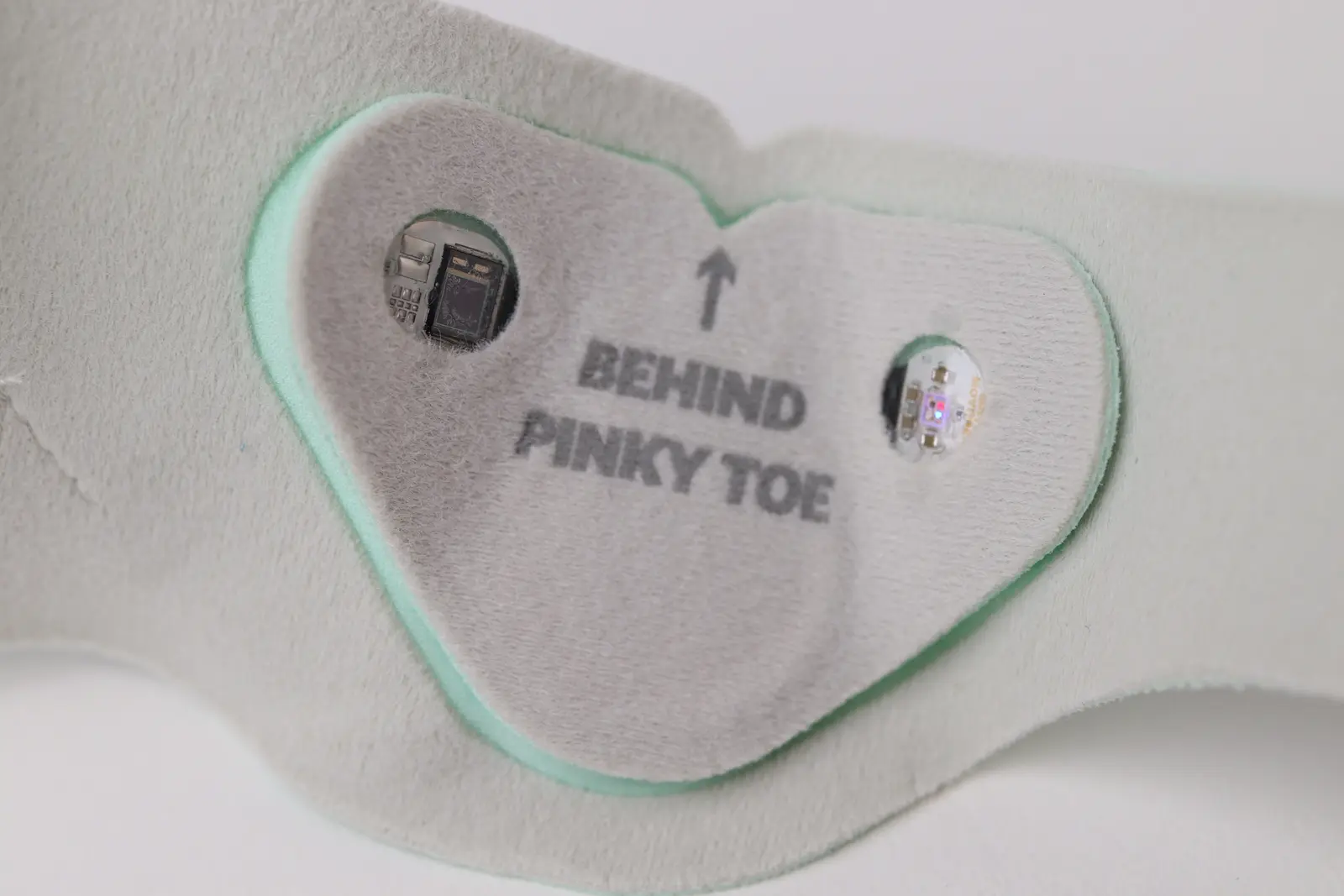
Here’s something odd I noticed before the data even came in: the Owlet’s sensor glows pink, not the plain red of every other oximeter. So Derek and I put all three sensors under a spectrometer to see what was actually coming out.
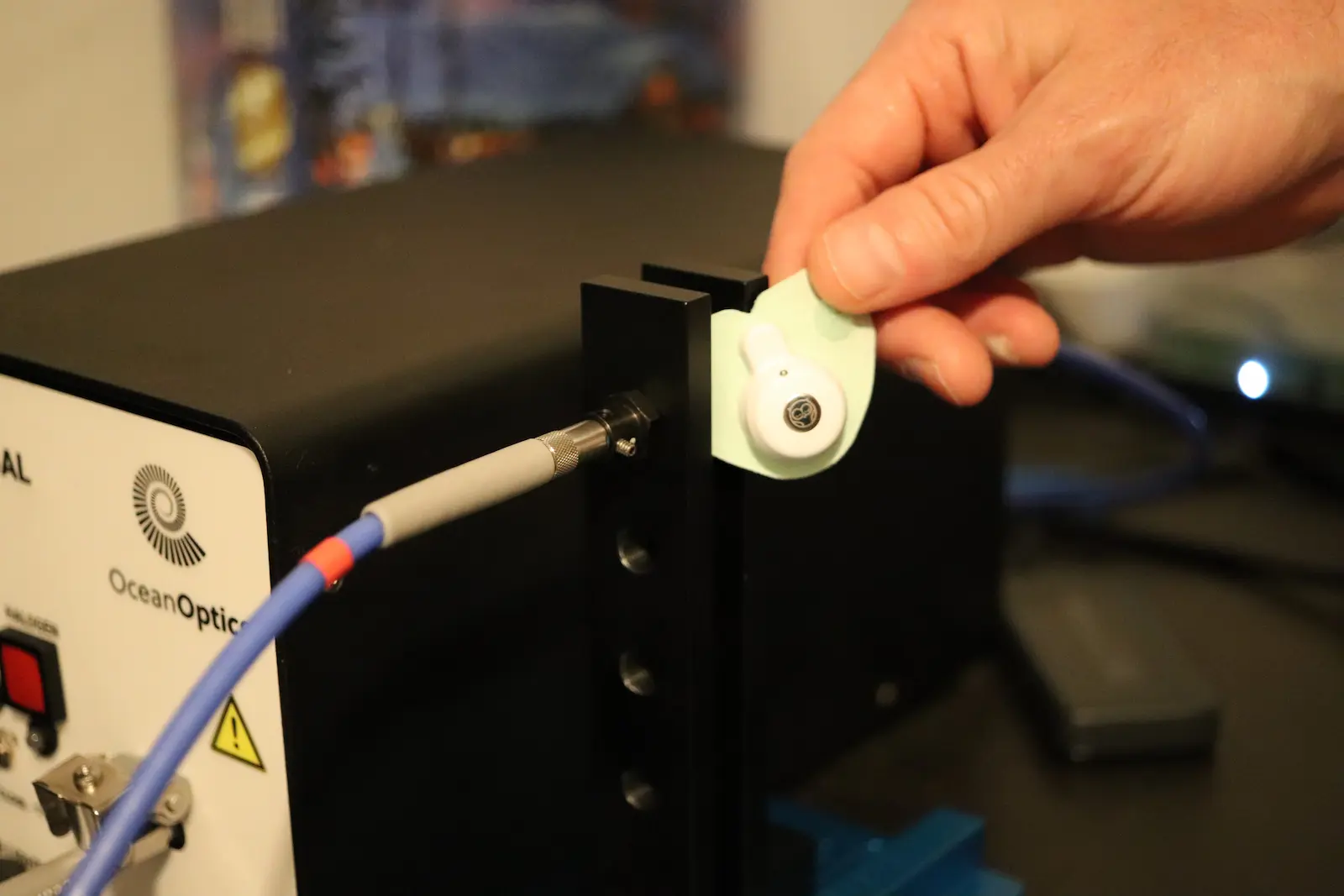
The result was genuinely unusual. The Owlet emits blue at ~459 nm plus red at ~658 nm, with an infrared tail — three wavelengths including blue. The BabyTone and Sense-U are textbook two-wavelength red-and-infrared devices. Only the Owlet adds blue.
That blue LED could matter more than it sounds. Standard red-and-infrared oximeters have a well-documented skin-tone bias: in a 2020 NEJM study, Black patients had nearly three times the rate of low oxygen missed by pulse oximetry as White patients (11.7% versus 3.6%).
Melanin absorbs more light at shorter wavelengths, which can nudge red-and-infrared readings to overestimate oxygen on darker skin.
One recognized engineering direction for that problem is adding more wavelengths to sense and correct for pigmentation, and blue (~459 nm) sits right where melanin absorbs strongly. So a blue channel would be a logical place to sense skin tone and compensate for it.
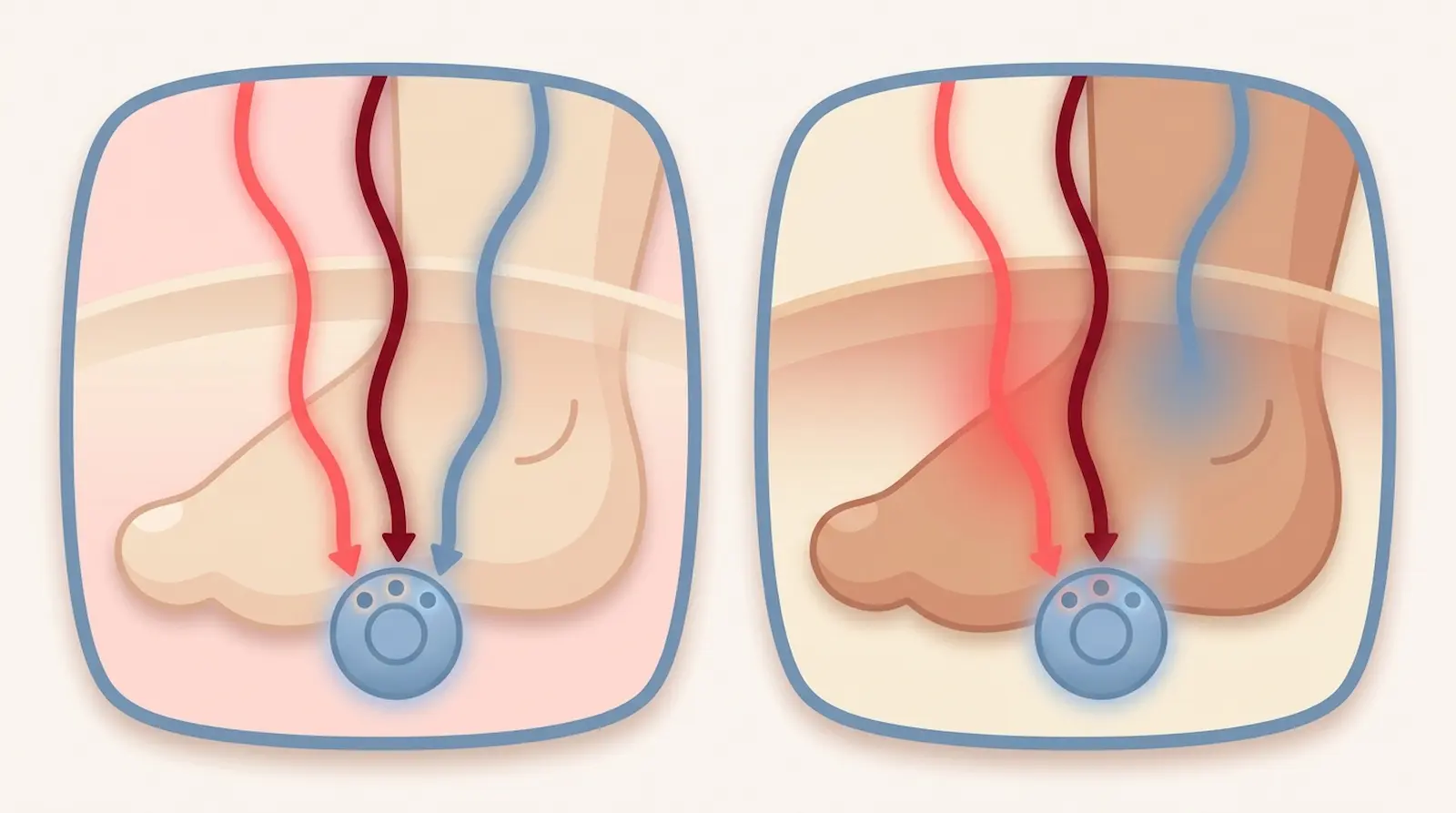
Here’s what’s actually documented: Owlet’s oxygen monitoring is FDA-authorized (De Novo DEN220091, 2023), its clinical testing spanned the full Fitzpatrick range (I through VI), and the FDA summary reported no signal-quality deterioration by skin tone. Owlet itself states the sensor reads within ±3% across all skin tones.
I want to be careful here, because this is where reviews start inventing things. Owlet hasn’t published a statement saying the blue LED is for skin tone, and I couldn’t find a patent that confirms it. So I won’t state it as fact.
What I can say is this: we measured a wavelength the budget socks don’t have, on the one device here whose testing covered every skin tone. My best read is that the extra channel helps it read more consistently across pigmentation. Treat that as my informed hypothesis, not Owlet’s claim.
Alarms and Alerts
This is the section anxious parents scroll to first, so let me be precise about what the Owlet does and doesn’t do.
It has a real oxygen alarm — the only one of the three socks that does. The app states it notifies you if readings fall outside healthy ranges, specifically oxygen below 80% or a pulse rate under 50 or over 220 bpm.
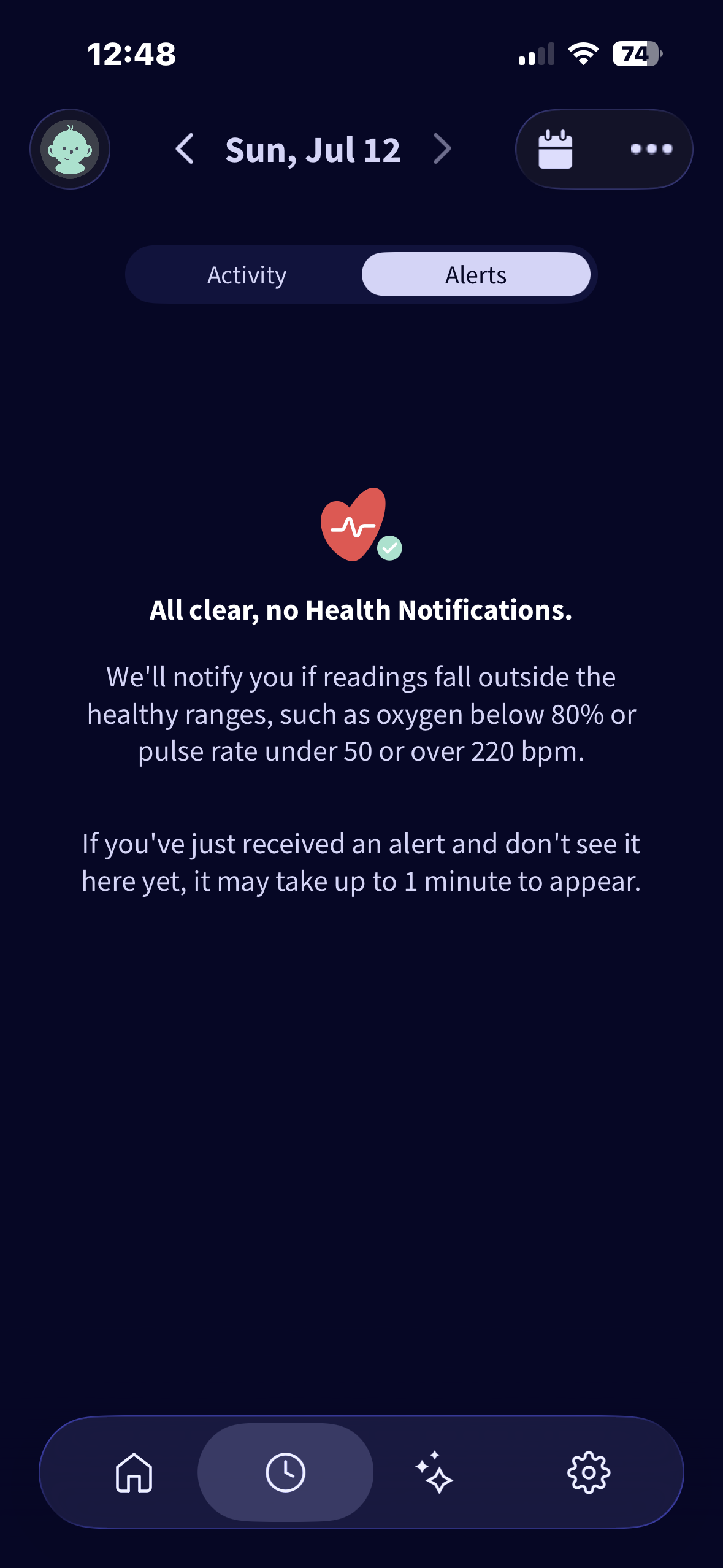
Three honest caveats. The 80% threshold is fairly low, with no earlier custom warning.
The thresholds are also preset and not adjustable. And the app says an alert may take up to a minute to appear, on top of the normal physiological lag between a real event and a sensor reading.
Even with those caveats, it’s a genuine oxygen alarm that the competitors simply don’t have. That’s a real difference, not a spec-sheet flourish.
The other standout is the remote alert. One morning my wife took the Owlet off my son because the overnight session was done, and even though I was miles from the house, the “Sock Placement Issue” alert still pushed to my phone over Wi-Fi.
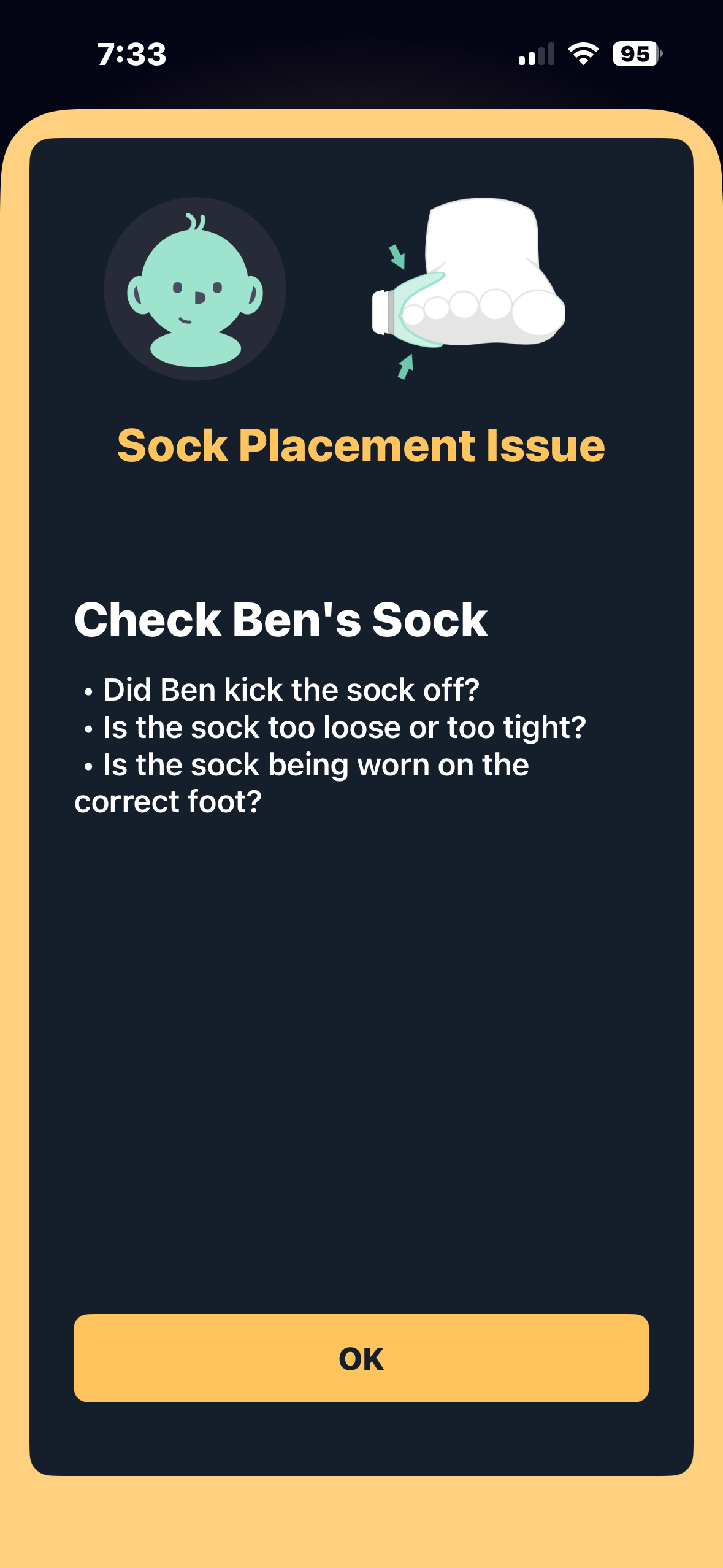
The base station is Wi-Fi-connected, so alerts reach a caregiver anywhere with signal — not just the same room. The budget socks I tested needed the phone app open and in the foreground. This is the “peace of mind in the other room, or another zip code” feature, and it works.
One line I won’t cross: this is an awareness tool, not a safety guarantee. It records oxygen and pulse and alerts on thresholds. It does not prevent anything, and for the bigger question I wrote a separate honest piece on whether baby monitors prevent SIDS.
The App and Owlet 360
The question I get most: do I have to pay a subscription? The answer that matters for safety is no.
Real-time monitoring (the live oxygen, the pulse rate, and the alarms) is free, out of the box, forever. That’s the whole safety layer, and it costs nothing beyond the device.
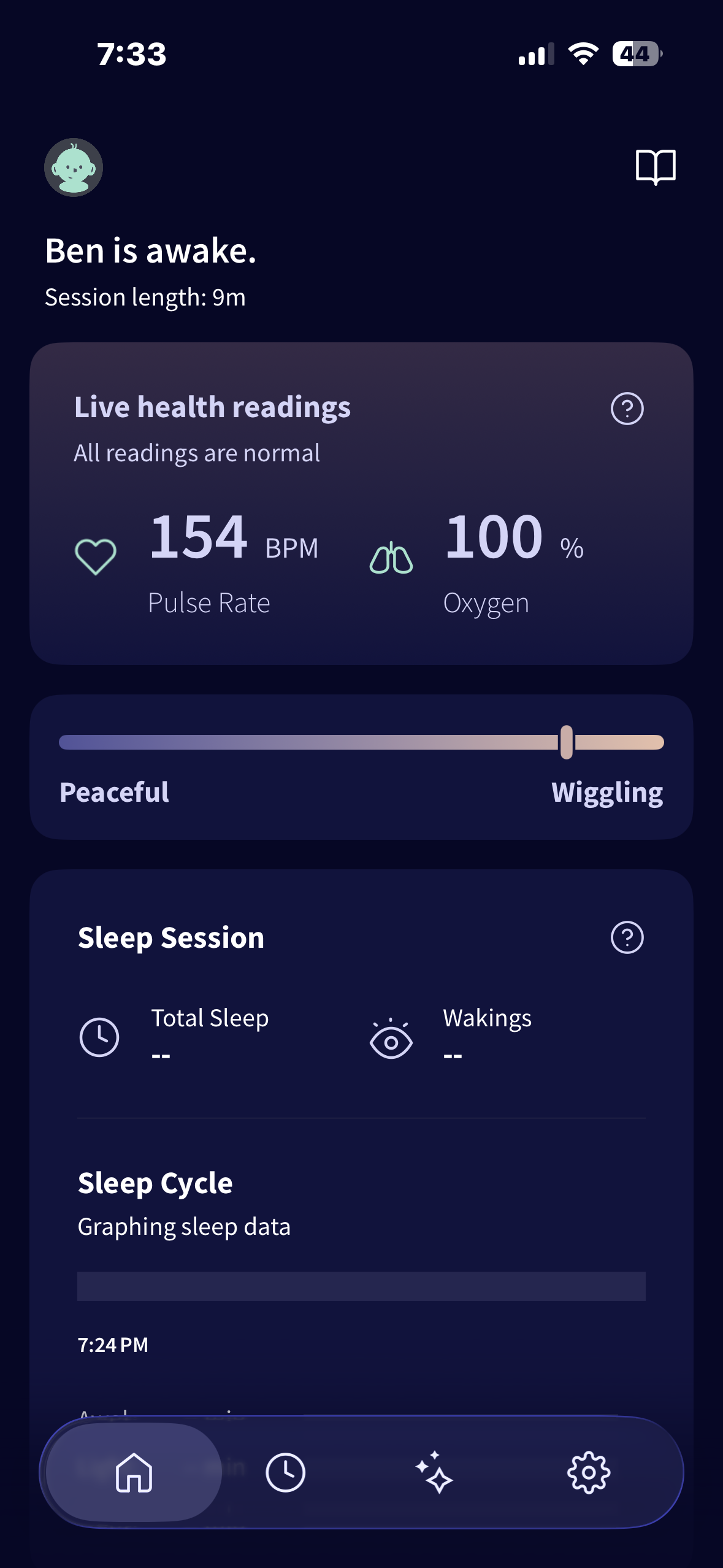
What you pay for is Owlet 360, a separate “more data” tab. It adds a Morning Report with a sleep-quality score, total night sleep, daily-average oxygen and pulse, comfort-temperature trends, and weekly sleep patterns.
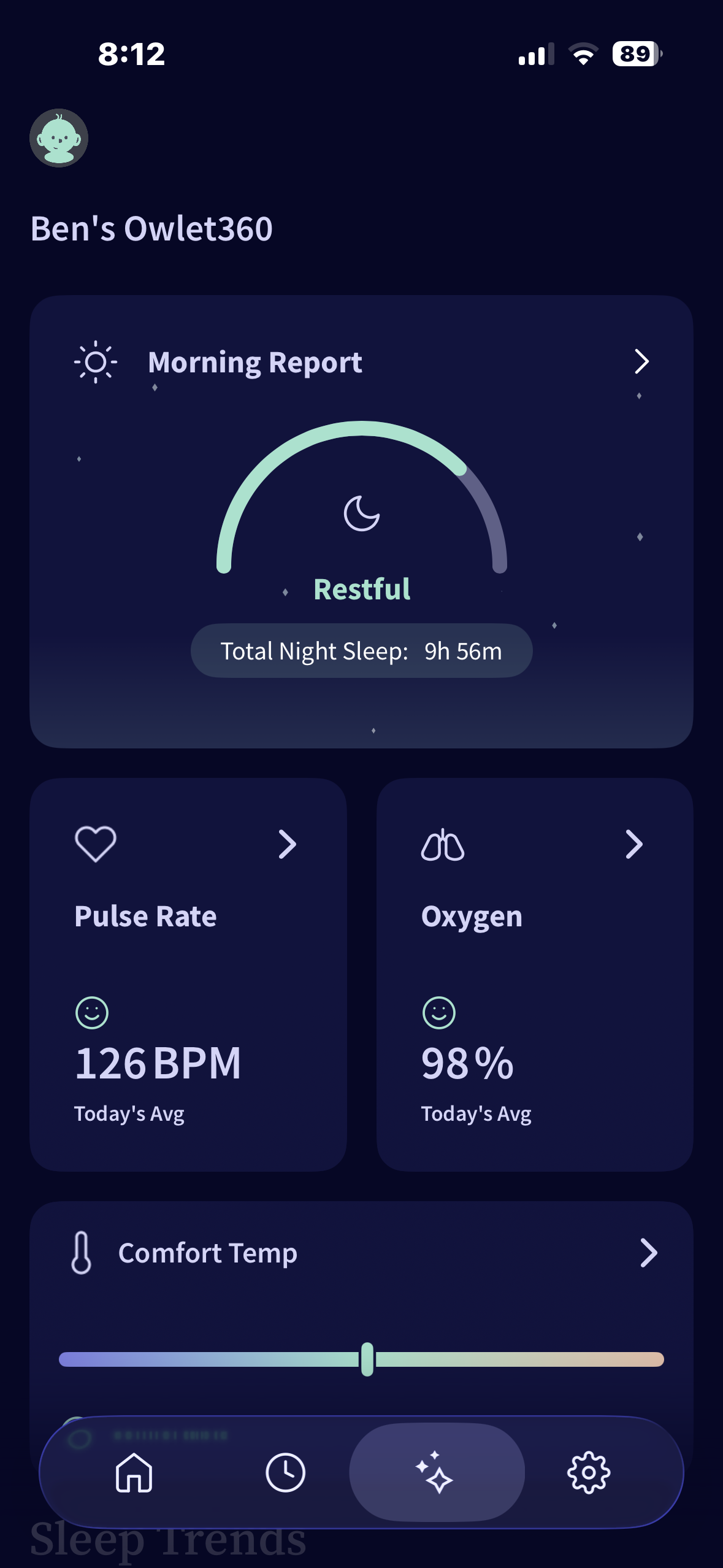
It runs $9.99 a month or $99.99 a year, cancel anytime.
Is Owlet 360 worth it? For the core job of knowing your baby’s oxygen right now and getting alerted, no. If you want longitudinal sleep-quality trends it’s a nice-to-have, and I’d start free and add it only if the trend view genuinely appeals to you.
Best Overall
Owlet Dream Sock
The one I’d buy. It read within 2% of a hospital monitor, has the widest sensor so the signal actually holds, and it’s the only sock here with a real oxygen alarm. Pricey — but it’s the one I trusted on my own son.
Comfort, Retention, and the Annoyances
A monitor you fight with at 3 a.m. is a monitor you stop using, so fit and comfort are first-class metrics, not footnotes.
The Dream Sock stayed put across every night I tested and my son tolerated it without fuss. The fabric is soft, the sensor sits flush, and swapping sizes as they grow is genuinely easy.
Now the annoyances, because there are some. It’s the priciest sock I tested, a clear premium over the budget options.
The charge cable is USB-C, so at least a lost one is cheap to replace anywhere. The real gripe is that the long-term trend data lives behind the Owlet 360 paywall.
Add the alarm caveats from earlier: the 80% floor, no adjustability. Together that’s an honest list of trade-offs. None of them changed my verdict, but you should buy knowing them.
Should You Buy the Owlet Dream Sock?
Buy it if you want the most trustworthy read of your baby’s overnight oxygen and you value a real alarm plus alerts that reach you anywhere in the house. It’s the one device here I’d stake my own son’s monitoring on, and I did.
Skip it if your budget is tight and you mostly want a heart-rate-and-presence sense of “the sock is on and reading” — a cheaper sock can do that, as long as you accept weaker signal-hold and real-time no oxygen alarm.
For everyone else, the Owlet Dream Sock is the best infant pulse oximeter I’ve tested, and it’s the anchor of my best infant pulse oximeter shortlist.
Wishing your baby sweet dreams, and you a full night to match. Sleep well, my friends.
Best Overall
Owlet Dream Sock
Best Overall. Hospital-monitor-close accuracy, the strongest signal-hold I measured, and a real oxygen alarm the budget socks don’t have. It costs more, and it’s worth it.
Frequently Asked Questions
Common questions about
-
What Happened to the Masimo Stork? (It’s Discontinued — and the App Is Gone)
Masimo discontinued the Stork and shut its app off after June 30, 2026 — and the monitor can’t work without it. Here’s the full story, and the still-supported monitors I’d get instead.
5 minutes -
EMAY SleepO2 Accuracy Test: Beat the $300 Models?
Suspect sleep apnea? We reviewed the EMAY SleepO2’s ability to track oxygen drops and desaturations. Discover why this “hidden gem” scored 96.5/100 for accuracy.
11 minutes -
Checkme O2 Max Review: I Tested It for 3 Nights Against a $1,500 Hospital Oximeter
The FDA-cleared pick of the lineup, and the one I hand to anyone who wants overnight oxygen data they can actually work with. Three nights against a hospital-grade Nonin 3150.
13 minutes