
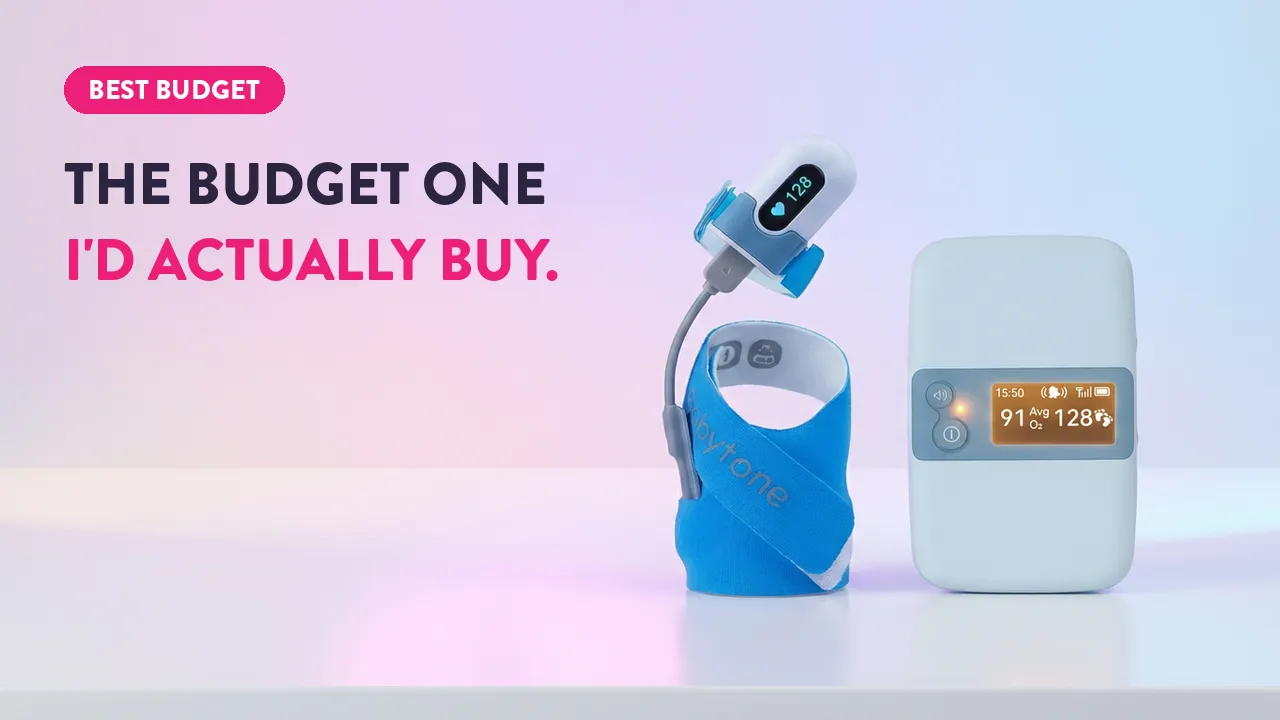

I put a $1,500 hospital monitor on one of my son’s feet and the budget sock on the other, then let them run all night. This BabyTone Sleep Sock review is what the data actually showed: where the cheap one genuinely surprised me, and the one thing its low price is quietly hiding.
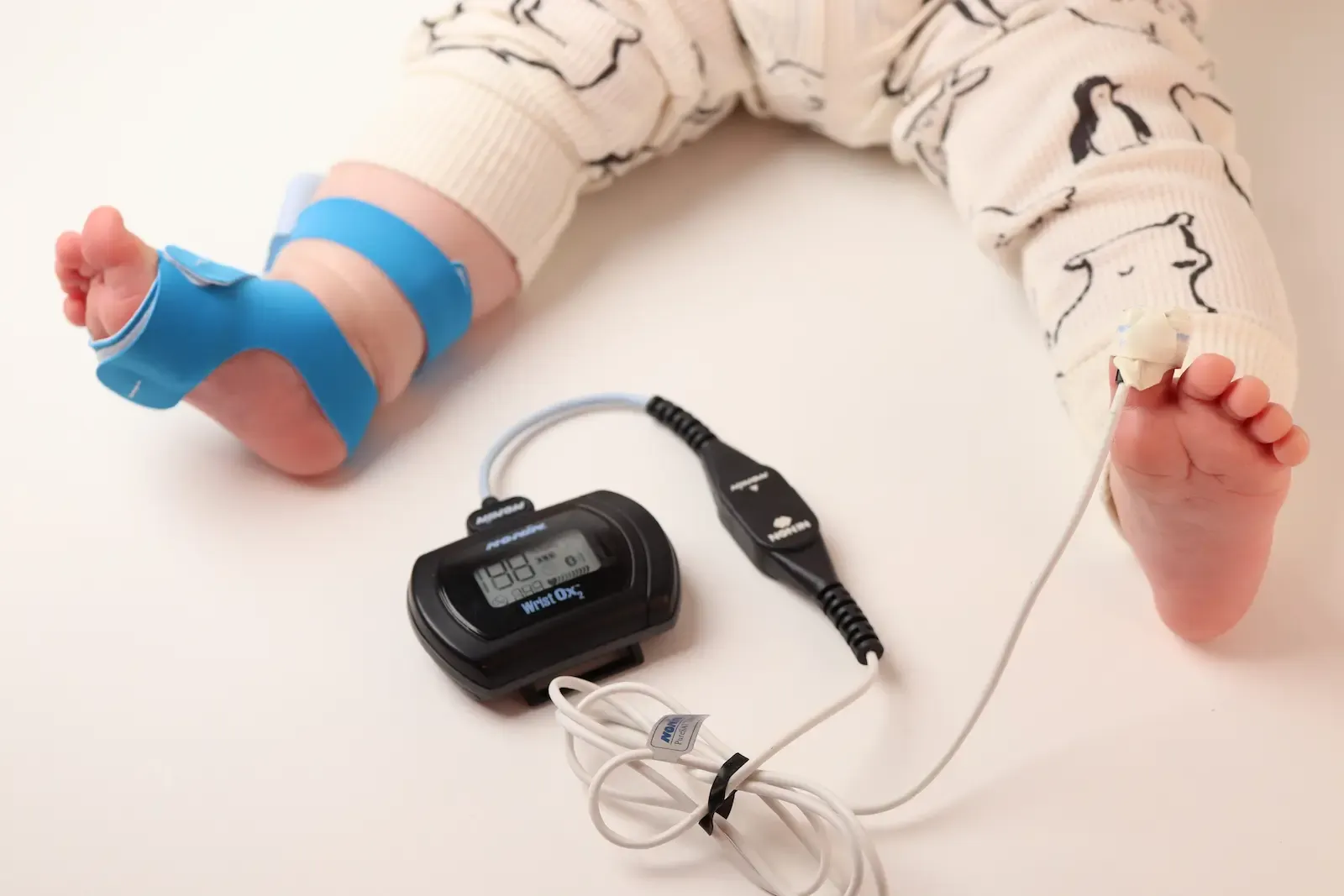
I went into this expecting a budget trap. I came out recommending it, with one big caveat I’ll be straight about.
Review Summary
The BabyTone Sleep Sock is the cheap sock I’d actually put on my own kid. Its heart rate tracked a hospital monitor within about a beat all night, its alarm base hit every threshold I bench-tested, and it runs roughly a third less than my top pick.
The catch: it never shows live oxygen, only a 10-minute average, and there’s no oxygen alarm. Know that going in and it’s a lot of monitor for the money.
Pros
Cons
What the BabyTone Sleep Sock Is
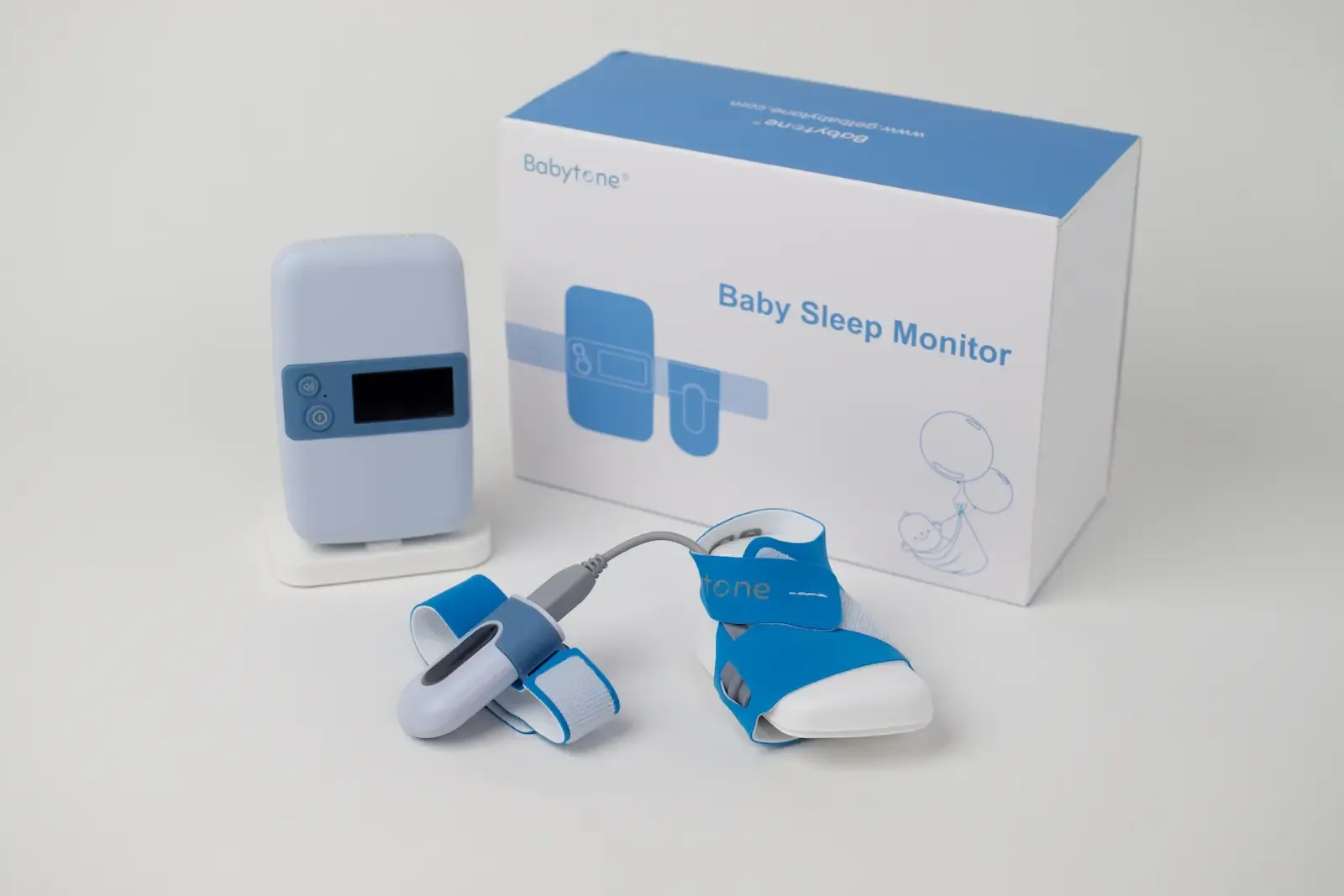
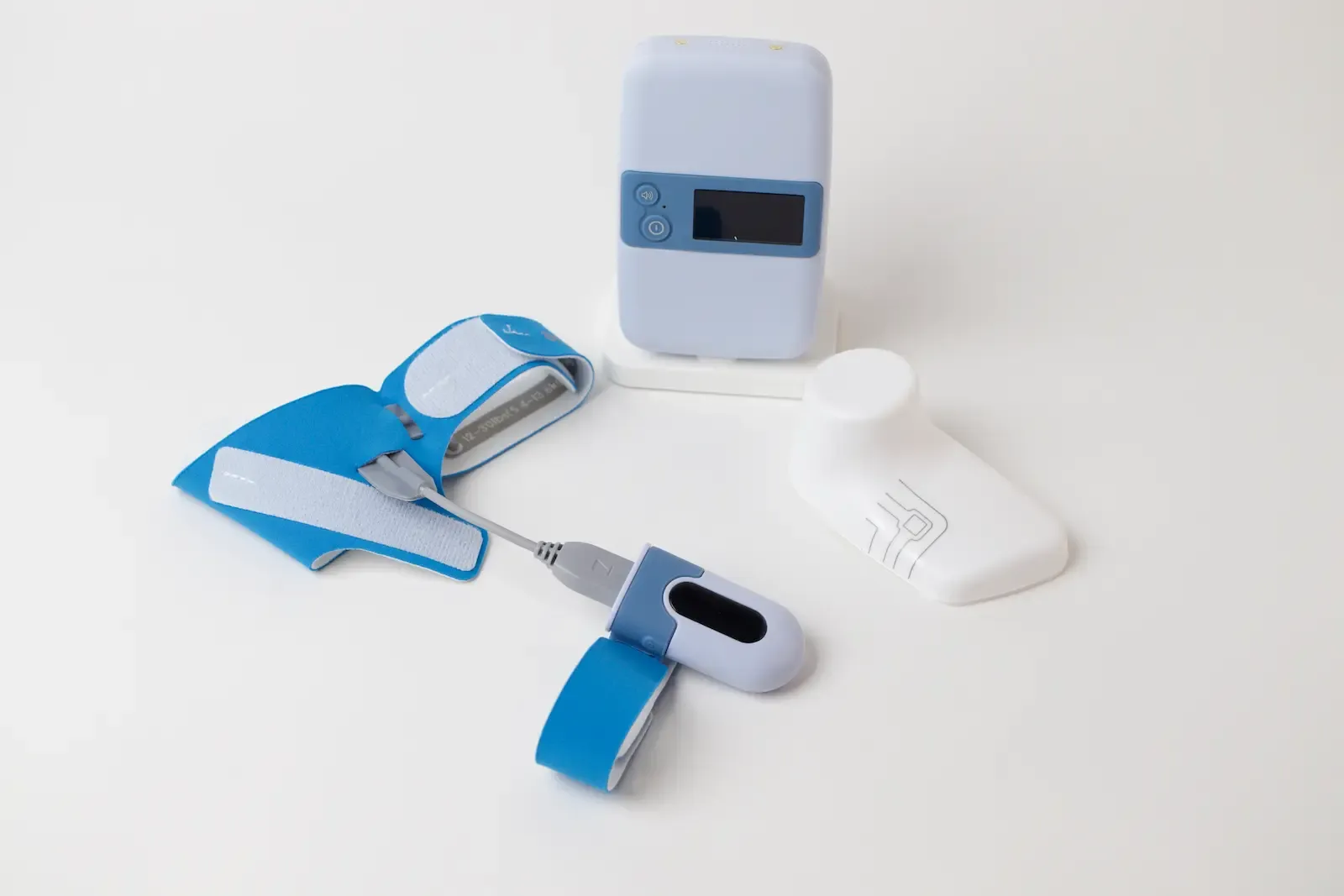
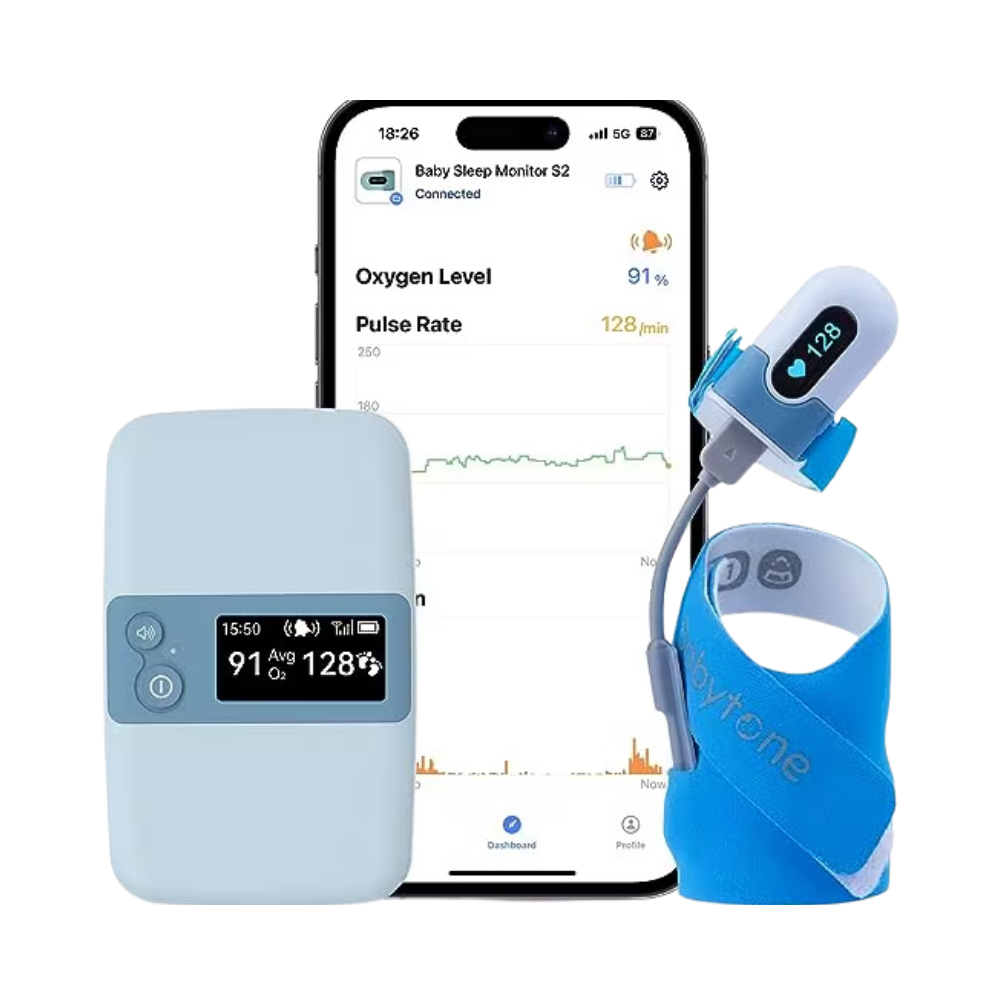
The BabyTone Sleep Sock (S2) is a fabric foot wrap that reads a baby’s pulse rate and blood oxygen, then relays it to a base station and your phone over the ViHealth app. Same job as the premium socks, at a fraction of the price.
It’s a two-piece design, and that’s the first thing you notice. A sensor sits in the foot wrap, a short cord runs up to a small “brain” unit on the ankle, and that talks to the base. More to put on a squirming baby than a single sock.
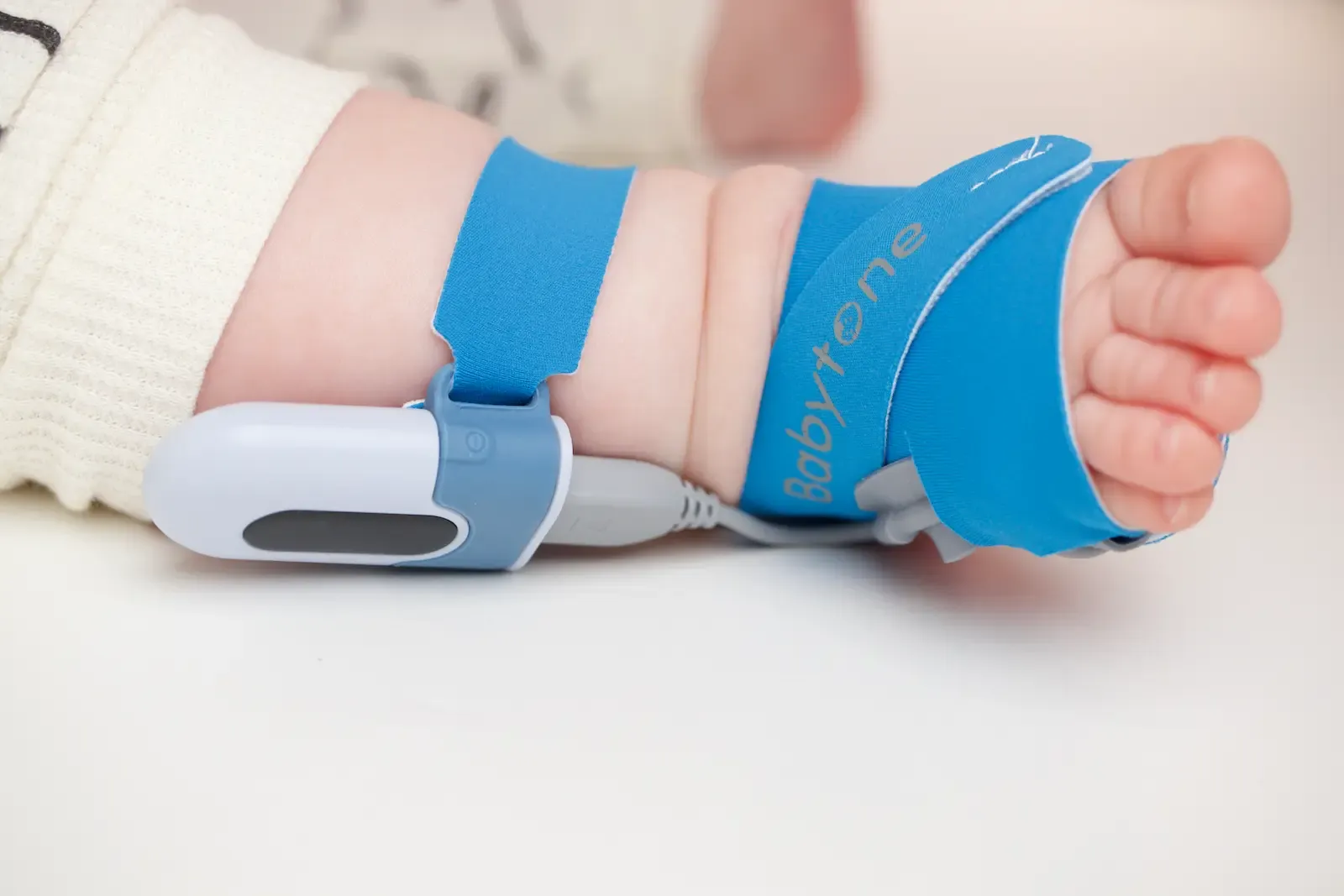
In the box you get two right-foot wraps (a small for under 12 pounds, a large for 12 to 30), the ankle unit, the base station, and two chargers. One is USB-C for the base, the other a proprietary charger for the brain. There’s no wall plug, so you supply your own USB adapter.
One genuinely nice touch: it ships with a plastic model foot, wrap already on it, with a sticker showing exactly where the sensor should sit. For a device this fiddly to fit, that little foot earns its place.
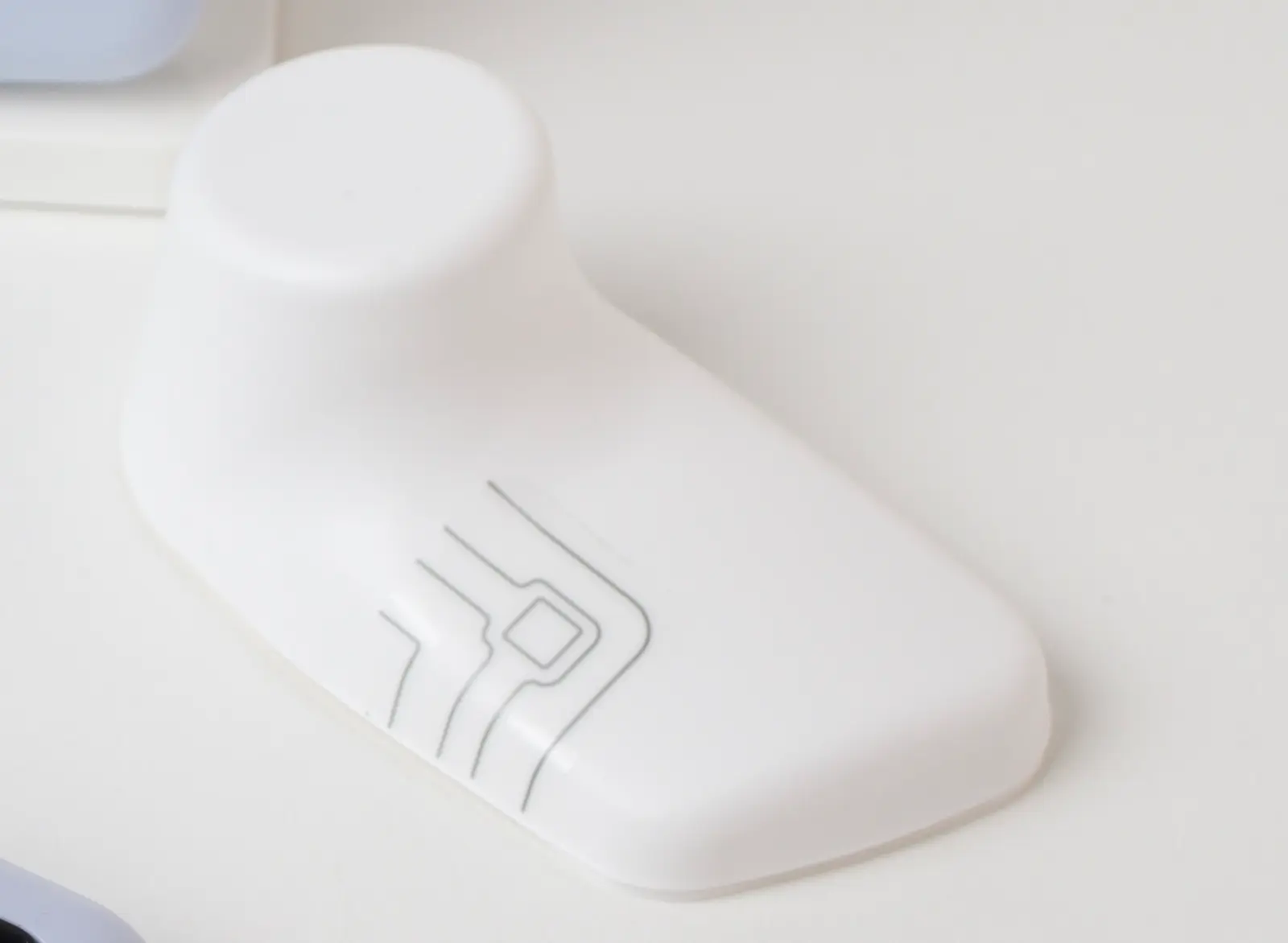
The base station is the real story here, and I’ll come back to it. For now, know that it shows the time and live vitals on its face, and it comes off its dock to run on battery.
How I Tested It
Most baby-monitor reviews tell you a sock is “accurate” and move on. I wanted a number, so I strapped a hospital monitor to the other foot.
I tried the bench-tester route first: a Contec SpO₂ patient simulator, a roughly $1,000 box that feeds an oximeter a known, simulated oxygen level. It’s built for a finger clip, though, and these are foot-wrap sensors whose LED and detector are spaced to span a foot, not a fake fingertip.
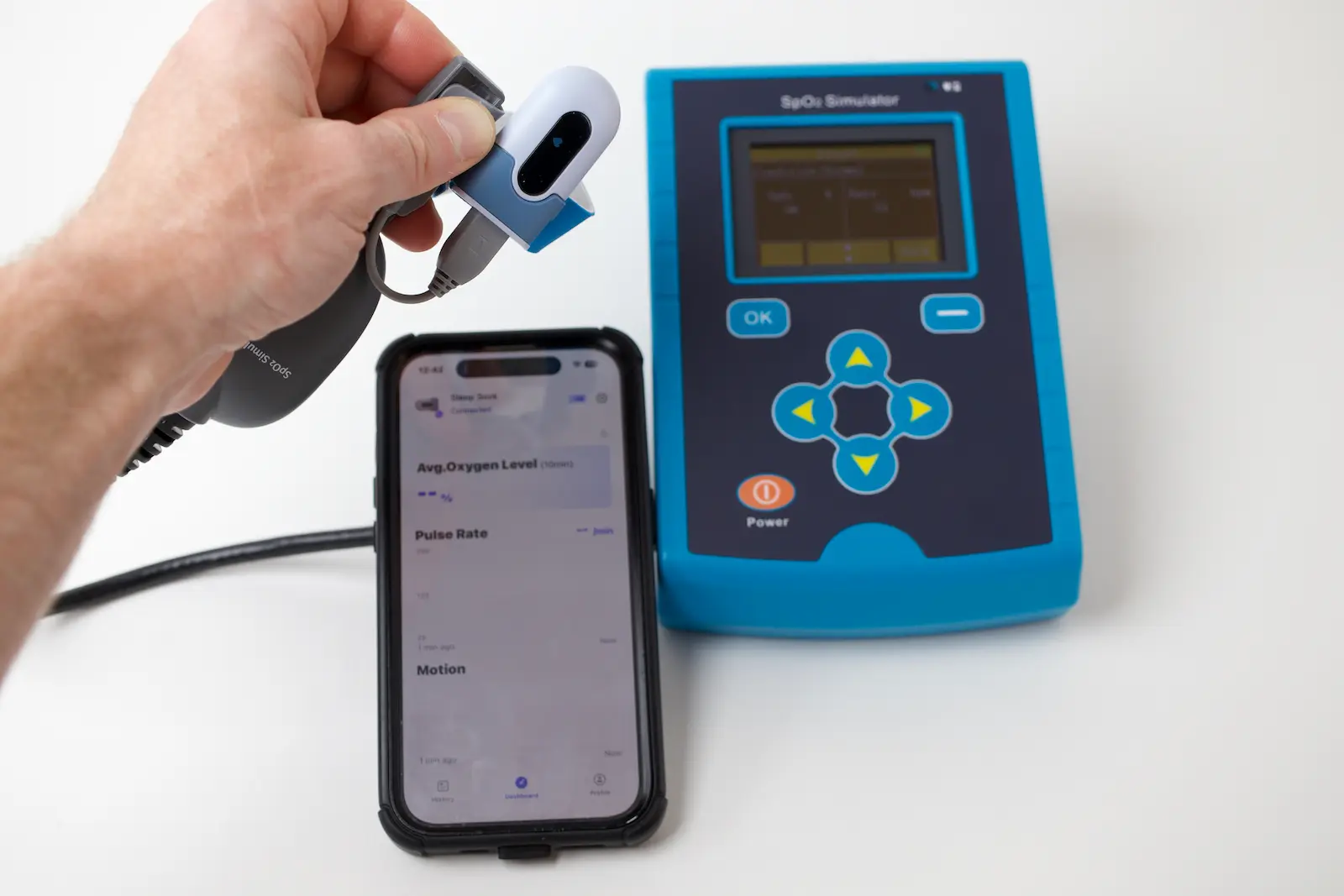
That route didn’t pan out, but I really tried to get hypoxia data. So I went with the test that actually means something: a real, perfused foot next to a hospital reference.
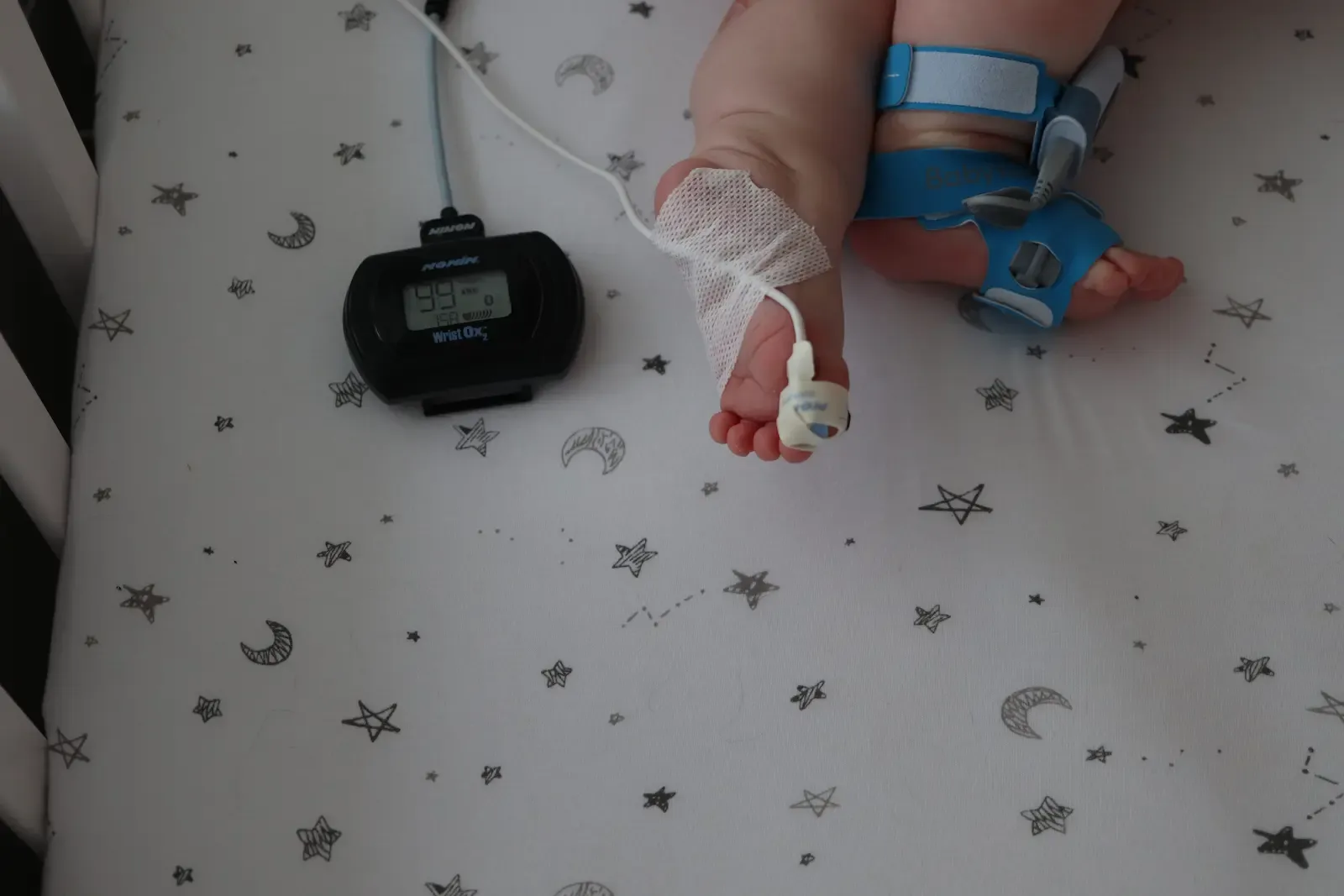
My reference was a Nonin 3150 with a neonatal sensor, a clinical-grade monitor that logs once per second. It ran on one of my son’s feet while the BabyTone ran on the other, on my own 6-month-old.
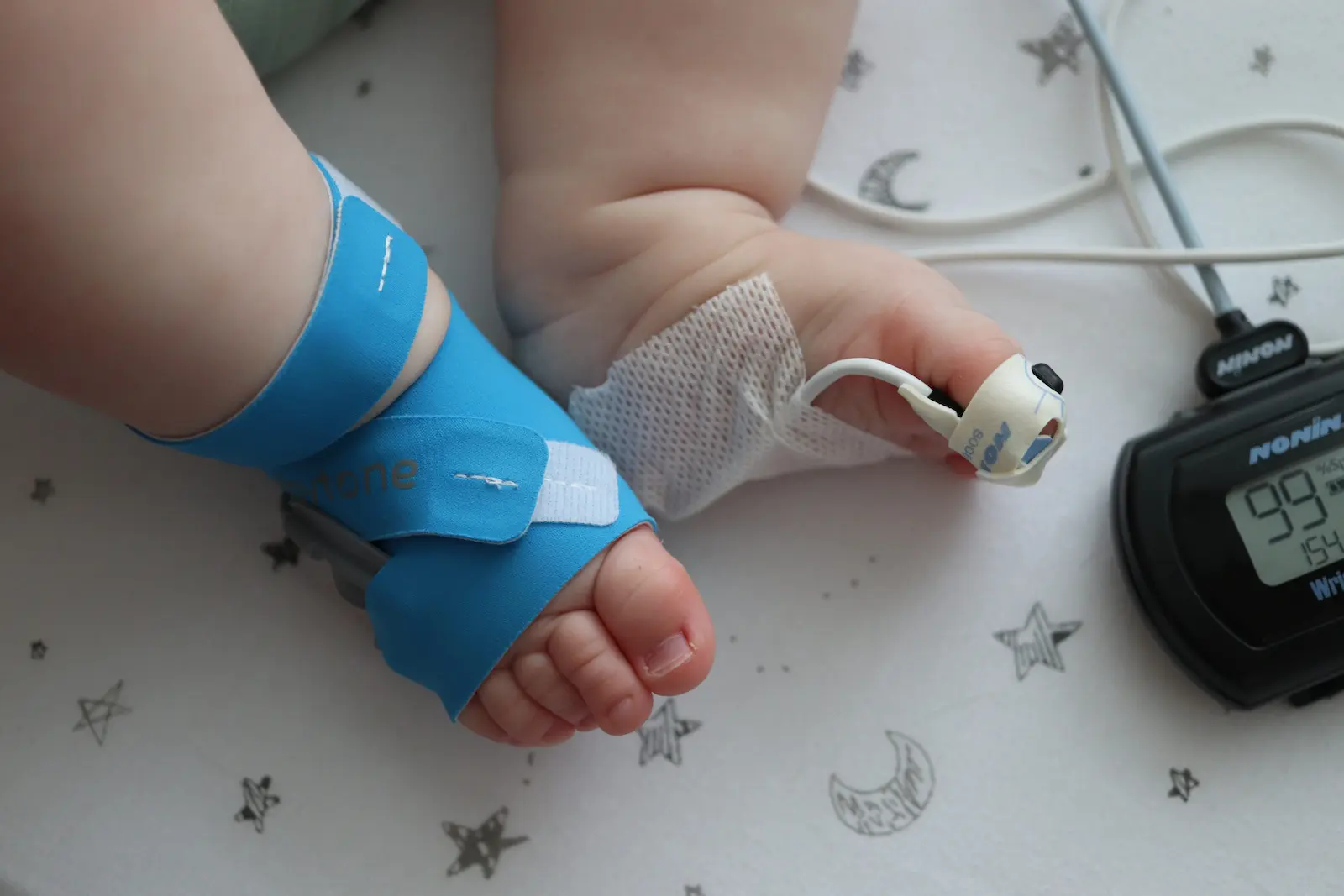
The first night, I lost. The wrap kept dropping signal on my son’s foot and I couldn’t hold a clean read (more on why in the fit section).
The second night, I got it. I put it on a little firmer and shifted the sensor to match the placement guide on the model foot they include, and it locked in for a full 9 hours and 36 minutes. That’s the night the data below comes from.
So this isn’t a one-reading fluke. It’s a full night of the budget sock lined up against a machine that costs more than a used car.
Pulse Rate vs the Nonin
Here’s where the BabyTone earned the recommendation. For heart rate, it tracked the hospital monitor almost perfectly across the whole night.
Over 6.18 hours of overlap I had 5,467 paired readings to compare. The bias was −0.98 bpm, meaning it read about one beat low on average. Essentially spot-on.
5,467 paired readings across the night. The budget sock rides the hospital monitor’s trace closely.
More than 90% of its readings landed within 5 bpm of the Nonin, and 83% within 3. The correlation held at 0.75. Those are numbers I’d trust for a heart-rate-and-movement monitor, full stop.
It isn’t flawless. The spread widens during motion, with limits of agreement running about ±12 bpm, and you can see those as the narrow spikes in the trace.
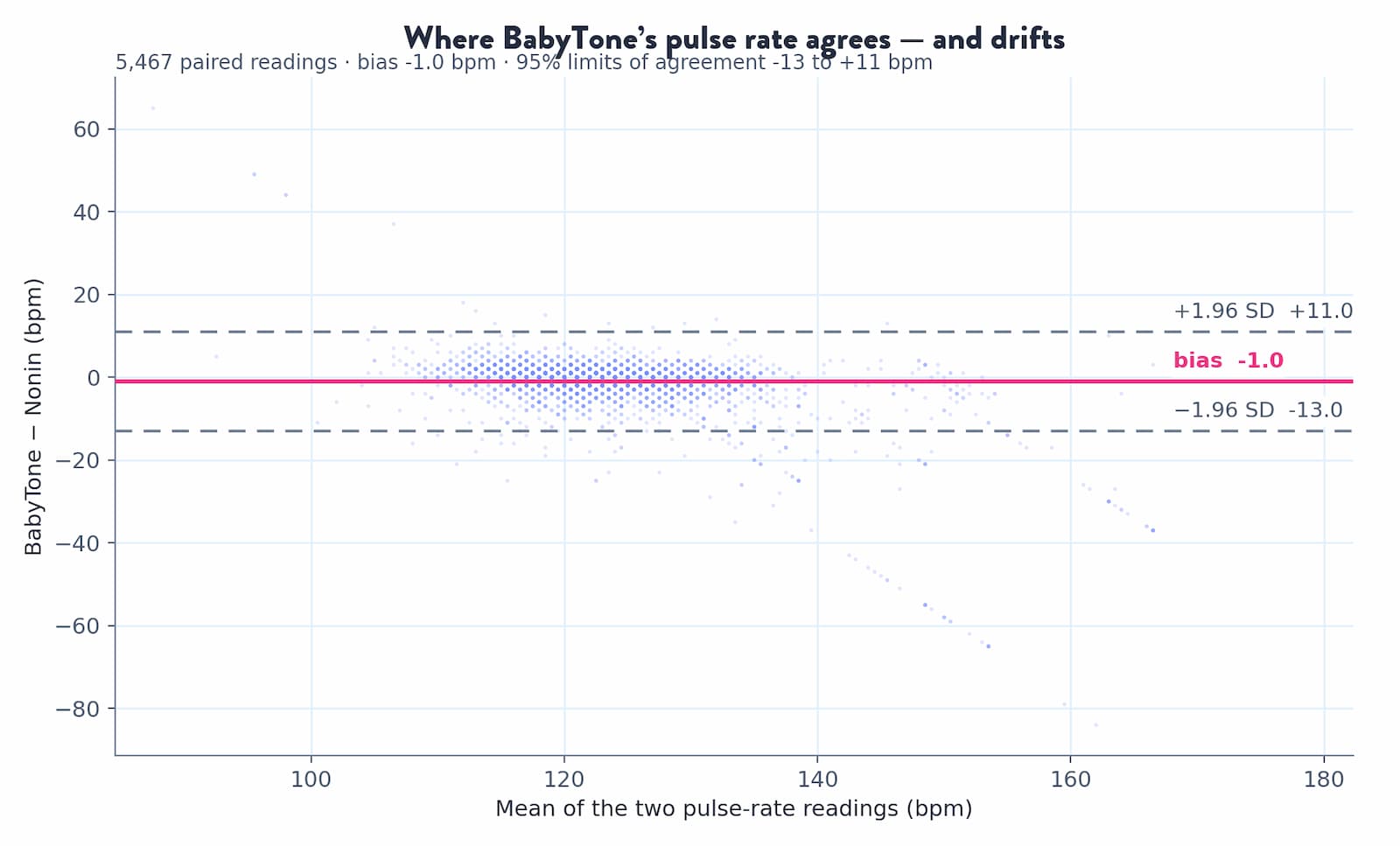
That widening is motion, not a systematic error. When he was still, it tracked tight against the reference; when he kicked, both devices scrambled for a beat.
My son is also big and strong for his age, so there was no shortage of kicking to stress that. Read the pulse rate as “tracks closely,” not “matches beat for beat,” and it holds up.
If reliable heart-rate tracking on a budget is what you’re after, the BabyTone genuinely delivers it.
The Oxygen You Only See as an Average
Now the caveat, and it’s the important one. This is sold as a baby oxygen monitor, and it does read oxygen, but not the way you’d expect.
On the live dashboard, oxygen shows up as “Avg. Oxygen Level (10 min)”, a rolling ten-minute average. There is no instant, second-by-second number anywhere. The big live figure your eye jumps to is actually the pulse rate.
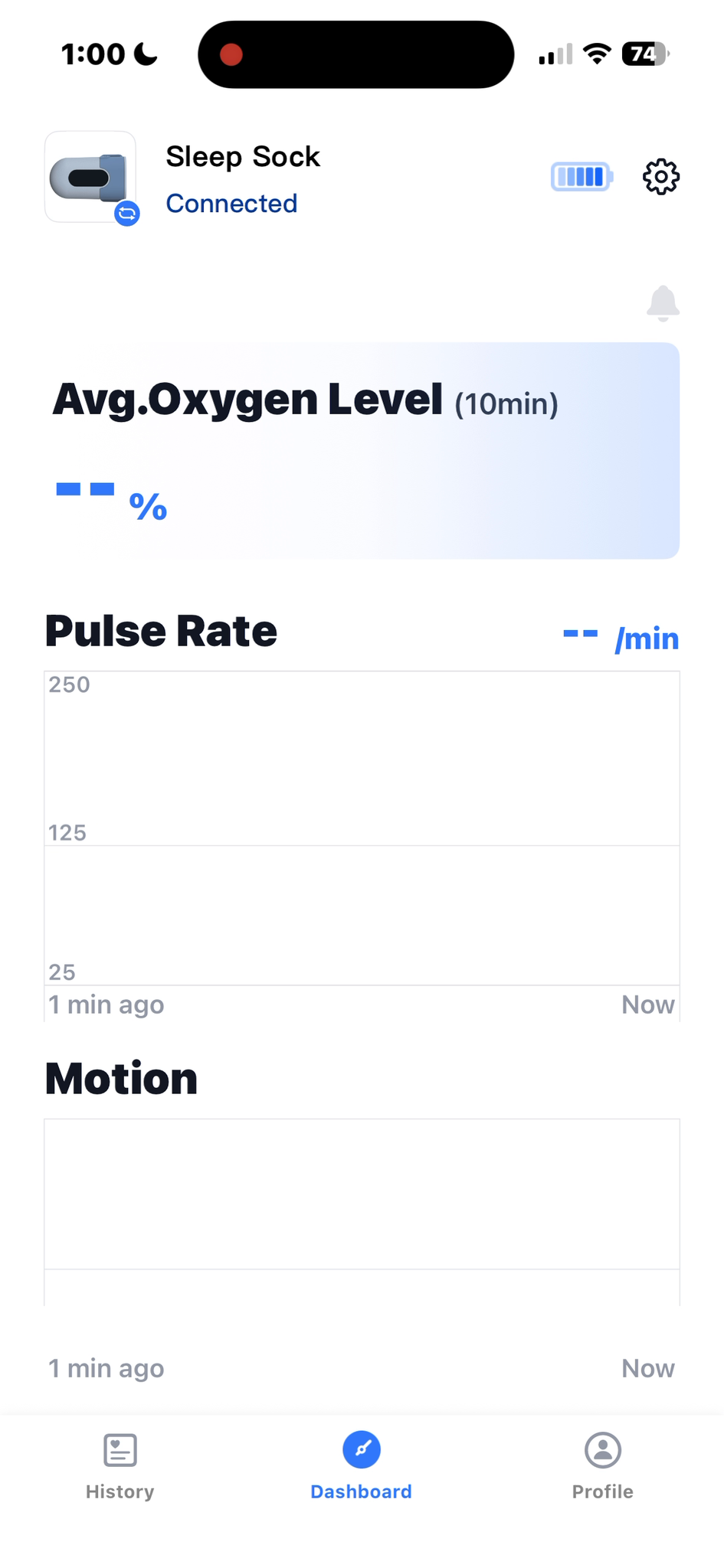
It gets starker after the night ends. Pull up the session detail for that full 9.5-hour recording and oxygen is a single number: “Avg. 99%.” No oxygen graph. Meanwhile pulse rate gets a full trace, a range, and a distribution table.
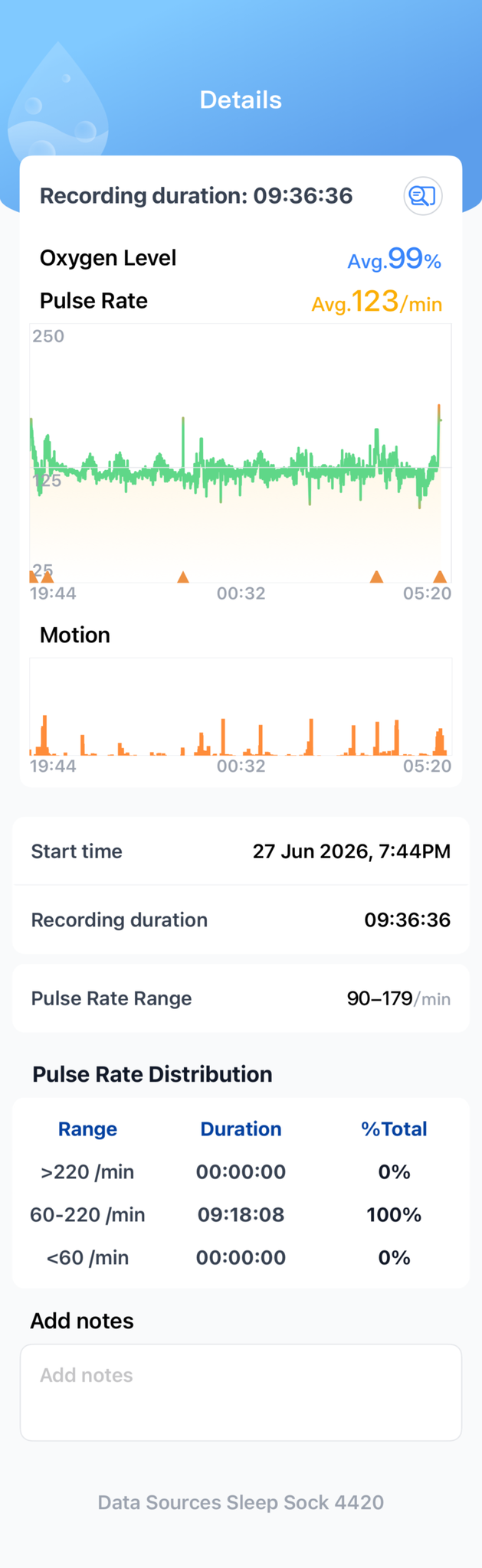
Compare that to what the Nonin captured on the same foot, the same night: 21,824 individual oxygen readings, one every second.
Same baby, same night. The reference logs every second so you could spot a real dip forming. The BabyTone hands you one number.
Why does that matter? Because the whole point of watching oxygen overnight is to catch it changing, and an average can’t show you a dip forming.
There’s no oxygen alarm to catch one either. The heart-rate and movement alarms are real, but nothing watches the oxygen number.
To be fair, if you want a general nightly sense that oxygen looked normal, plus solid heart-rate and movement tracking, the average is fine. Just don’t buy it expecting to watch live oxygen or get alerted on a desat, because it does neither.
(If you’re the type who wants raw data, the export is pulse rate and motion only, with no oxygen column at all.)
Here’s the honest split. If a general read on overnight oxygen plus reliable heart-rate and movement tracking is what matters most, and you want to spend less, the the BabyTone is the one to get.
If live, alarmed oxygen is the feature you actually care about, that’s the reason to spend up to the Owlet Dream Sock instead.
Why the Fit Fought My Son
Remember that first night I lost? Here’s the honest reason, and it’s partly on my kid, not the device.
My son is 6 months old and 18 pounds, with bigger, thicker feet than average for his age. His foot measured about 25 mm at the thickest part. That put him right at the top of what this sock can physically read.
The reason comes down to optics, and I measured it. An infant sock only reads when the LED lines up with the photo-sensor across the foot, so the distance between them sets the foot size it can handle. I put calipers on all three socks I tested.
A few millimeters of reach decides whether the sock can wrap far enough to get a clean signal.
The BabyTone’s gap is 25.5 mm, sitting between the Owlet’s 31 mm and the Sense-U’s 23.4. That middle spot showed up exactly as you’d predict: it got a signal where the Sense-U couldn’t get one at all, but it wrapped less foot than the Owlet and grabbed the read more slowly.
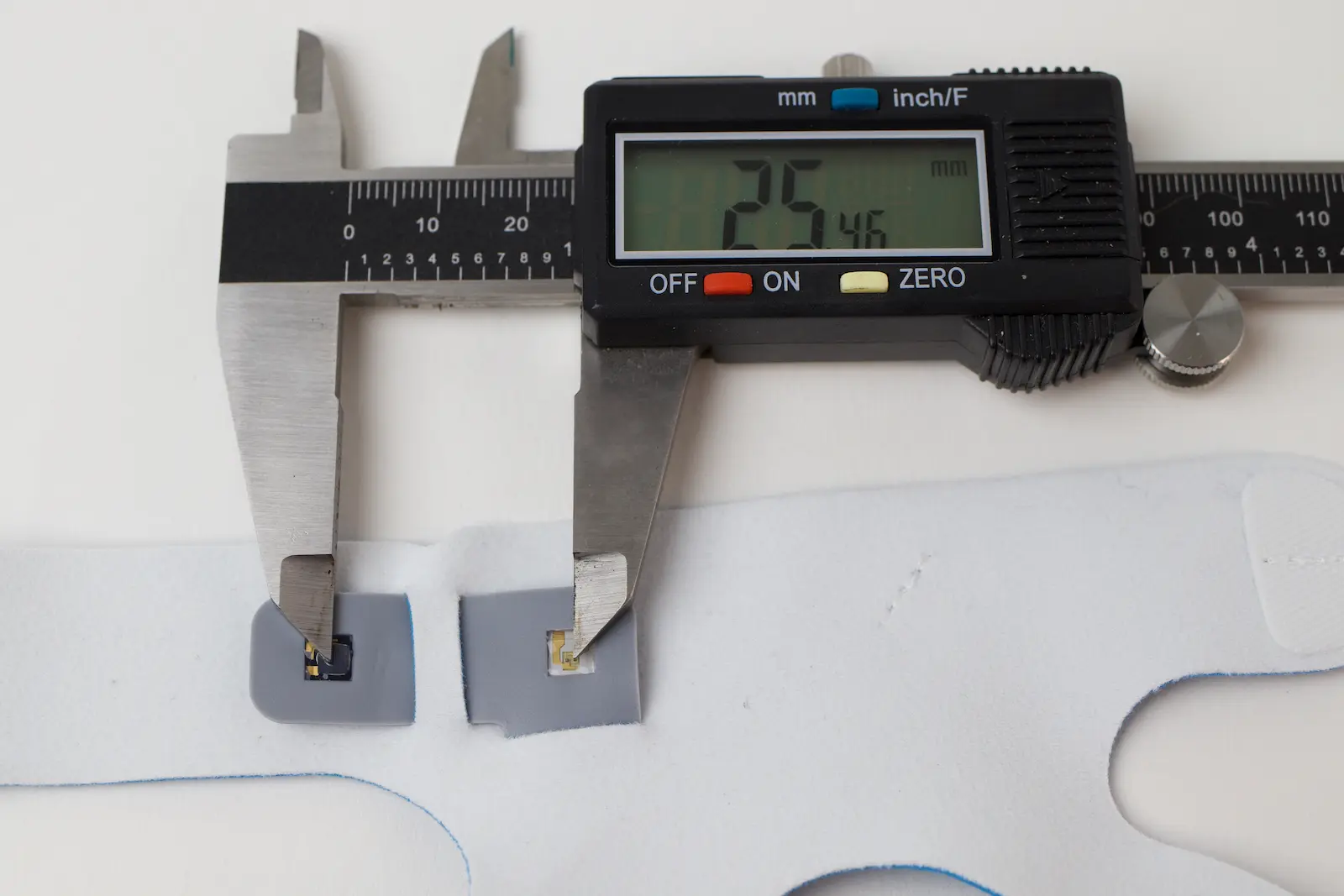
The takeaway for you: the box says up to 30 pounds, but the optical gap, not the weight rating, is what decides if it reads. On a smaller or younger baby this likely isn’t a problem. On my big-footed 6-month-old it took patience, and once I dialed in the wrap position it held all night.
One pleasant surprise while I was fighting the fit: the fabric. It feels cheaper than the Sense-U’s stiff, nylon-heavy wrap, but it’s actually softer and has more give, so it was more comfortable and probably kinder to circulation. You can cinch it snug without it digging in.
Under the Spectrometer
While I had all three socks apart, Derek and I put their sensors under a spectrometer to see exactly what light each one emits. It’s a measurement no other baby-monitor review bothers with.
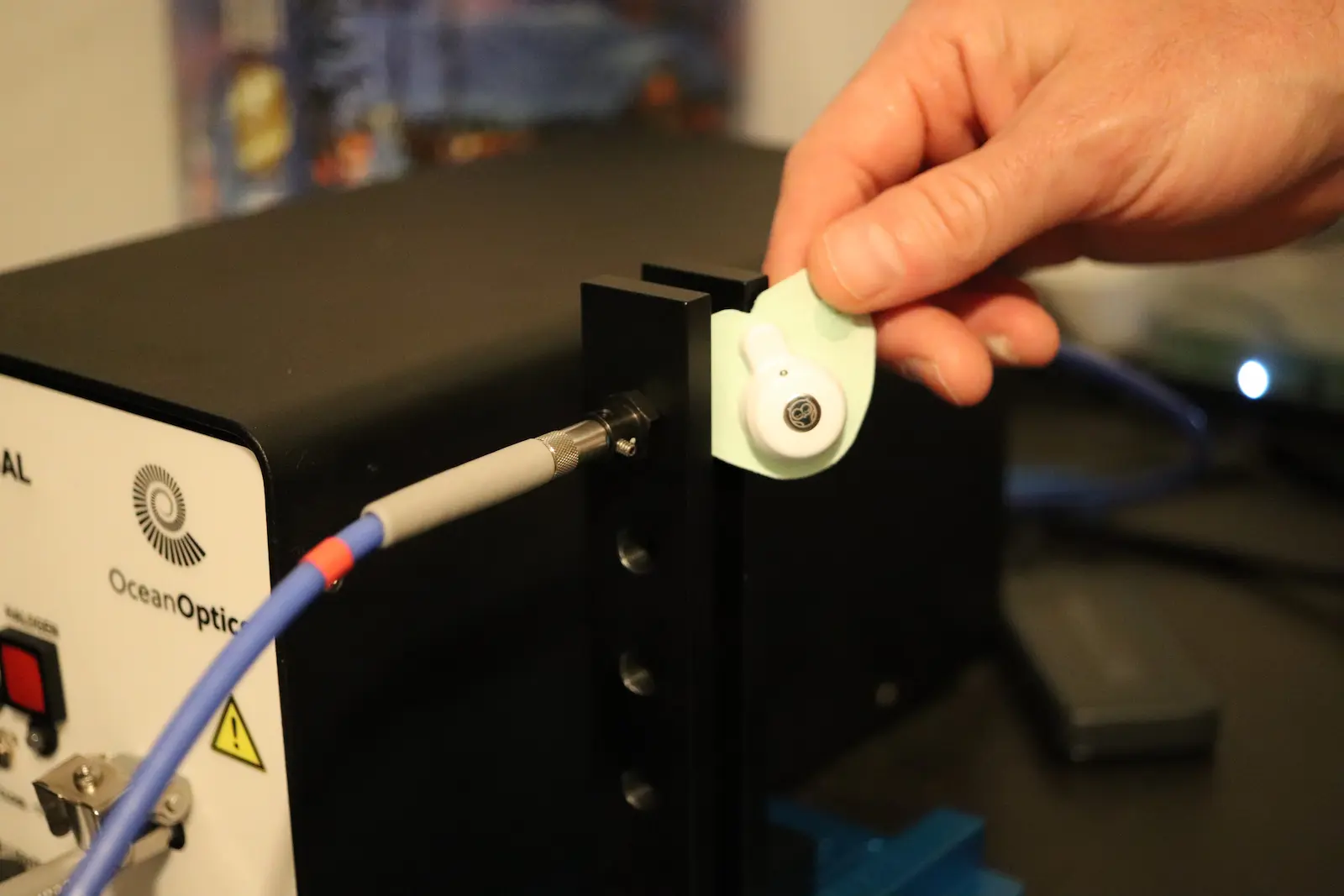
The BabyTone came back as a textbook two-wavelength device: red around 660 nm plus infrared. That’s the standard pulse-oximetry recipe, the same one most oximeters have used for decades.
The one sock that broke that pattern was the Owlet, which adds a third wavelength, blue at around 459 nm, that the BabyTone doesn’t have. That blue channel is why I went deep on skin-tone accuracy in my Owlet Dream Sock review. For the BabyTone, the takeaway is simpler: it’s a conventional oximeter sensor, no more and no less.
Alarms and the Portable Base
This is the section anxious parents scroll to, and it’s where the budget sock punches above its price. The alarm story has one wrinkle, then a real payoff.
The wrinkle: the phone alerts are gated, and the app’s own notices spell it out.
The heart-rate and offline reminders on your phone only fire while you’re on the app’s live view with the screen awake, and the volume is tied to your ringer. Not much use if you have to stare at the screen all night anyway.
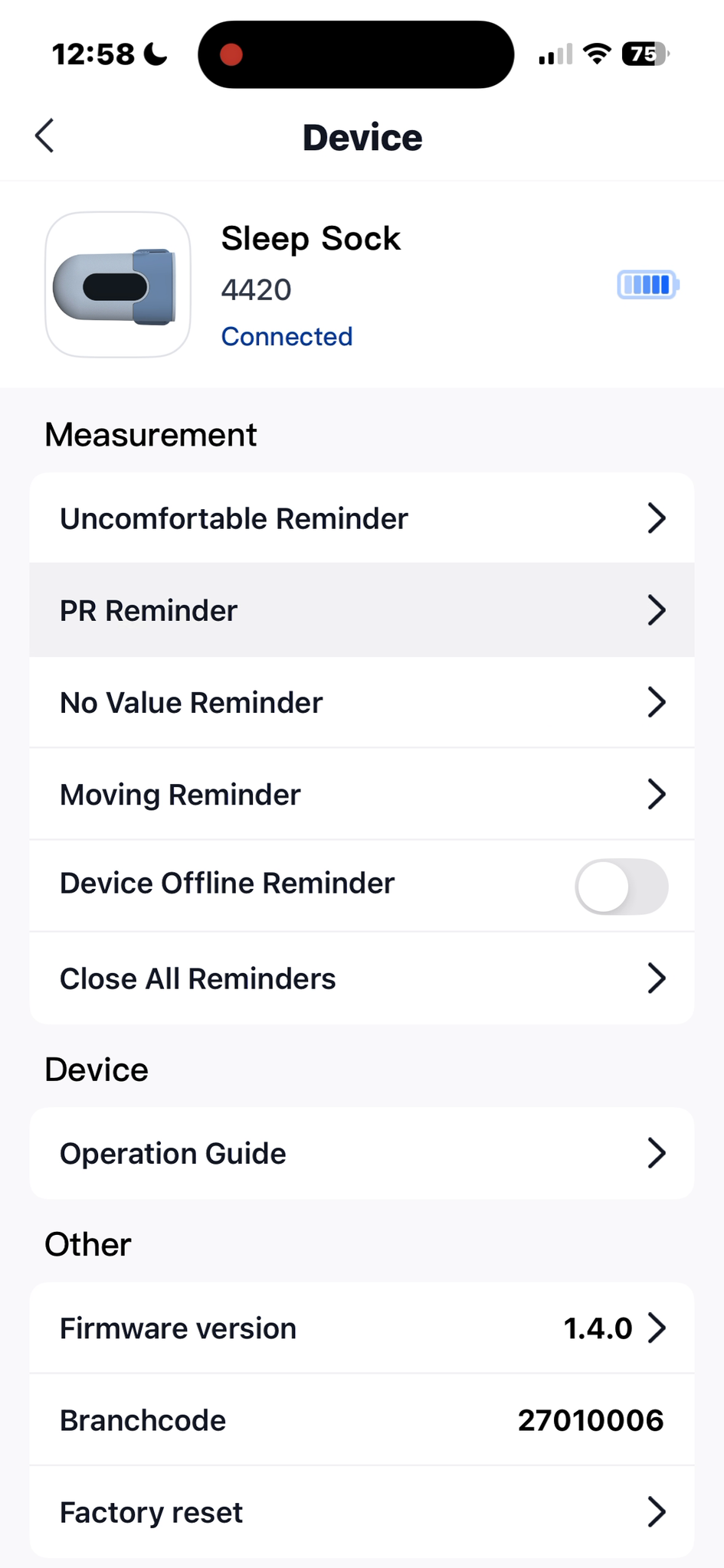
The payoff: every reminder also fires on the base station itself, and the base is portable. Pop it off the charger, drop it in your pocket, and walk the house while it keeps watch. That’s the peace-of-mind feature a phone-tethered budget monitor can’t match.
I bench-tested those station alarms, and they held up. The high and low heart-rate alarms hit their threshold every single time, no misses.
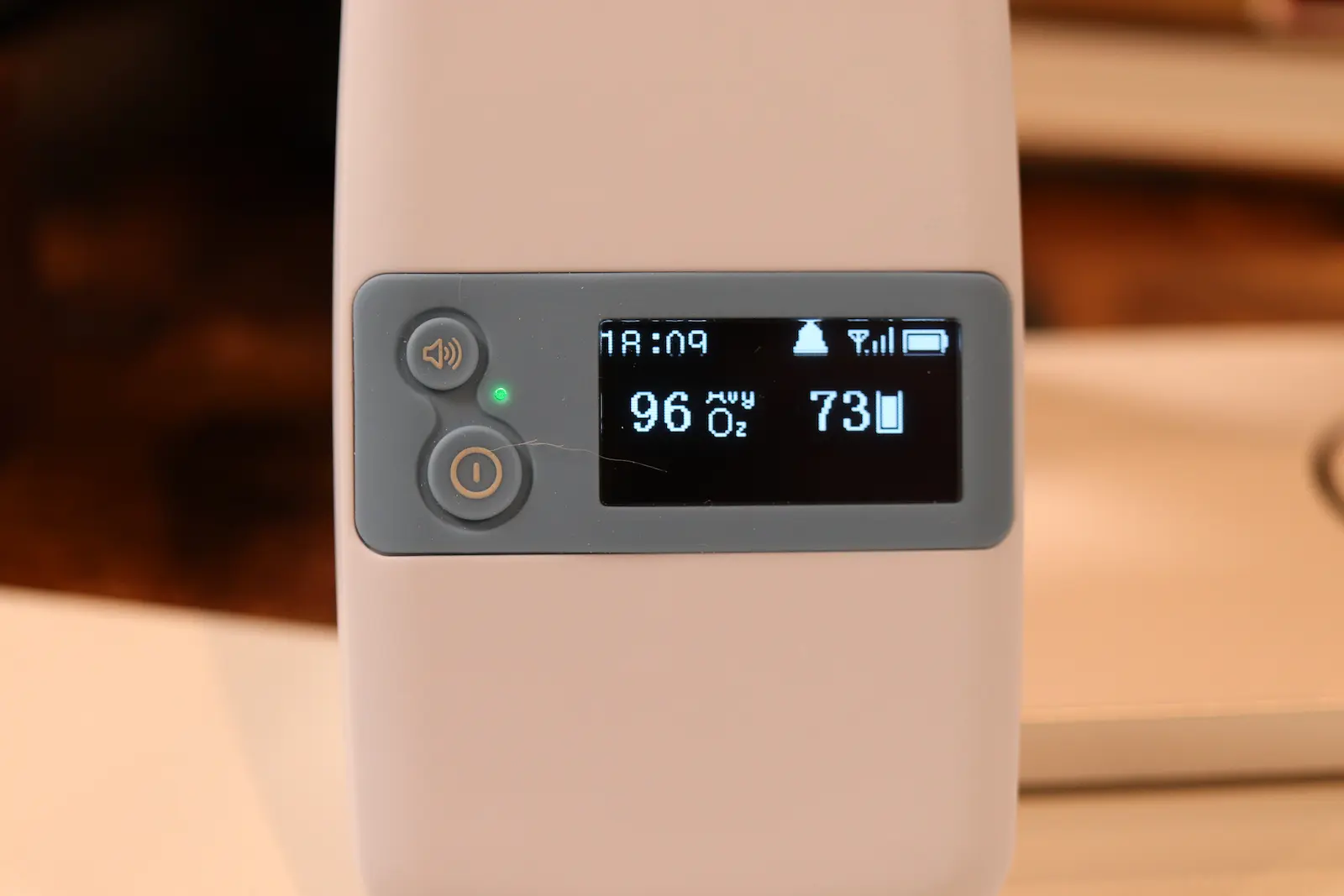
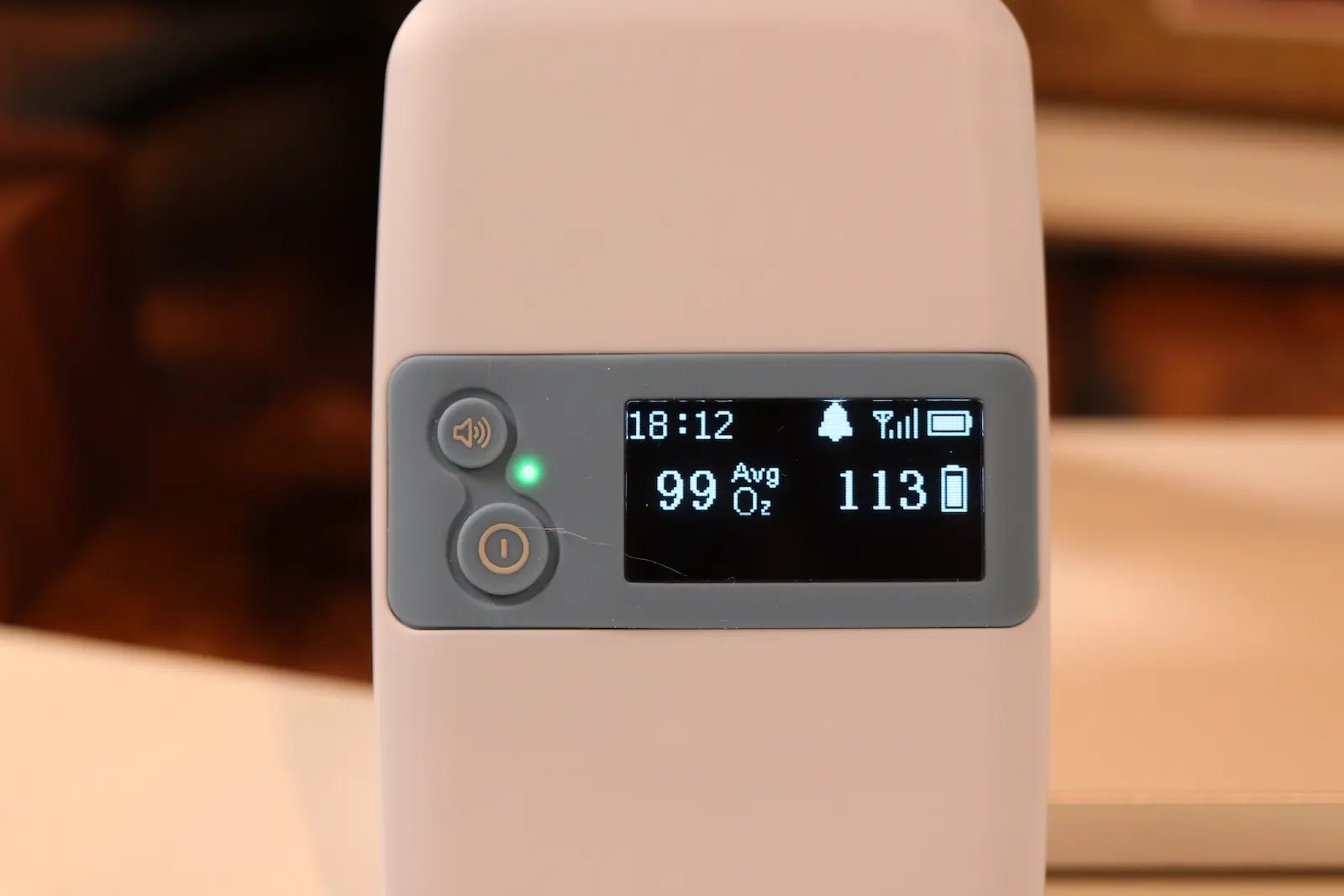
The uncomfortable reminder fired within 10 to 15 seconds of moderate shaking on standard sensitivity, faster on high. The no-value reminder, set to a 30-second delay, caught the sensor dropping off.
None of them cried wolf on the full night once the fit was dialed in. Zero false alarms.
The one thing the alarms don’t cover is oxygen. There’s no oxygen alarm here, as I said earlier, so treat this as a heart-rate, movement, and connection watchdog. On that job, the portable base genuinely works.
Best Budget
BABYTONE Sleep Sock
Heart-rate tracking within a beat of a hospital monitor, alarms that actually fire, and a portable base you can carry room to room. Roughly a third less than the top pick.
Comfort, Retention, and the Annoyances
A monitor you fight with at 3 a.m. is a monitor you stop using, so this matters. Once fitted, the BabyTone held position and signal for the full night, and my son slept through wearing it and the clunkier Nonin without much fuss.
Now the honest annoyance list. It’s slower to grab a signal than the Owlet, which locks on fast and stays put.
The two-piece hardware is more to manage, and there’s no wall plug in the box. The fit also skews small, so a bigger baby may age out of it before the weight chart says so.
None of that changed my verdict. But you should buy knowing the trade-offs, because the low price is buying you a genuinely useful monitor with real corners cut.
Should You Buy the BabyTone Sleep Sock?
Buy it if your budget is tight and you want a reliable heart-rate and movement monitor with alarms that actually work, at roughly a third less than the top pick. You’re saving real money and getting a legitimate upgrade for it: the removable, portable alarm base that a phone-only budget sock can’t touch.
For a money-conscious parent who wants good-enough plus one feature that genuinely earns its keep, the BabyTone Sleep Sock is the one I’d point you to.
Skip it, and spend up to the Owlet, if live oxygen and a real oxygen alarm are the features you’re actually paying for. That’s the gap between these two, and only you can say whether it’s worth the premium.
Either way, it anchors the budget end of my best infant pulse oximeter shortlist. And if the deeper worry driving all this is SIDS, I wrote a separate, honest piece on whether baby monitors prevent SIDS.
Wishing your baby steady breaths and you a full night to match. Sleep well, my friends.
Best Budget
BABYTONE Sleep Sock
Hospital-close heart-rate tracking, a portable alarm base that works standalone, and about a third off the top pick. Oxygen is a 10-minute average with no alarm, so buy it for heart rate and movement, not live O₂.
Frequently Asked Questions
Common questions about the Babytone Sleep Sock
Keep reading
 Pulse Oximeters
Best Overnight Pulse Oximeters for Sleep Apnea (Lab Tested)
 Pulse Oximeters
Which Wellue Oximeter Should You Buy? 5 Models Lab-Tested
 Pulse Oximeters
Checkme O2 Max Review: I Tested It for 3 Nights Against a $1,500 Hospital Oximeter
 Pulse Oximeters