
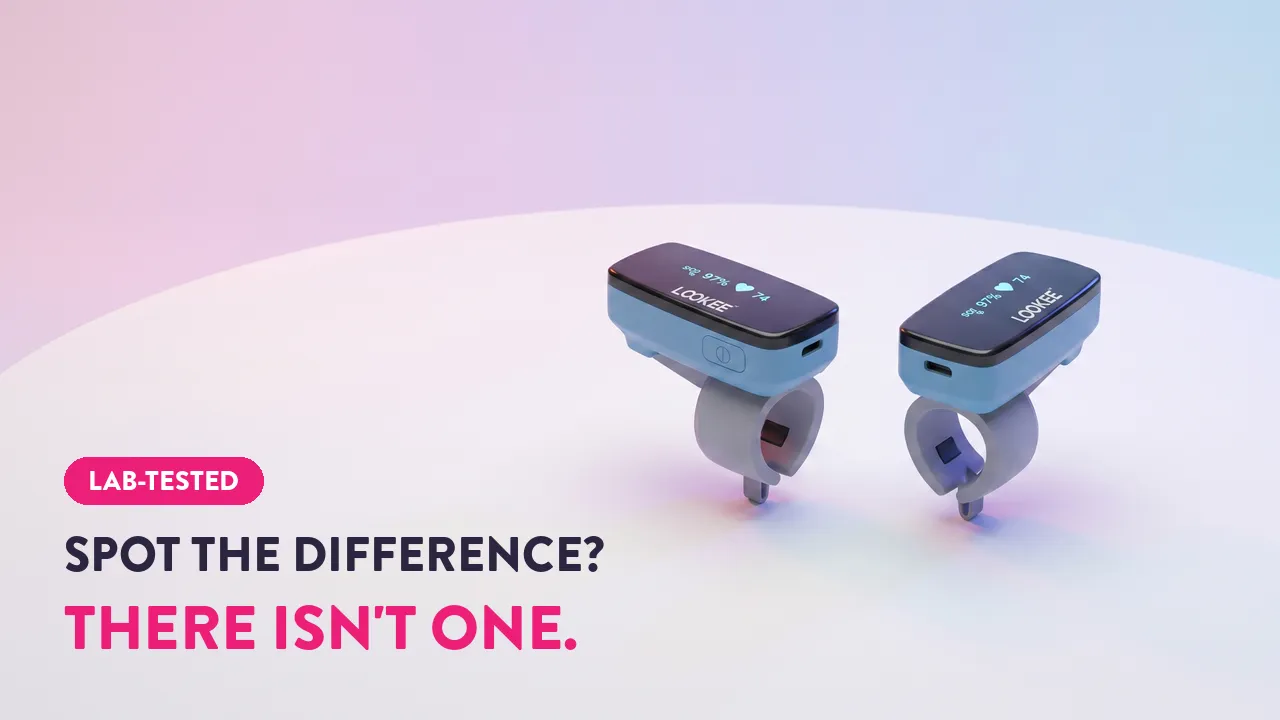

I tested the Lookee Sleep Ring on my finger for 3 nights against a Nonin 3150, the hospital-grade pulse oximeter used in actual sleep studies. Then I did the same with the Lookee Pro version. Here’s what I found and which one to actually buy.
The Overview
If you want a comfortable overnight pulse oximeter ring you’ll actually wear every night, the Lookee Sleep Ring is my pick. It scored a 93.0/100 in my testing against a $1,500 hospital-grade Nonin 3150 reference, ranked third overall against thirteen other devices in the project, and earned “Most Comfortable” in my best-of lineup.
The Lookee Sleep Ring is the “Honda Civic” of overnight pulse oximeters: comfortable, dependable, and no fussy wires.
Pros
Cons
Check out our best overnight pulse oximeters list if you’re on the hunt for more options →
Test Protocol (Simple Version)
- The hospital-grade Nonin was wore on one hand, and a Lookee overnight monitor on the other
- Every morning, I exported the raw data files from both blood oxygen monitors
- Our custom built Python script cleaned, aligned, and compared the data line-by-line
- All the metrics were averaged across 3 nights to reduce randomness
What the Lookee Sleep Ring Actually Is
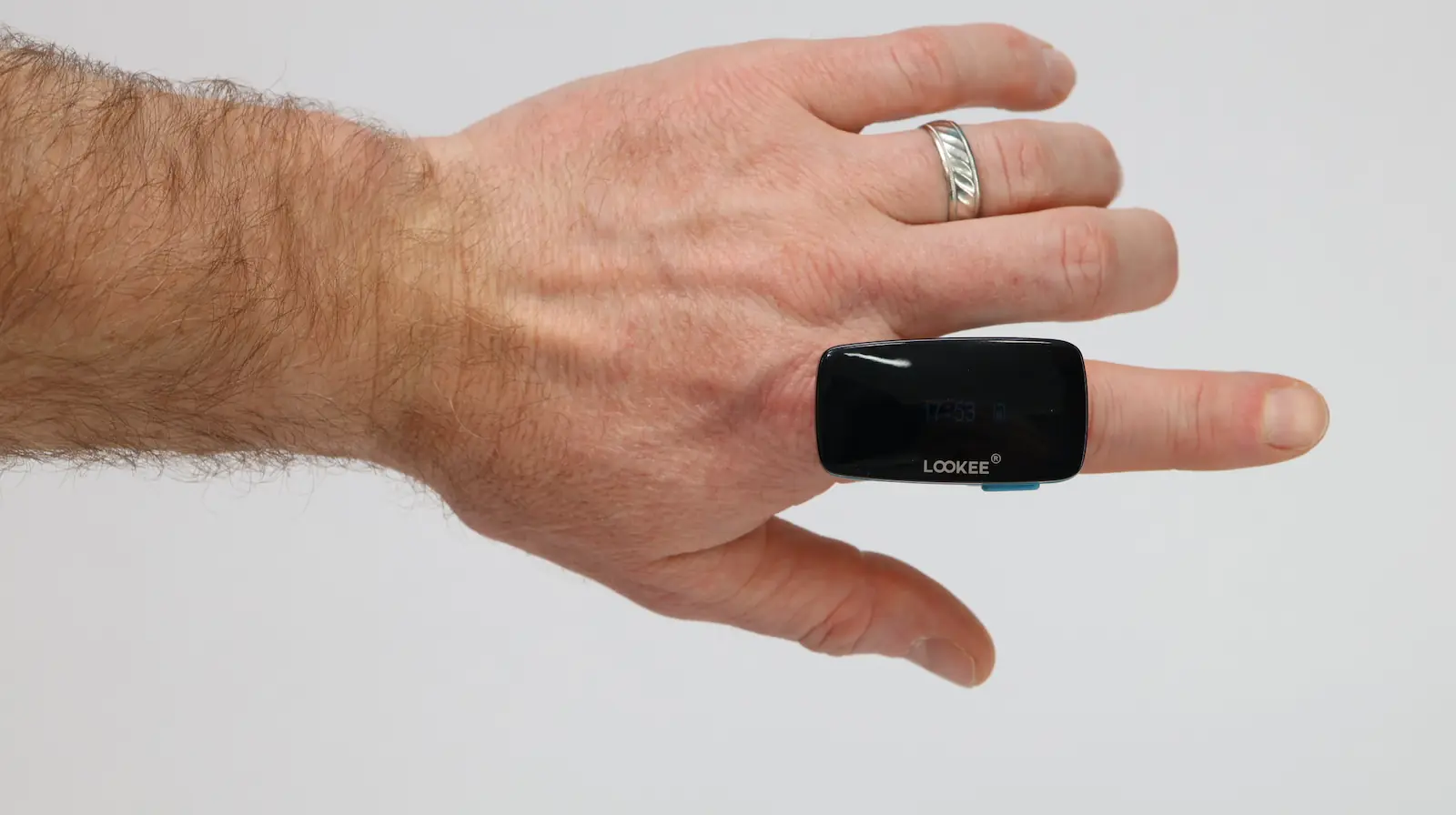
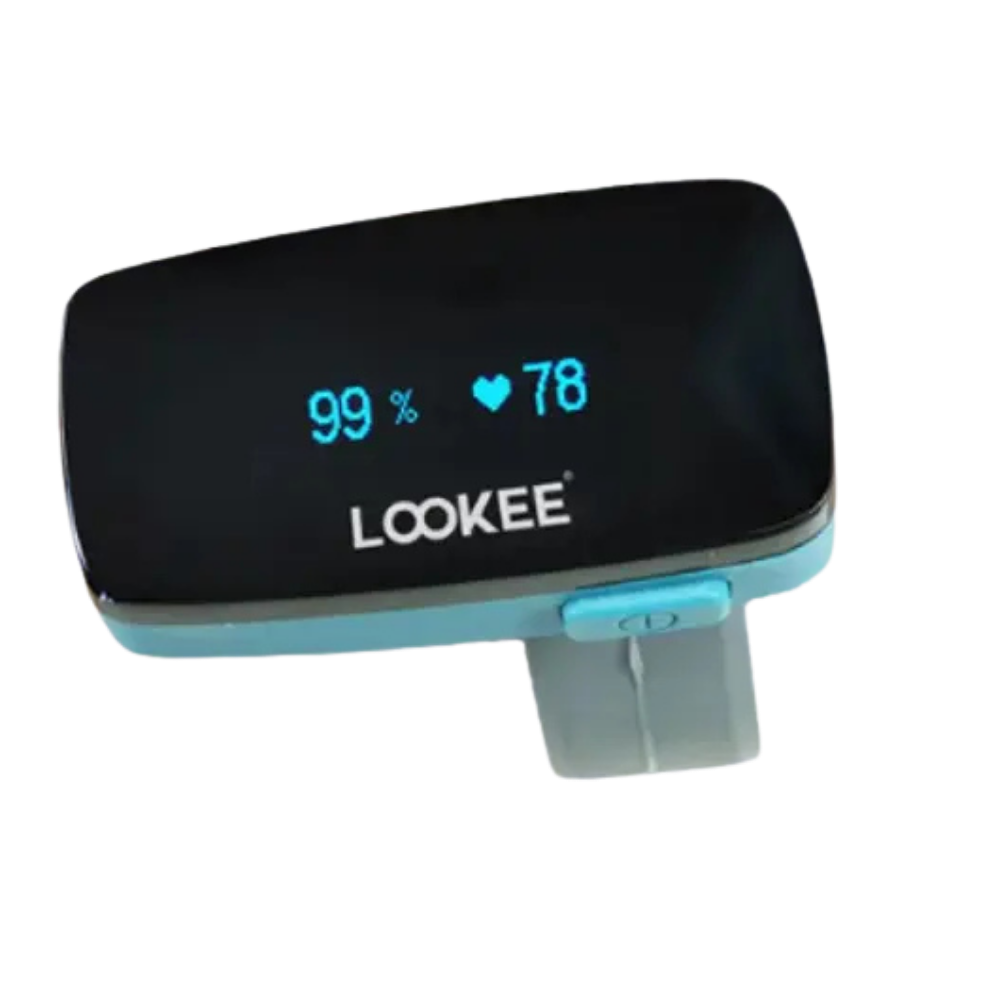
The Sleep Ring is a continuous overnight pulse oximeter in a ring form factor. You wear it on your finger like a chunky band, and the sensor at the bottom of the ring shoots red and infrared light through your fingertip every second to track your oxygen saturation (SpO2) and pulse rate while you sleep. It records all night, syncs to your phone in the morning, and gives you a single dashboard with your overnight numbers.
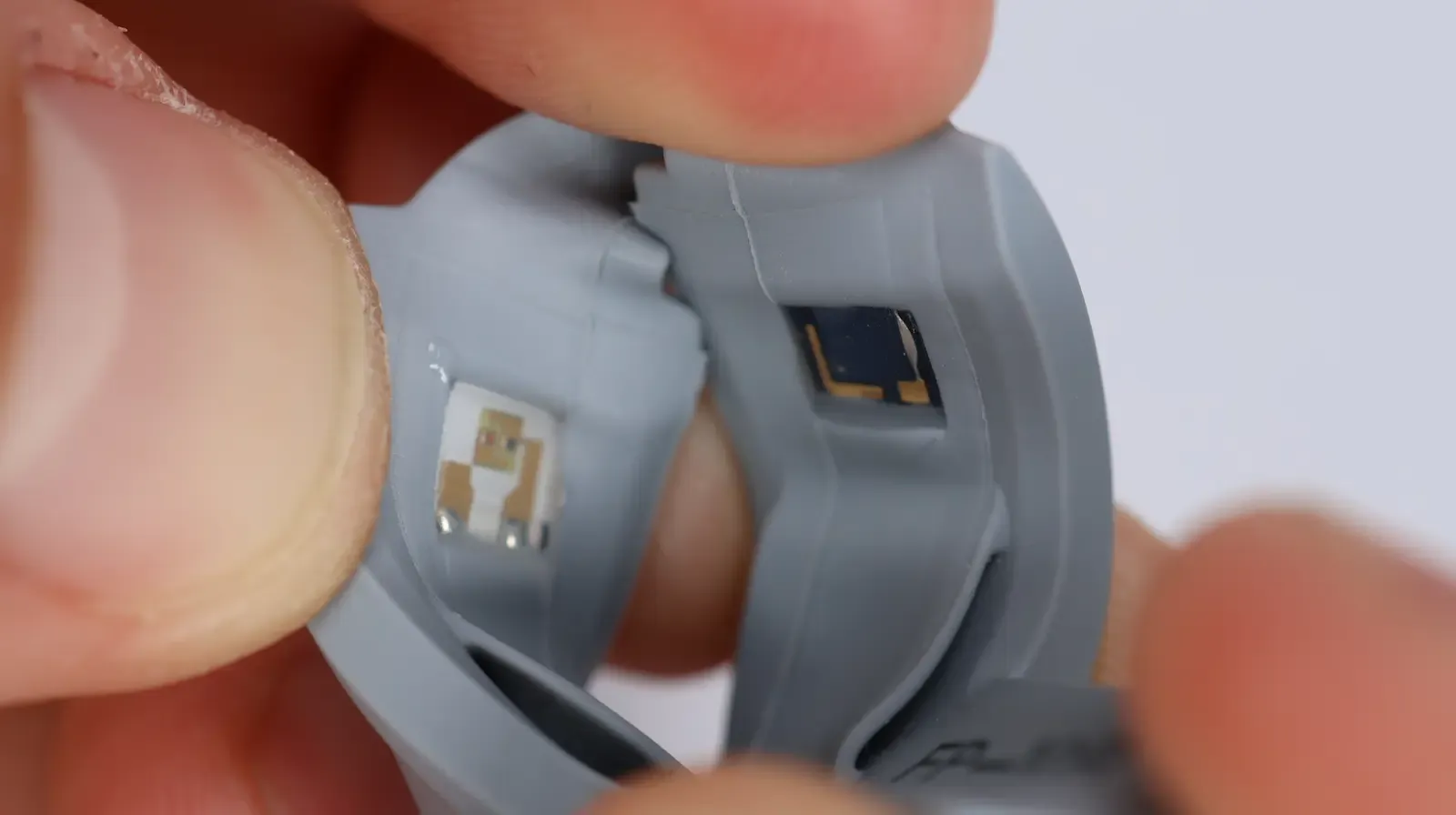
Under the hood, this is the same patented transmissive ring sensor design used across the Wellue and Vibeat product lines. That’s not a coincidence. Lookee is part of the Shenzhen Viatom Technology family that makes most of the consumer pulse oximeters you’ll find on Amazon. Different sticker, mostly the same hardware with some form factor differences.
The Sleep Ring’s specific design puts the sensor at the bottom of your finger, which lets your hand move naturally at night without throwing the readings off. I really appreciated being able to easily move my fingers throughout the night, and it allowed me to sleep better.
The app it talks to is called Vihealth. It’s fast, modern, and frankly one of the better device apps I’ve used across this whole testing project. There’s also a desktop program called O2 Insight Pro that handles the same data with more detail, useful if you want to see how heart rate and motion lined up with your oxygen dips across the night.
That’s the pitch. Comfortable ring, simple app, no separate wristband, all the data, easy export. Now let’s see if it actually works.
The Accuracy Data
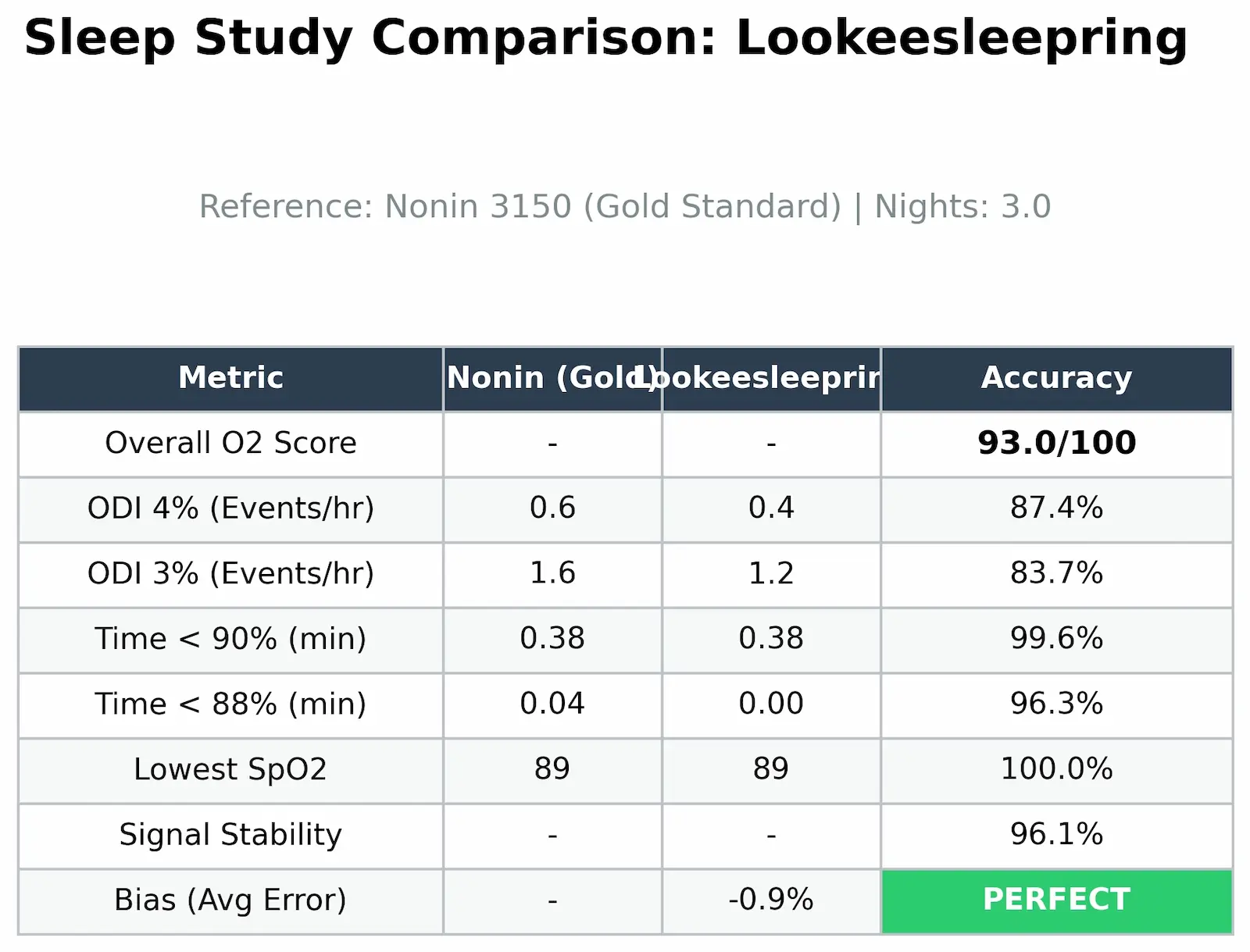
Here’s how the Sleep Ring performed against the hospital reference:
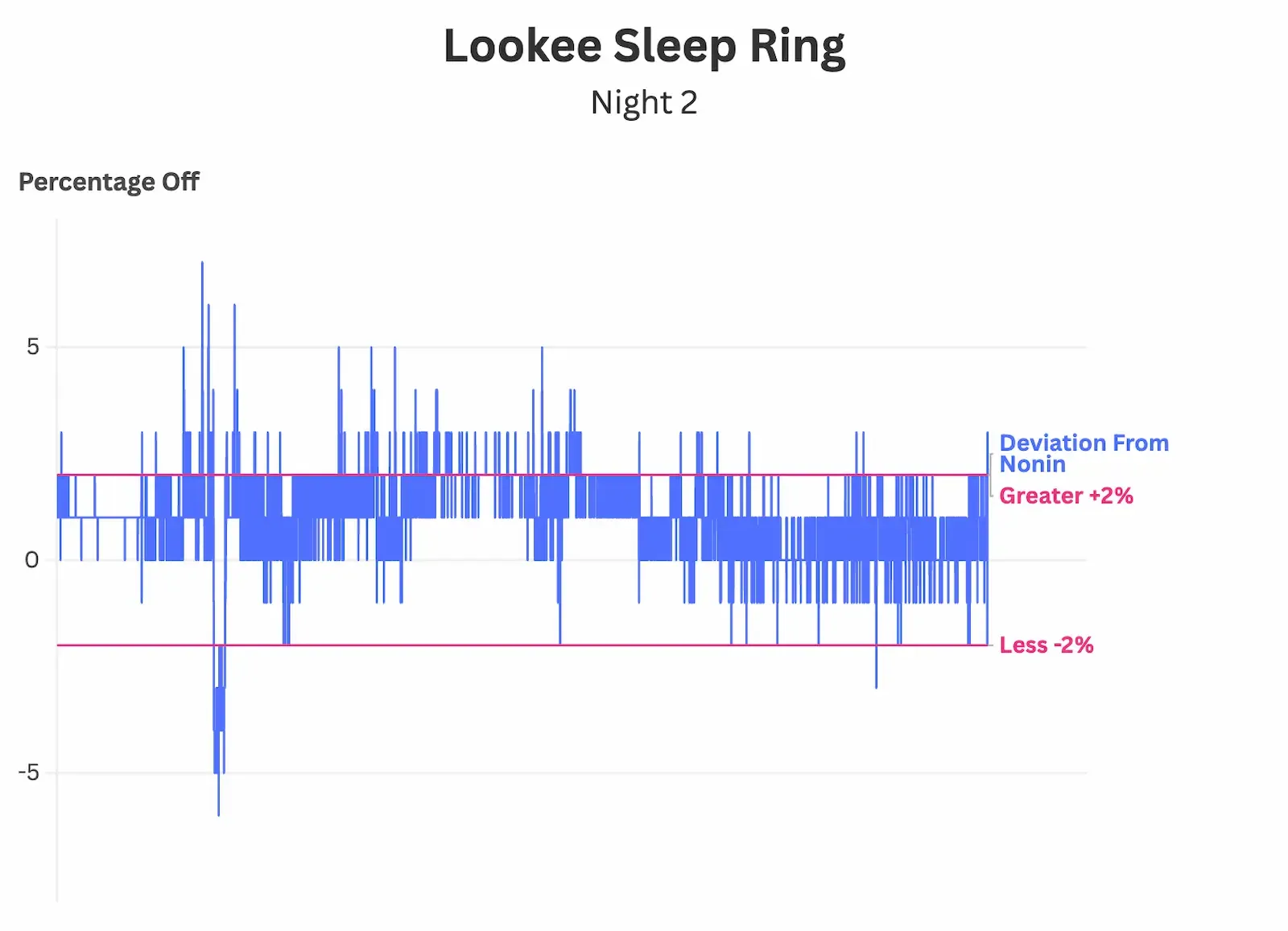
This is how much it deviated from the reference every second. The blue line stays inside the pink guard rails almost the entire night. Fun fact: it took 89,176 lines of data to produce these charts 😳 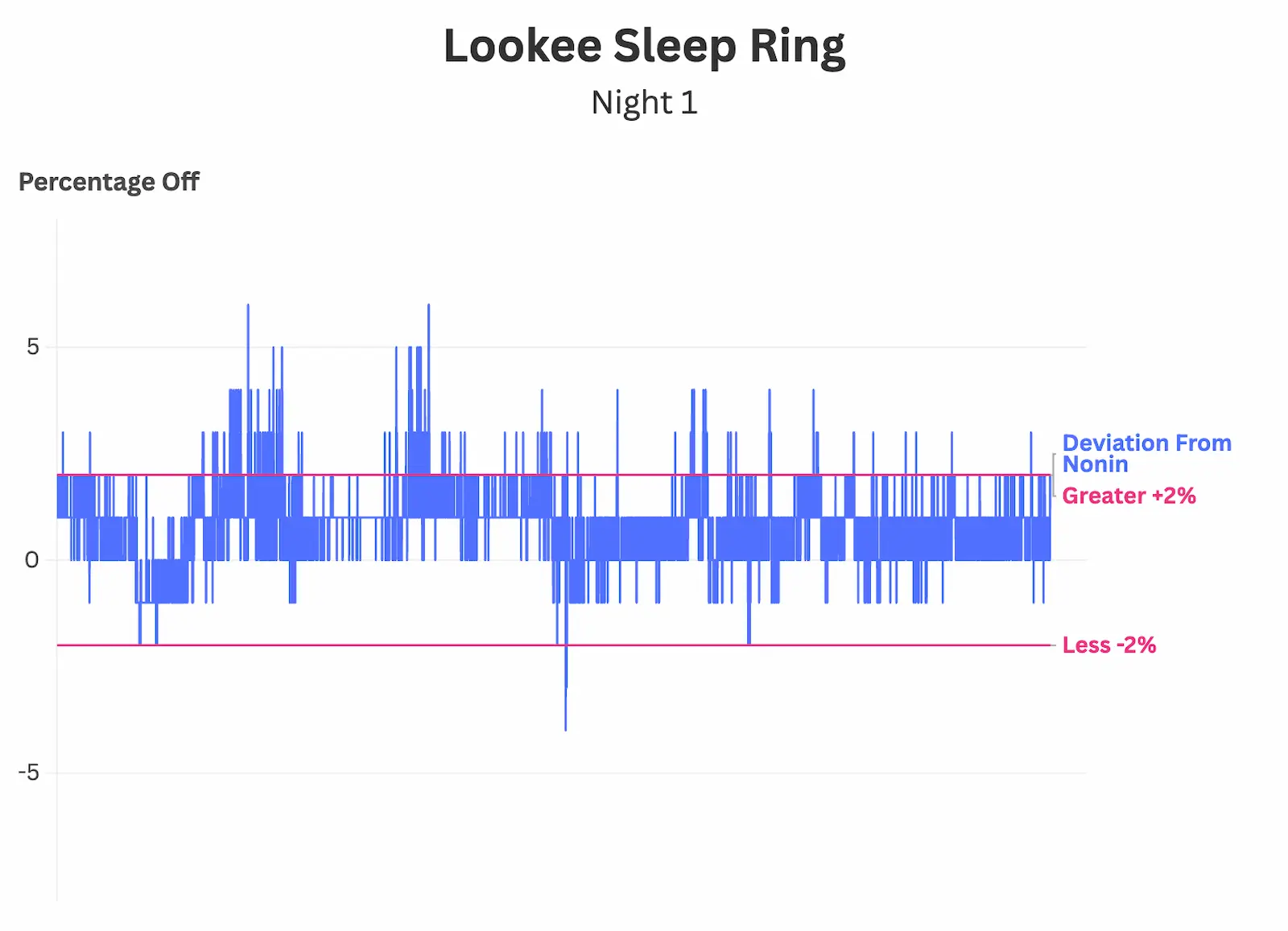
This is how much it deviated from the reference every second. The blue line stays inside the pink guard rails almost the entire night. Fun fact: it took 89,176 lines of data to produce these charts 😳 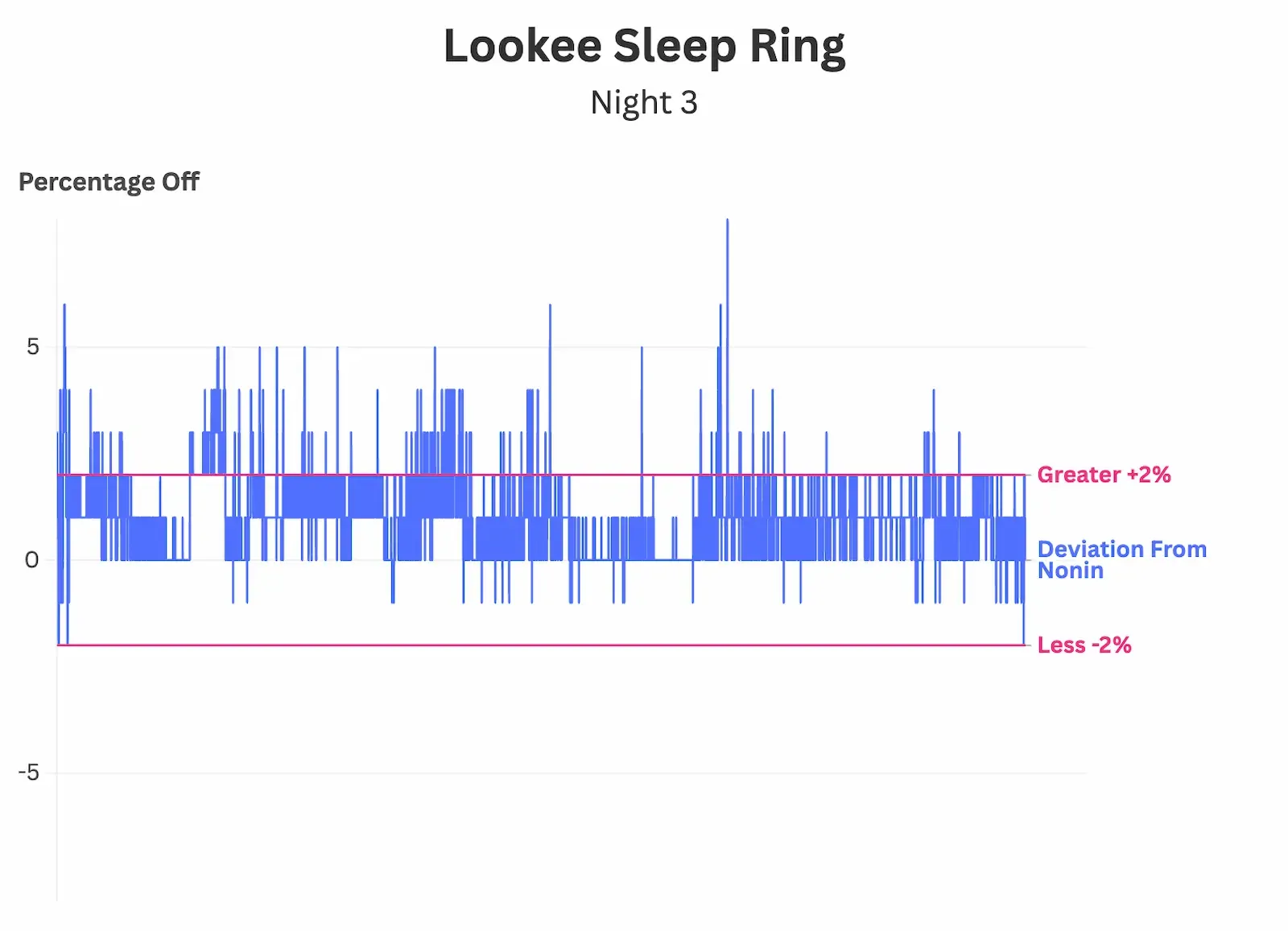
This is how much it deviated from the reference every second. The blue line stays inside the pink guard rails almost the entire night. Fun fact: it took 89,176 lines of data to produce these charts 😳
How to Read this Chart
Think of the Blue Line as the device’s “Report Card.”
- The Center Line (0): This is a perfect score. The device matched the medical equipment exactly.
- The Pink Lines (+2 /-2): These are the “Guard Rails”. As long as the blue line stays between them, the Checkme O2 Max is considered perfect alignment with the hospital-grade device.
- The Takeaway: Notice how the blue line spends almost the entire night safely inside the tracks. This is what reliability looks like.
To dive deeper on how this presents visually and the calculations, click the deviation calculation above.
A few things worth flagging from those numbers.
The Sleep Ring runs slightly low. Bias is -0.9%, which means on average it reads about a percentage point under what the Nonin showed on average. For a continuous overnight oximeter, that’s actually the safer direction to err in. A device that runs slightly low makes you double-check. A device that runs high tells you you’re fine when you aren’t. I’d rather have the cautious one.
Signal stability is the one I care about most for a continuous device. 96.1% of the night, the Sleep Ring’s readings sat within plus-or-minus two percent of the Nonin. That’s the FDA’s clinical agreement window. Hugging that line all night across thousands of data points means the device is tracking what your body is actually doing, not making it up.
The lowest oxygen number, the nadir, is a tied result. Both devices captured 89% as the bottom of the night, exact match. That’s the moment you actually care about for screening sleep apnea, and the Sleep Ring nailed it.
The Overnight Comfort Test
Accuracy is one half of the equation. The other half is whether you’ll actually wear the thing every night, which a surprising number of devices in this project failed.
The Sleep Ring is comfortable. I’d give it a 7 out of 10. Across three nights I didn’t notice it most of the time. It stayed on, no slipping, no falling off, no waking up with it on the floor. The smaller footprint compared to something like the Vibeat OxyLink makes a real difference. There’s less bulk on the back of your hand to catch on the sheets when you roll over.
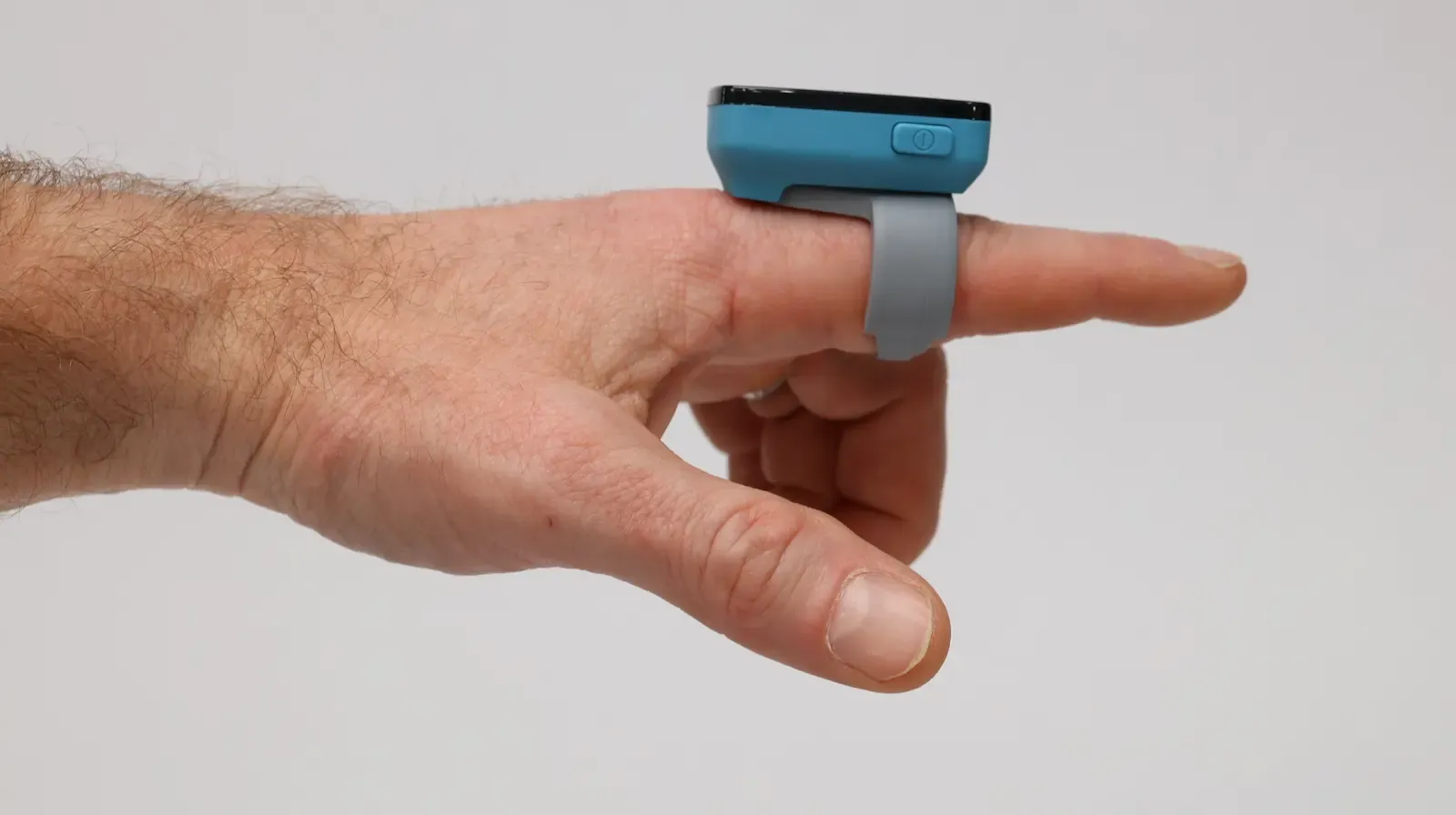
The transmissive sensor design helps here too. Because the sensor sits at the base of your finger rather than wrapping over the tip, you can curl your hand naturally while you sleep. That natural movement is the thing that throws off so many devices and creates motion artifacts. The Sleep Ring is built around that problem.
Now the honest gripe. The screen on the device stays on all night. There is no setting to turn it off automatically while it’s recording. I’d wake up in the morning and the little OLED was still glowing. For a light-sensitive sleeper this is going to be a problem. For me it wasn’t a sleep-killer, but it was annoying, and it should be a one-line fix in firmware. Lookee, if you’re reading this, add an auto-off option.
That’s basically the only thing about the Sleep Ring’s hardware that bothered me. The build feels slightly less polished than the Vibeat OxyLink, with harsher edges, no rubber port cover, and a glossier screen. But for the price difference and the comfort gain, I’m not going to hold it against the device.
Most Comfortable
LOOKEE Ring
Top-tier on the fundamentals: 93/100 on our O2 Score accuracy test, fully wire-free, binary export that drops straight into OSCAR, and the smallest footprint of anything we’ve tested — which makes it the pick for light sleepers. Tactile power button and a vibration alarm round it out.
Trade-offs are minor: smaller battery means daily charging, and it can rotate on very thin fingers overnight.
The App and the PC Software
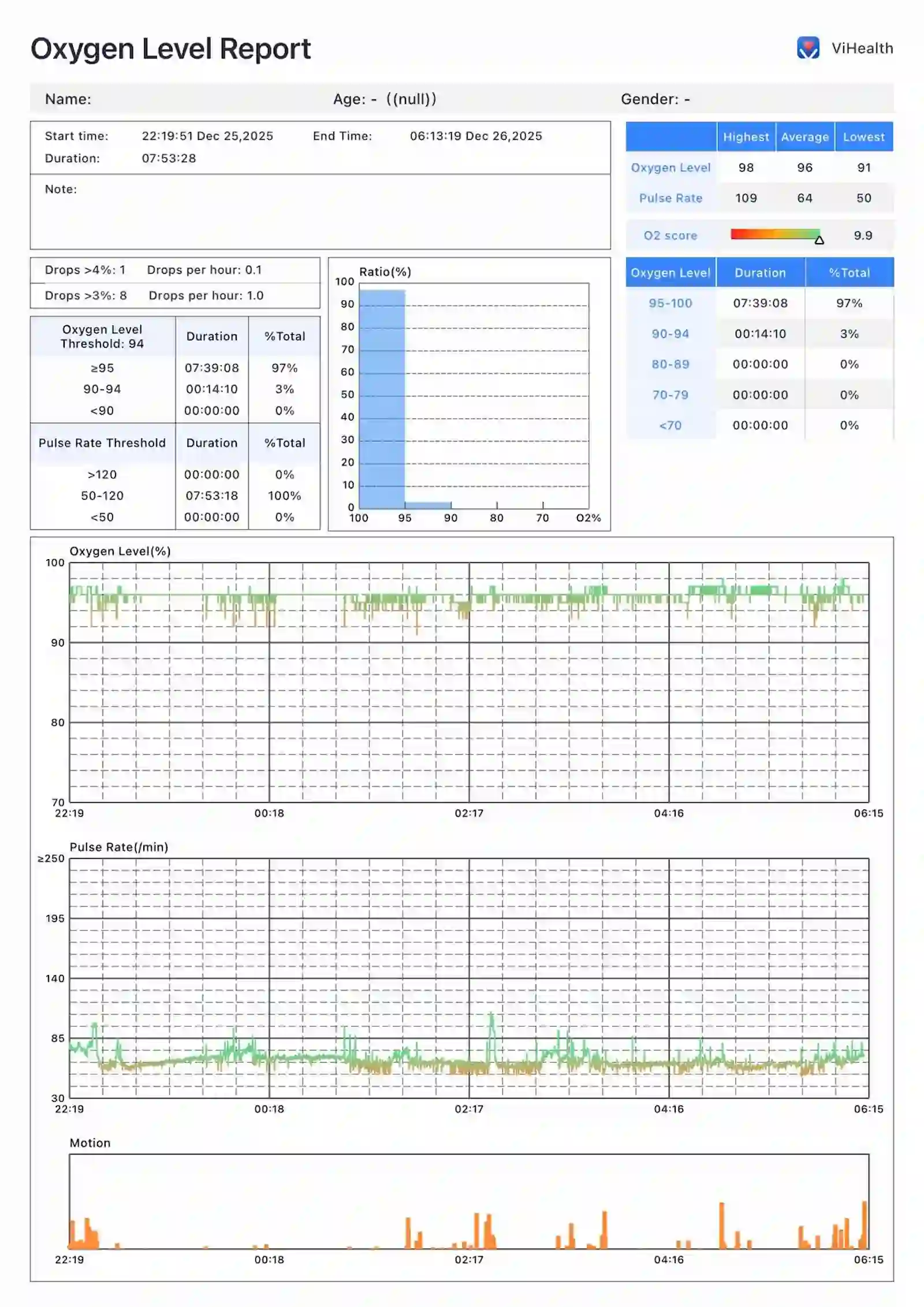
The phone app is called Vihealth. It works exactly the way you’d want a device app to work. You open it, the device shows up, you tap to sync, your overnight data downloads in seconds. There’s a summary view with your O2 score, the lowest SpO2 of the night, and the drop events. If you want to dig deeper you can scroll through the timeline or export the raw data.
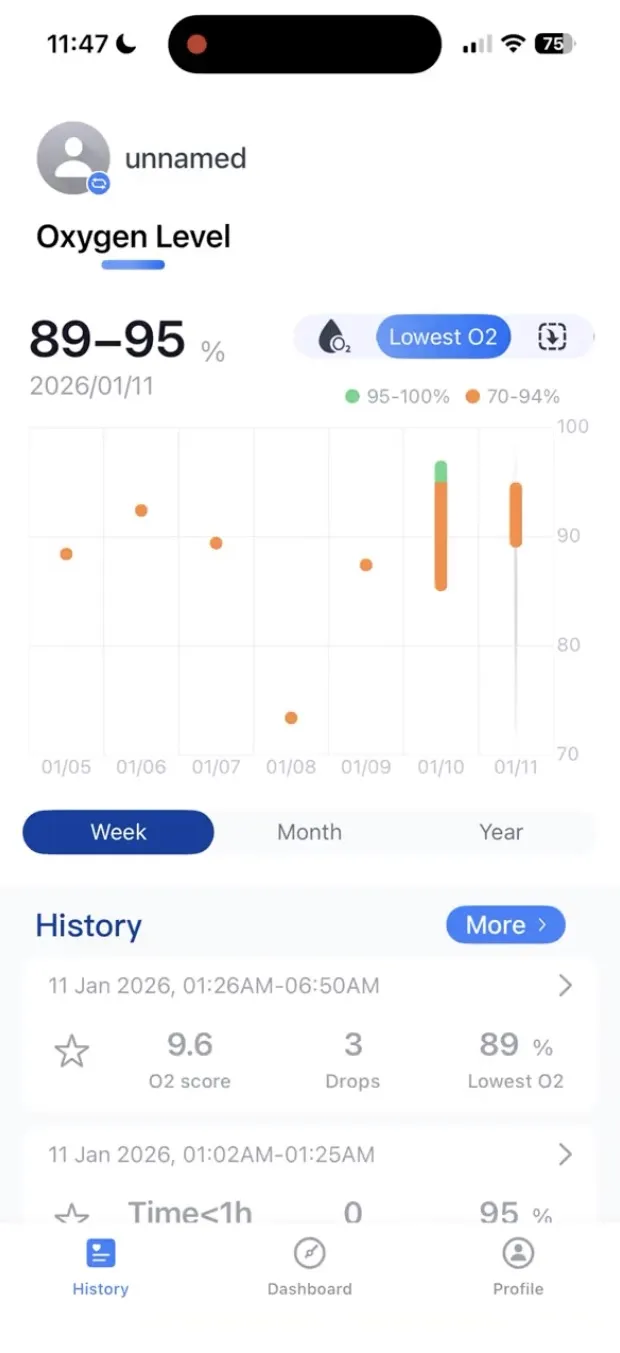
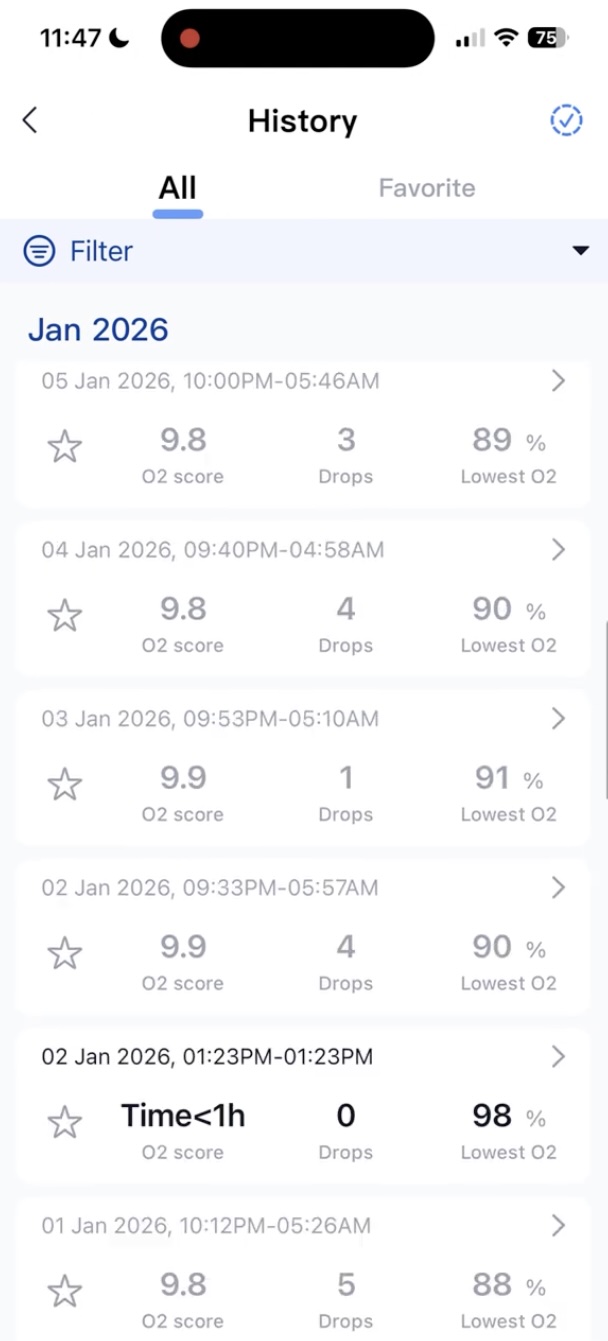
Export options include CSV, PDF, and binary. Tap the share icon and you get the standard iOS or Android share sheet for email, AirDrop, save to Files, whatever you need. I’ve had this app on my phone with about a dozen devices paired to it through this whole testing project and it has never crashed on me. It’s fast and it stays out of your way.
For people who want a desktop view, there’s a program called O2 Insight Pro. Viatom publishes versions for both Windows and Mac. I tested it on my Mac, which is what I’ll speak to here. The desktop program connected to the Sleep Ring over Bluetooth, same as your phone. You don’t need a cable. You open O2 Insight Pro, the device shows up, you import the night, and you get a more detailed timeline view than the phone app gives you.
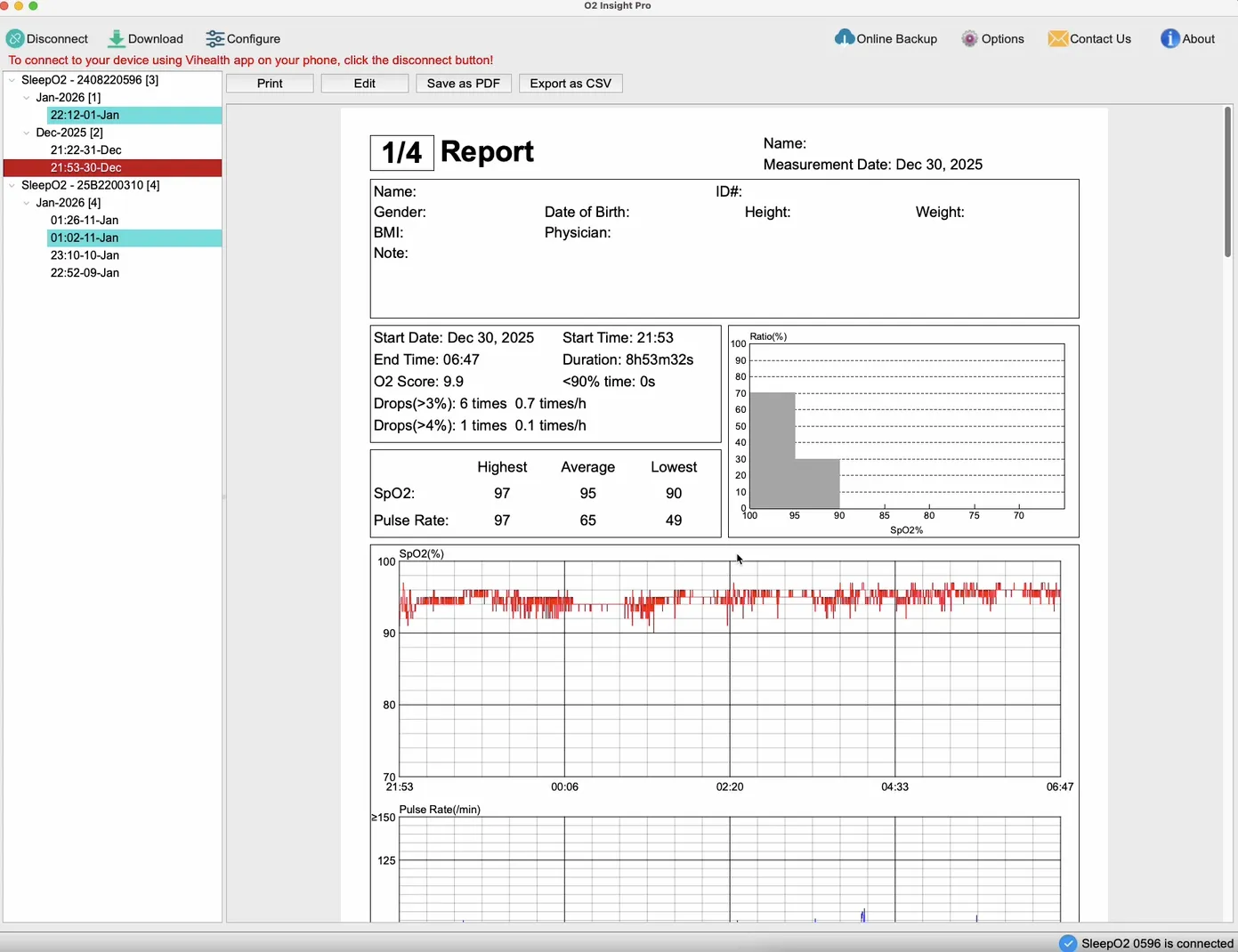
The desktop view is genuinely useful if you’re trying to correlate oxygen dips with heart rate or motion second-by-second. The phone app shows you the summary, the desktop program lets you scroll across the night and see when each drop happened, how long it lasted, and what your heart rate was doing at the same moment.
So far so good. Vihealth and O2 Insight Pro, both working over Bluetooth on a Mac, all the data you want.
For more on how I scored every overnight pulse oximeter in the project, see the continuous oximeter database →
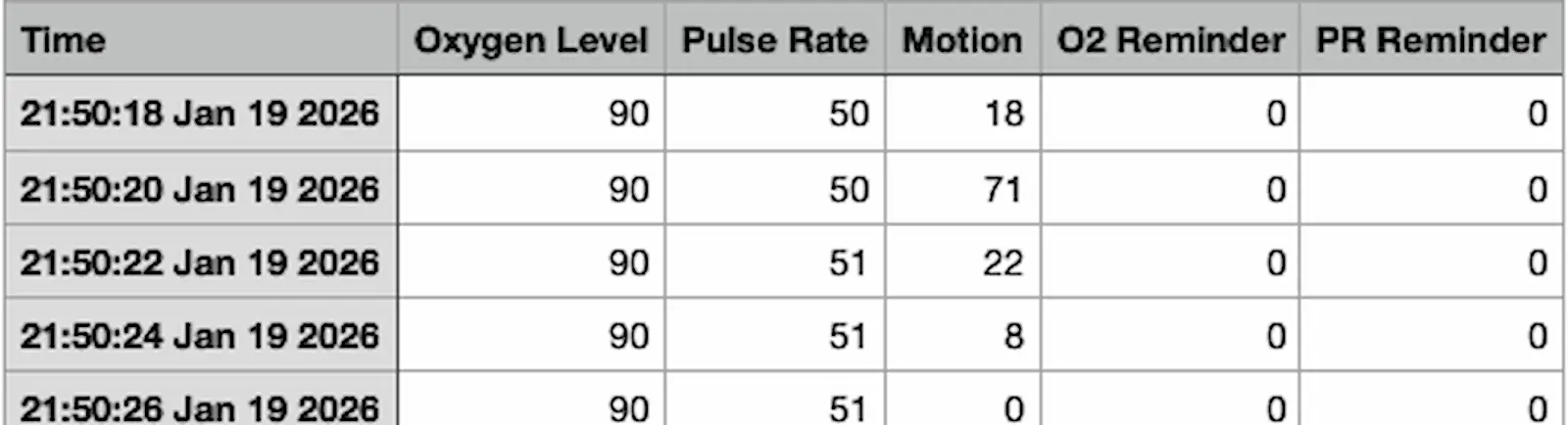
For the exporting, the CSV is clean and well structured.
The sleep report from the app is nice as well, provides some good information to screen your sleep.
So What About the Lookee Pro?
Here’s where it gets interesting.
The Lookee Pro is sold as the upgraded version. The box even says “Pro Ver. with PC Report.” The marketing implies that if you want the desktop software, the Pro is the model you need. The Pro is also a bit more expensive than the regular Sleep Ring.
I tested both. Side by side, three nights each, same protocol, same Nonin reference.
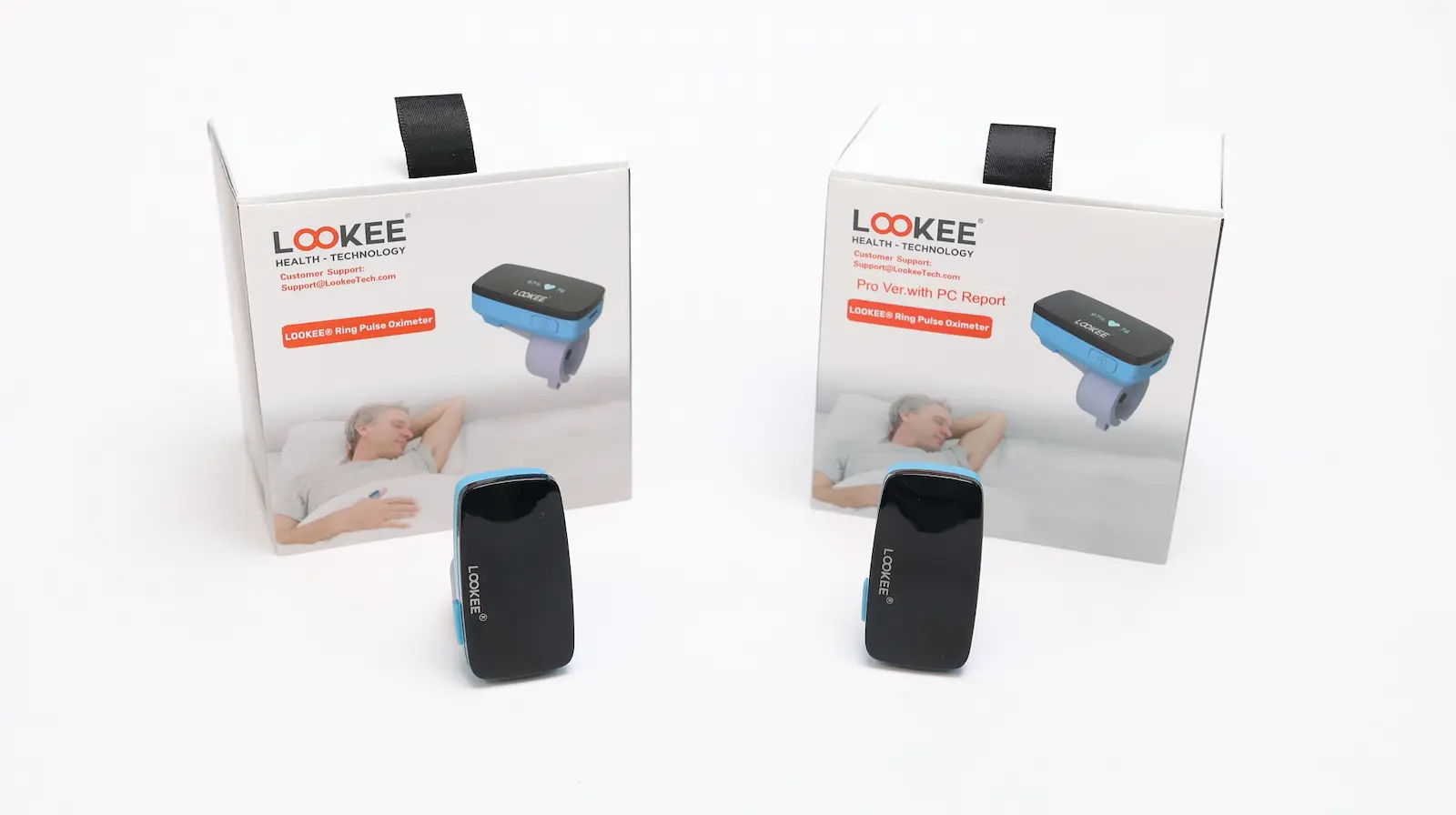
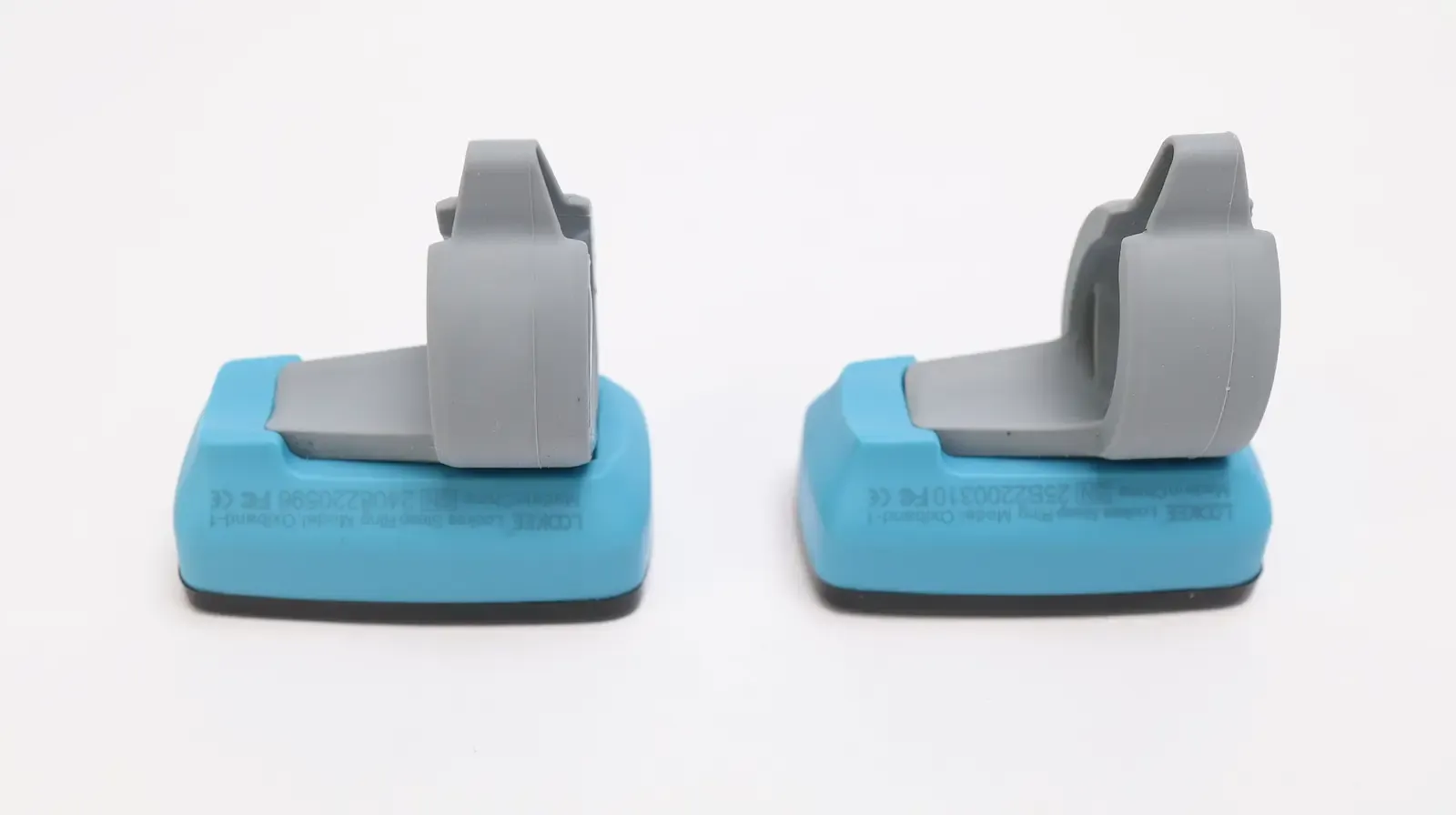
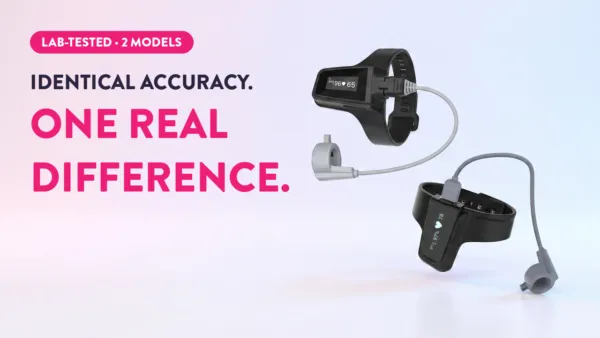
The Pro and the Sleep Ring are, from what I can see, the same device.
Same sensor design. Same Vihealth app. Same O2 Insight Pro desktop software. Same export formats. Same battery, same recording duration, same overall form factor. The only meaningful physical difference I could find is that the Pro ships with a USB-to-PC data cable in the box.
That cable is for hardwired data transfer. You plug the Pro into your computer with the cable and you can move the night’s data across without using Bluetooth. The Sleep Ring doesn’t include that cable. That’s it. That’s what you’re paying extra for.
Here’s the thing. I never needed the cable. O2 Insight Pro on my Mac connected to the Sleep Ring over Bluetooth without any drama, pulled the data, showed me the night. Same connection, same data, no cable in sight.
Anybody with a computer made in roughly the last decade has Bluetooth. The only realistic scenario where the cable matters is if your work computer locks down Bluetooth via IT policy and you need a wired option. If that’s your situation, you already know it.
The Sleep Ring scored higher in my testing.
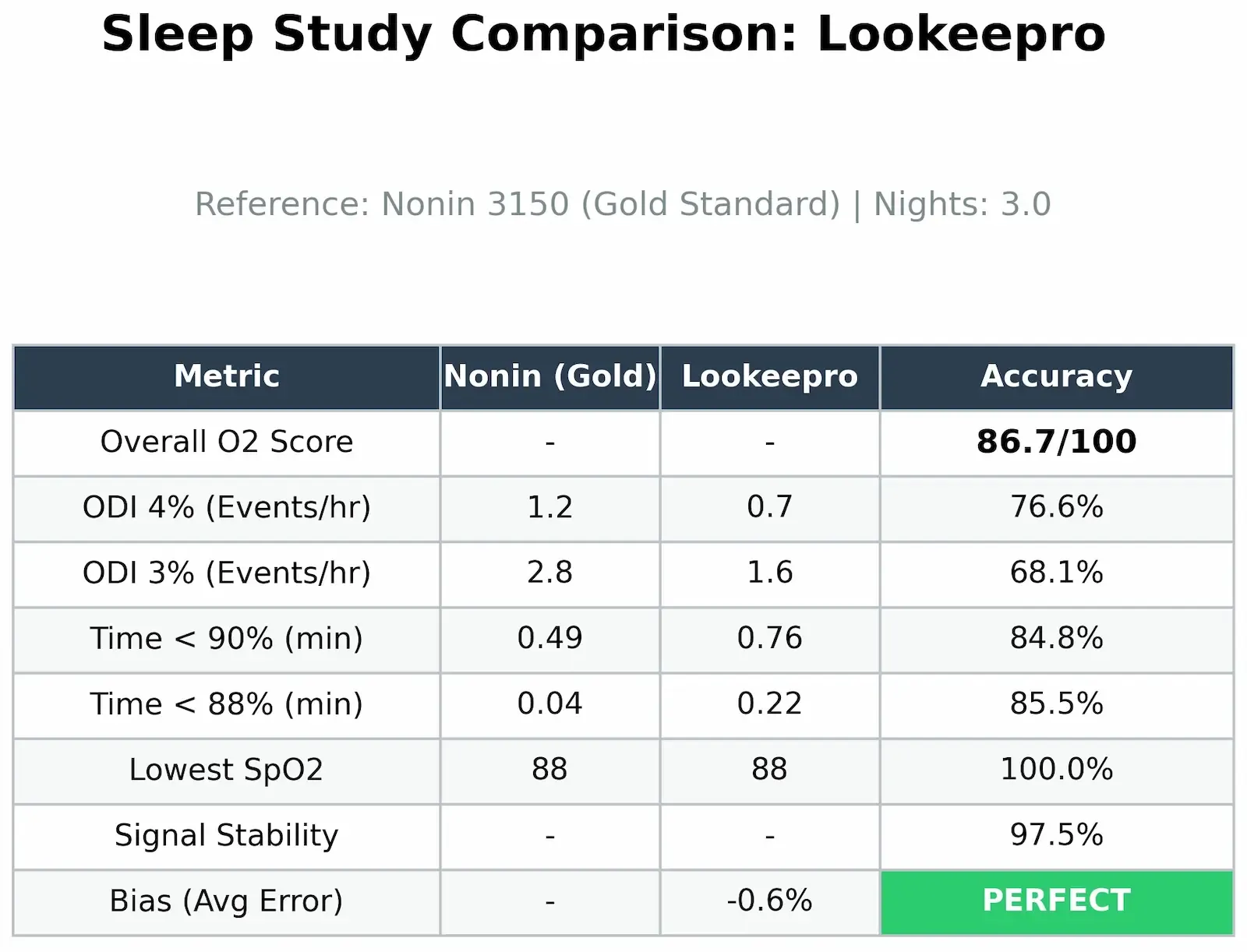
The Pro is fine. Both score in the PERFECT range for bias (within ±1% of the reference). The Pro actually has slightly better signal stability across the test windows. But the overall score puts the Sleep Ring ahead, and the difference between them in real-world use is not something I could detect by wearing them.
One honest note from my testing. On one of my nights with the Pro, the device shifted around enough that it lost signal a couple of times and broke the night up into segments, which I had to merge before running my analysis. That’s variable. It depends on how much you move while you sleep, and it changes night to night.
Both devices have the same finger sensor design, so this could happen on either one, and across three nights with each the Sleep Ring happened to stay cleaner for me.
I literally could not tell the difference between these two devices side by side. Same hardware. Same app. Same data. The “Pro” version is a USB cable upcharge.
Get the Sleep Ring.
Final Verdict: Who Should Buy It
I picked the Lookee Sleep Ring as the most comfortable overnight pulse oximeter in my testing project. It hits the accuracy bar (PERFECT verdict, 93.0/100), the signal stability bar (96.1%), and the comfort bar (7/10, easy overnight wear). The data export workflow is the smoothest of any device I tested. The app is excellent. The desktop software works fine over Bluetooth in my testing.
Buy the Sleep Ring if:
- You want a continuous overnight pulse oximeter ring you’ll actually wear all night
- You can tolerate a small OLED screen that stays on while it records (or you sleep with a mask, or you don’t care)
- You want PC software access via O2 Insight Pro, which the Sleep Ring fully supports over Bluetooth
- You’re looking at the Lookee lineup specifically and want the best value
Consider the Pro instead only if:
- You specifically need a USB cable for hardwired PC data transfer (rare, your computer almost certainly has Bluetooth)
- The Pro is on sale at or below the Sleep Ring’s price (it sometimes is, watch for it)
Skip both and look elsewhere if:
- You want the highest possible accuracy from our testing and don’t mind a less comfortable device, there are higher-scoring and more features in the lineup
If accuracy is the only thing that matters to you, see the best overnight pulse oximeters lineup for the top-scoring picks from our testing →
I’m just one guy testing these on my own finger for three nights each, but the data is the data, and I’d put the Sleep Ring on a friend’s hand without hesitation.
Most comfortable ring in the project, scored where it needed to score, and the cheaper of the two Lookee options. Pretty straightforward.
Sleep well, my friends.
Most Comfortable
LOOKEE Ring
Top-tier on the fundamentals: 93/100 on our O2 Score accuracy test, fully wire-free, binary export that drops straight into OSCAR, and the smallest footprint of anything we’ve tested — which makes it the pick for light sleepers. Tactile power button and a vibration alarm round it out.
Trade-offs are minor: smaller battery means daily charging, and it can rotate on very thin fingers overnight.
Frequently Asked Questions
Common questions about Lookee Ring
Keep reading
 Pulse Oximeters
Best Overnight Pulse Oximeters for Sleep Apnea (Lab Tested)
 Pulse Oximeters
Which Wellue Oximeter Should You Buy? 5 Models Lab-Tested
 Pulse Oximeters
Checkme O2 Max Review: I Tested It for 3 Nights Against a $1,500 Hospital Oximeter
 Pulse Oximeters